Playstore Link:
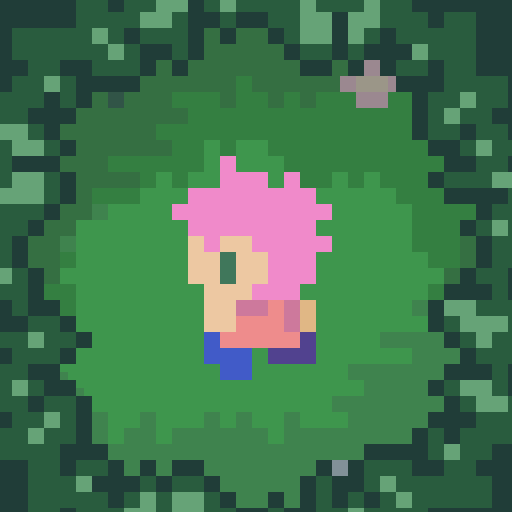
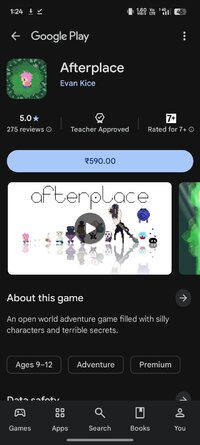
Afterplace - Apps on Google Play
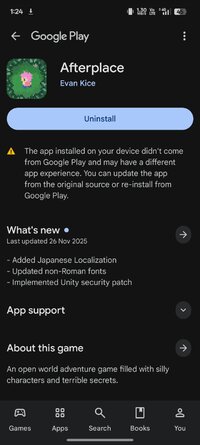
An open world adventure game filled with silly characters and terrible secrets.
Game Name: Afterplace
Game Version: 1.2.20
Needs OBB: No
Needs Root: No
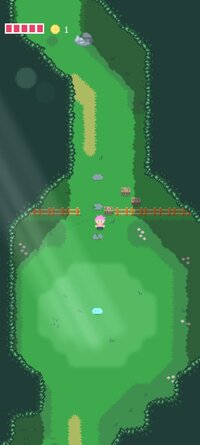
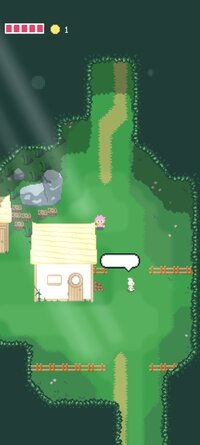
Afterplace is an adventurous indie game for mobile devices. It's a huge open world, full of hidden secrets, treasures, and creatures. You'll run around the woods, fight monsters, and talk to ostensibly shady characters! All from your pocket! Be warned though - you never know what the forest might be hiding. Not all trails are paved. Labyrinths and dungeons are tucked away in the most concealed nooks. There are no waypoints in Afterplace. You'll have to forge your own path.
Afterplace has been designed from the ground up to be a fast, fluid, beautiful experience for mobile. There are no virtual buttons. You can move and attack by touching anywhere. You can tap objects directly to interact or attack, use two thumbs like a traditional controller, or control the game with a physical gamepad. The game will adapt dynamically to your play style. Pick up and set down the game at your own pace, it will always save your progress. Afterplace is made to feel like a full-fledged indie adventure game that fits in your pocket.
About the Author:
Afterplace is made by one person, Evan Kice. A former software engineer from Austin TX, Evan quit his job (to the dismay of his friends and family) and has been working full time on Afterplace since early 2019. The initial game released in December of 2022, but Evan plans on continuing to support and polish the game when he can!
Afterplace has been designed from the ground up to be a fast, fluid, beautiful experience for mobile. There are no virtual buttons. You can move and attack by touching anywhere. You can tap objects directly to interact or attack, use two thumbs like a traditional controller, or control the game with a physical gamepad. The game will adapt dynamically to your play style. Pick up and set down the game at your own pace, it will always save your progress. Afterplace is made to feel like a full-fledged indie adventure game that fits in your pocket.
About the Author:
Afterplace is made by one person, Evan Kice. A former software engineer from Austin TX, Evan quit his job (to the dismay of his friends and family) and has been working full time on Afterplace since early 2019. The initial game released in December of 2022, but Evan plans on continuing to support and polish the game when he can!
*MOD Features*
Unlock full content
Free Download:
______________________________________
If credits are unknown or incorrect and you are the modder you are free to message @G-Bo and the credits will be corrected asap!
What you need to know about Shared-MODs
*How to install (click the spoilers to read)*
Signed APKs do work on all Android devices (rooted + non-rooted).
Signed APKs are in the most cases the only provided files by the mod publisher as they work for everyone.
1.) Remove the original game/app.
2.) Download the MOD APK.
3.) Install the downloaded MOD APK.
4.) Enjoy.
Regarding login methods, please note that logging in with Google will not be possible when using signed MODs. Facebook login (if available) is possible, but it requires you to remove the Facebook application from your device. Other game-specific login methods (if available), such as email, transfer code or guest login usually work fine.
Notes:
- If you used our MOD APK before and just want to update, you can install the new MOD APK on top of the old without removing the game/app first.
- In-App purchases are not possible on signed APKs as they require Google services similar to the Google login process.
Signed APKs are in the most cases the only provided files by the mod publisher as they work for everyone.
1.) Remove the original game/app.
2.) Download the MOD APK.
3.) Install the downloaded MOD APK.
4.) Enjoy.
Regarding login methods, please note that logging in with Google will not be possible when using signed MODs. Facebook login (if available) is possible, but it requires you to remove the Facebook application from your device. Other game-specific login methods (if available), such as email, transfer code or guest login usually work fine.
Notes:
- If you used our MOD APK before and just want to update, you can install the new MOD APK on top of the old without removing the game/app first.
- In-App purchases are not possible on signed APKs as they require Google services similar to the Google login process.
Unsigned APKs do only work on rooted and patched devices/environments.
These are not always provided by the mod publisher as they do only work under certain circumstances.
1.) Your device must be rooted.
2.) Your device must be patched to ignore app signatures. This can be done with the help of tools such as Luckypatcher or Xposed.
Once you fill that requirements the process is the same as with signed APKs with the difference that you can overwrite the original game/app with the MOD APK without removing it first.
1.) Download the unsigned MOD APK.
2.) Install the unsigned MOD APK.
3.) Enjoy.
Note:
For the case the unsigned APK does fail to install: Your device patch is not done correctly!
Login methods and In-App purchases on unsigned MODs function the same as in the original game. Logging in with Google works without issues. Keeping the Facebook application installed is also no problem.
You are rooted and want to know how to patch your device? Please check this for more information:
[Videotutorial] How To Login With Google+ Or Facebook App On Modded Games
These are not always provided by the mod publisher as they do only work under certain circumstances.
1.) Your device must be rooted.
2.) Your device must be patched to ignore app signatures. This can be done with the help of tools such as Luckypatcher or Xposed.
Once you fill that requirements the process is the same as with signed APKs with the difference that you can overwrite the original game/app with the MOD APK without removing it first.
1.) Download the unsigned MOD APK.
2.) Install the unsigned MOD APK.
3.) Enjoy.
Note:
For the case the unsigned APK does fail to install: Your device patch is not done correctly!
Login methods and In-App purchases on unsigned MODs function the same as in the original game. Logging in with Google works without issues. Keeping the Facebook application installed is also no problem.
You are rooted and want to know how to patch your device? Please check this for more information:
[Videotutorial] How To Login With Google+ Or Facebook App On Modded Games
OBB files are not required by every game/app. If necessary, the mod publisher will usually provide them and tell you that they are needed.
1.) Download the OBB file/files.
2.) Download the MOD APK.
3.) Move the OBB files with the help of a filemanager to Android/obb/<packagecode> on your device.
4.) Install the downloaded MOD APK.
5.) Enjoy.
The OBB files are either provided as ".obb" files or as ".zip" files. ZIP files do require to be extracted first.
Still facing issues? Please check here for more details:
How to install OBB files [as detailed as possible]
1.) Download the OBB file/files.
2.) Download the MOD APK.
3.) Move the OBB files with the help of a filemanager to Android/obb/<packagecode> on your device.
4.) Install the downloaded MOD APK.
5.) Enjoy.
The OBB files are either provided as ".obb" files or as ".zip" files. ZIP files do require to be extracted first.
Still facing issues? Please check here for more details:
How to install OBB files [as detailed as possible]
Tutorials:
How to sign up and download on Platinmods.com
List of useful tutorials about how to use this website and its content