Playstore Link :

Depending on the device, some functions may not be available
App allows:
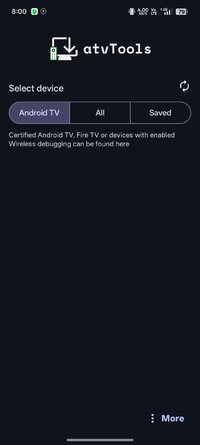
- Install (sideload) apps from your smartphone to your TV devices
- Control your TV apps (include opening, uninstalling, disabling/enabling and downloading APK)
- Control apps permissions (grant/revoke)
- Build-in File Manager
- Make screenshot
- Send files from your phone to TV
- Control your device using remote control and mouse mode in the app
- Paste text from your phone
- Run Shell commands
- Clear all apps cache using one button
- Reboot and power TV device
- See usage of CPU, RAM, network and storage
- See running apps and force-stop them if needed
What's New:
- Implemented media control (for remote devices with Android 10+)
- Implemented sharing files using atvTools, allows to install apps or upload files to Download folder
- Apps: faster loading, new filters and new sort based on install and update dates
- Remote control: mouse works on Android 7
- Shell: optional use binary instead of TCP, history & bookmarks, saving shell state, pinch-to-zoom for font size, horizontal scrolling
- Remote control: handle physical volume buttons in remote control
- Installation: displaying errors
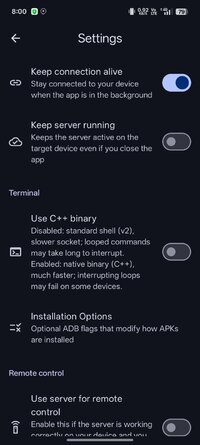
- New settings: keep server running, use server for mouse, use HID mouse over TCP, horizontal scrolling
- A lot of fixes & improvements
App allows:
- Install (sideload) apps from your smartphone to your TV devices
- Control your TV apps (include opening, uninstalling, disabling/enabling and downloading APK)
- Control apps permissions (grant/revoke)
- Build-in File Manager
- Make screenshot
- Send files from your phone to TV
- Control your device using remote control and mouse mode in the app
- Paste text from your phone
- Run Shell commands
- Clear all apps cache using one button
- Reboot and power TV device
- See usage of CPU, RAM, network and storage
- See running apps and force-stop them if needed
What's New:
- Implemented media control (for remote devices with Android 10+)
- Implemented sharing files using atvTools, allows to install apps or upload files to Download folder
- Apps: faster loading, new filters and new sort based on install and update dates
- Remote control: mouse works on Android 7
- Shell: optional use binary instead of TCP, history & bookmarks, saving shell state, pinch-to-zoom for font size, horizontal scrolling
- Remote control: handle physical volume buttons in remote control
- Installation: displaying errors
- New settings: keep server running, use server for mouse, use HID mouse over TCP, horizontal scrolling
- A lot of fixes & improvements
*Special Features*
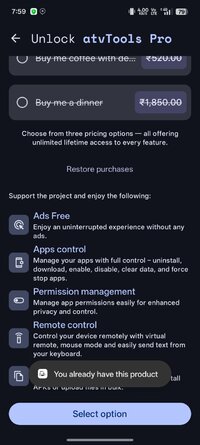
◈ Unlocked the full version
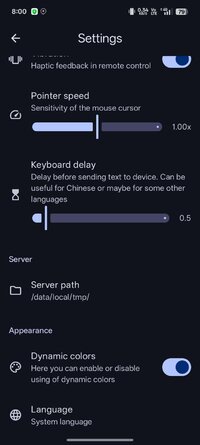
◈ Added an option to select the Russian language in the settings
◈ Removed ads
◈ Removed analytics
◈ Removed trackers
◈ Removed debugging
◈ Non-professional translation into Russian
◈ TestKey signature
Note:
Two versions in them different bypass protection F and S, if one does not work, try the other with cleaning, deleting and rebooting.
Credit to : frolickof
Free Download:
! Hidden Content !
You must be registered and either click Like under this post or leave a comment before you can see the hidden links.
You may need to refresh the page after clicking Like. If you’re still having trouble revealing the hidden links, please
read this.
Did you know? VIP Members can see all links instantly, no unlocking required.
Interested? Get VIP here.
Interested? Get VIP here.