

Playstore Link:
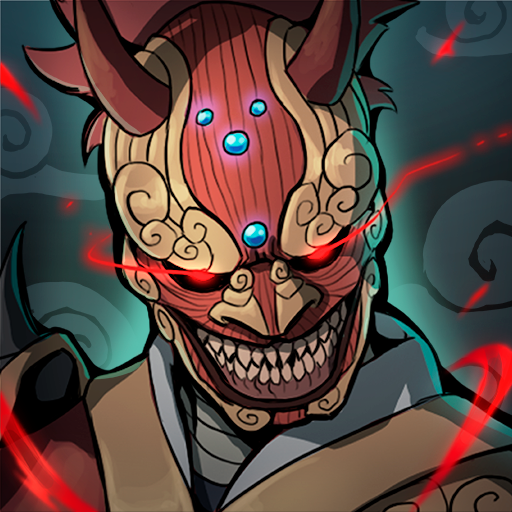
Demon Blade - Japan Action RPG - Apps on Google Play
Japanese Samurai RPG with intense Action Combat, inspired by Demon Slayer
Game Name: Demon Blade - Japan Action RPG
Game Version: 2.5663
Needs OBB: No
Needs Root: No
Join the league of demon hunters and save the world in Demon Blade! Something strange is happening: the moon has disappeared and the border with the demon world has blurred. As a demon hunter, you must assume your role and save the people. But you won't be alone in this mission: form clans and join other players to overcome different dungeons and face the demon that torments these lands.
Become the strongest samurai and receive fantastic legendary rewards. Your sword is sacred, your most precious weapon, and you must make sure not to lose it in the fight against demons. Fighting is the last resort to save Japan. Are you ready to take action?
Features:
> A fantastic RPG story, full of characters and encounters, fear and passions. > Live a great story on your own device.
> Embody the role of a samurai and level up your character and equipment.
> Action combat like you've never seen before on mobile. No on-screen buttons! A Souls-like combat for smartphones.
> Online rankings against other players.
> Ultimate skills to release the demons that live in your katana.
> Form clans with other players and participate in raids to defeat dungeon bosses.
> Discover hundreds of samurai armors, each one visible on your character in-game, and legendary equipment such as swords and armor.
> A great artistic direction, based on Chinese ink for the recreation of feudal Japan.
> A PVP system to see who's the best samurai.
> Join the fight against demons and become the strongest samurai! Download Demon Blade now and experience an epic adventure.
[Facebook]
facebook.com/demonbladegame
[Terms of use]
garage51.es/termcond.html
[Privacy Policy]
garage51.es/privacy.html
Become the strongest samurai and receive fantastic legendary rewards. Your sword is sacred, your most precious weapon, and you must make sure not to lose it in the fight against demons. Fighting is the last resort to save Japan. Are you ready to take action?
Features:
> A fantastic RPG story, full of characters and encounters, fear and passions. > Live a great story on your own device.
> Embody the role of a samurai and level up your character and equipment.
> Action combat like you've never seen before on mobile. No on-screen buttons! A Souls-like combat for smartphones.
> Online rankings against other players.
> Ultimate skills to release the demons that live in your katana.
> Form clans with other players and participate in raids to defeat dungeon bosses.
> Discover hundreds of samurai armors, each one visible on your character in-game, and legendary equipment such as swords and armor.
> A great artistic direction, based on Chinese ink for the recreation of feudal Japan.
> A PVP system to see who's the best samurai.
> Join the fight against demons and become the strongest samurai! Download Demon Blade now and experience an epic adventure.
[Facebook]
facebook.com/demonbladegame
[Terms of use]
garage51.es/termcond.html
[Privacy Policy]
garage51.es/privacy.html
*MOD Features*
MOD MENU
✶ God Mode
✶ No Attack CD
Important: Turn the mod off until finishing the tutorial.
Stay away from harmful malicious mods that fill your device with UNWANTED ADS! I always provide quality service with no such malicious tricks to earn money. We want you happy, that's our goal. You can be sure to download quality on platinmods.com.
*How to install (click the spoilers to read)*
Signed APKs do work on all Android devices (rooted + non-rooted).
Signed APKs are in the most cases the only provided files by the mod publisher as they work for everyone.
1.) Remove the original game/app.
2.) Download the MOD APK.
3.) Install the downloaded MOD APK.
4.) Enjoy.
Regarding login methods, please note that logging in with Google will not be possible when using signed MODs. Facebook login (if available) is possible, but it requires you to remove the Facebook application from your device. Other game-specific login methods (if available), such as email, transfer code or guest login usually work fine.
Notes:
- If you used our MOD APK before and just want to update, you can install the new MOD APK on top of the old without removing the game/app first.
- In-App purchases are not possible on signed APKs as they require Google services similar to the Google login process.
Signed APKs are in the most cases the only provided files by the mod publisher as they work for everyone.
1.) Remove the original game/app.
2.) Download the MOD APK.
3.) Install the downloaded MOD APK.
4.) Enjoy.
Regarding login methods, please note that logging in with Google will not be possible when using signed MODs. Facebook login (if available) is possible, but it requires you to remove the Facebook application from your device. Other game-specific login methods (if available), such as email, transfer code or guest login usually work fine.
Notes:
- If you used our MOD APK before and just want to update, you can install the new MOD APK on top of the old without removing the game/app first.
- In-App purchases are not possible on signed APKs as they require Google services similar to the Google login process.
Unsigned APKs do only work on rooted and patched devices/environments.
These are not always provided by the mod publisher as they do only work under certain circumstances.
1.) Your device must be rooted.
2.) Your device must be patched to ignore app signatures. This can be done with the help of tools such as Luckypatcher or Xposed.
Once you fill that requirements the process is the same as with signed APKs with the difference that you can overwrite the original game/app with the MOD APK without removing it first.
1.) Download the unsigned MOD APK.
2.) Install the unsigned MOD APK.
3.) Enjoy.
Note:
For the case the unsigned APK does fail to install: Your device patch is not done correctly!
Login methods and In-App purchases on unsigned MODs function the same as in the original game. Logging in with Google works without issues. Keeping the Facebook application installed is also no problem.
You are rooted and want to know how to patch your device? Please check this for more information:
[Videotutorial] How To Login With Google+ Or Facebook App On Modded Games
These are not always provided by the mod publisher as they do only work under certain circumstances.
1.) Your device must be rooted.
2.) Your device must be patched to ignore app signatures. This can be done with the help of tools such as Luckypatcher or Xposed.
Once you fill that requirements the process is the same as with signed APKs with the difference that you can overwrite the original game/app with the MOD APK without removing it first.
1.) Download the unsigned MOD APK.
2.) Install the unsigned MOD APK.
3.) Enjoy.
Note:
For the case the unsigned APK does fail to install: Your device patch is not done correctly!
Login methods and In-App purchases on unsigned MODs function the same as in the original game. Logging in with Google works without issues. Keeping the Facebook application installed is also no problem.
You are rooted and want to know how to patch your device? Please check this for more information:
[Videotutorial] How To Login With Google+ Or Facebook App On Modded Games
OBB files are not required by every game/app. If necessary, the mod publisher will usually provide them and tell you that they are needed.
1.) Download the OBB file/files.
2.) Download the MOD APK.
3.) Move the OBB files with the help of a filemanager to Android/obb/<packagecode> on your device.
4.) Install the downloaded MOD APK.
5.) Enjoy.
The OBB files are either provided as ".obb" files or as ".zip" files. ZIP files do require to be extracted first.
Still facing issues? Please check here for more details:
How to install OBB files [as detailed as possible]
1.) Download the OBB file/files.
2.) Download the MOD APK.
3.) Move the OBB files with the help of a filemanager to Android/obb/<packagecode> on your device.
4.) Install the downloaded MOD APK.
5.) Enjoy.
The OBB files are either provided as ".obb" files or as ".zip" files. ZIP files do require to be extracted first.
Still facing issues? Please check here for more details:
How to install OBB files [as detailed as possible]
Free Download:
! Hidden Content !
You must be registered and either click Like under this post or leave a comment before you can see the hidden links.
You may need to refresh the page after clicking Like. If you’re still having trouble revealing the hidden links, please
read this.
Did you know? VIP Members can see all links instantly, no unlocking required.
Interested? Get VIP here.
Interested? Get VIP here.
Tutorials:
How to sign up and download on Platinmods.com
List of useful tutorials about how to use this website and its content
Last edited by a moderator:


