Playstore Link:

Hatch Dragons - Apps on Google Play
Dragons like never before! Collect and care for hundreds of unique dragons.
Game Name: Hatch Dragons
Game Version: 0.2.11
Needs OBB: No
Needs Root: No
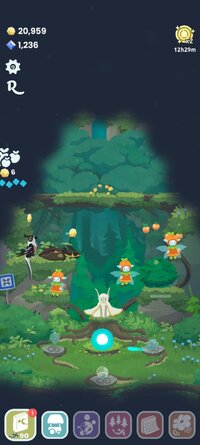
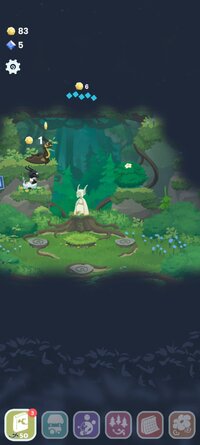
Discover Dragons like you’ve never seen before! Collect and care for hundreds of unique Dragons, uncovering their origins as they grow. From playful Cat Dragons to rare Bluebell Dragons, every new Dragon you hatch and raise brings this cozy, peaceful world to life.
Long ago, Dragons filled this enchanted forest, thriving alongside nature. Each evolved into forms as diverse as the surrounding flora and fauna. Some shimmered with glittering scales, others were soft and furry, and some even bloomed with flowers or mushrooms.
When nearby mining drove the Dragons away, fog crept in and the forest fell silent for years. Now, join Liv the Elf to lift the fog, summon the Dragons home, and help the forest sparkle with life once more.
GAME HIGHLIGHTS
 Summon Dragons: Help Liv mix elements, gems, and more to call Dragons of all shapes, forms, and rarities to your forest.
 Raise Dragons: Hatch eggs, feed your Dragons, and help them grow into magical, bonded companions.
 Collect Hundreds of Dragons: Discover a magical array of Dragons that evolved alongside nature.
 Uncover Lore: Reveal charming legends and little-known facts about your Dragons.
 Explore and Restore: Clear the fog and help the forest awaken with life, magic, and folkloric friends.
 Decorate Your Forest: Adorn your forest with plants and decor that possess magical abilities to help you progress.
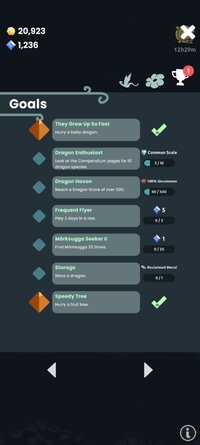
 Missions and Events: Missions, updates, and limited-time events bring exciting new Dragons, décor, and rewards. There’s always something new to discover!
If you love Dragons, cozy collection games, and relaxing adventures, you will be enchanted by Hatch Dragons.
*****
Hatch Dragons is developed and published by Runaway.
This game is free to play but does contain in-app purchases. If you run into any issues while playing or you have any suggestions, please reach out to us at [email protected]
Long ago, Dragons filled this enchanted forest, thriving alongside nature. Each evolved into forms as diverse as the surrounding flora and fauna. Some shimmered with glittering scales, others were soft and furry, and some even bloomed with flowers or mushrooms.
When nearby mining drove the Dragons away, fog crept in and the forest fell silent for years. Now, join Liv the Elf to lift the fog, summon the Dragons home, and help the forest sparkle with life once more.
GAME HIGHLIGHTS
Summon Dragons: Help Liv mix elements, gems, and more to call Dragons of all shapes, forms, and rarities to your forest. Raise Dragons: Hatch eggs, feed your Dragons, and help them grow into magical, bonded companions. Collect Hundreds of Dragons: Discover a magical array of Dragons that evolved alongside nature. Uncover Lore: Reveal charming legends and little-known facts about your Dragons. Explore and Restore: Clear the fog and help the forest awaken with life, magic, and folkloric friends. Decorate Your Forest: Adorn your forest with plants and decor that possess magical abilities to help you progress. Missions and Events: Missions, updates, and limited-time events bring exciting new Dragons, décor, and rewards. There’s always something new to discover!If you love Dragons, cozy collection games, and relaxing adventures, you will be enchanted by Hatch Dragons.
*****
Hatch Dragons is developed and published by Runaway.
This game is free to play but does contain in-app purchases. If you run into any issues while playing or you have any suggestions, please reach out to us at [email protected]
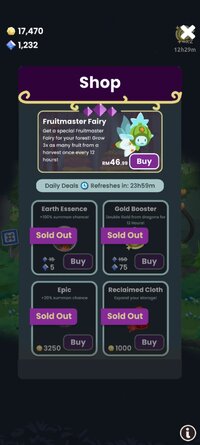
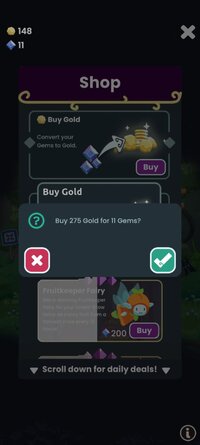
*MOD Features*
Sufficient currency usage has increased rather than decreased.
Free Download:
______________________________________
If credits are unknown or incorrect and you are the modder you are free to message @G-Bo and the credits will be corrected asap!
What you need to know about Shared-MODs
*How to install (click the spoilers to read)*
Signed APKs do work on all Android devices (rooted + non-rooted).
Signed APKs are in the most cases the only provided files by the mod publisher as they work for everyone.
1.) Remove the original game/app.
2.) Download the MOD APK.
3.) Install the downloaded MOD APK.
4.) Enjoy.
Regarding login methods, please note that logging in with Google will not be possible when using signed MODs. Facebook login (if available) is possible, but it requires you to remove the Facebook application from your device. Other game-specific login methods (if available), such as email, transfer code or guest login usually work fine.
Notes:
- If you used our MOD APK before and just want to update, you can install the new MOD APK on top of the old without removing the game/app first.
- In-App purchases are not possible on signed APKs as they require Google services similar to the Google login process.
Signed APKs are in the most cases the only provided files by the mod publisher as they work for everyone.
1.) Remove the original game/app.
2.) Download the MOD APK.
3.) Install the downloaded MOD APK.
4.) Enjoy.
Regarding login methods, please note that logging in with Google will not be possible when using signed MODs. Facebook login (if available) is possible, but it requires you to remove the Facebook application from your device. Other game-specific login methods (if available), such as email, transfer code or guest login usually work fine.
Notes:
- If you used our MOD APK before and just want to update, you can install the new MOD APK on top of the old without removing the game/app first.
- In-App purchases are not possible on signed APKs as they require Google services similar to the Google login process.
Unsigned APKs do only work on rooted and patched devices/environments.
These are not always provided by the mod publisher as they do only work under certain circumstances.
1.) Your device must be rooted.
2.) Your device must be patched to ignore app signatures. This can be done with the help of tools such as Luckypatcher or Xposed.
Once you fill that requirements the process is the same as with signed APKs with the difference that you can overwrite the original game/app with the MOD APK without removing it first.
1.) Download the unsigned MOD APK.
2.) Install the unsigned MOD APK.
3.) Enjoy.
Note:
For the case the unsigned APK does fail to install: Your device patch is not done correctly!
Login methods and In-App purchases on unsigned MODs function the same as in the original game. Logging in with Google works without issues. Keeping the Facebook application installed is also no problem.
You are rooted and want to know how to patch your device? Please check this for more information:
[Videotutorial] How To Login With Google+ Or Facebook App On Modded Games
These are not always provided by the mod publisher as they do only work under certain circumstances.
1.) Your device must be rooted.
2.) Your device must be patched to ignore app signatures. This can be done with the help of tools such as Luckypatcher or Xposed.
Once you fill that requirements the process is the same as with signed APKs with the difference that you can overwrite the original game/app with the MOD APK without removing it first.
1.) Download the unsigned MOD APK.
2.) Install the unsigned MOD APK.
3.) Enjoy.
Note:
For the case the unsigned APK does fail to install: Your device patch is not done correctly!
Login methods and In-App purchases on unsigned MODs function the same as in the original game. Logging in with Google works without issues. Keeping the Facebook application installed is also no problem.
You are rooted and want to know how to patch your device? Please check this for more information:
[Videotutorial] How To Login With Google+ Or Facebook App On Modded Games
OBB files are not required by every game/app. If necessary, the mod publisher will usually provide them and tell you that they are needed.
1.) Download the OBB file/files.
2.) Download the MOD APK.
3.) Move the OBB files with the help of a filemanager to Android/obb/<packagecode> on your device.
4.) Install the downloaded MOD APK.
5.) Enjoy.
The OBB files are either provided as ".obb" files or as ".zip" files. ZIP files do require to be extracted first.
Still facing issues? Please check here for more details:
How to install OBB files [as detailed as possible]
1.) Download the OBB file/files.
2.) Download the MOD APK.
3.) Move the OBB files with the help of a filemanager to Android/obb/<packagecode> on your device.
4.) Install the downloaded MOD APK.
5.) Enjoy.
The OBB files are either provided as ".obb" files or as ".zip" files. ZIP files do require to be extracted first.
Still facing issues? Please check here for more details:
How to install OBB files [as detailed as possible]
Tutorials:
How to sign up and download on Platinmods.com
List of useful tutorials about how to use this website and its content