Playstore Link:

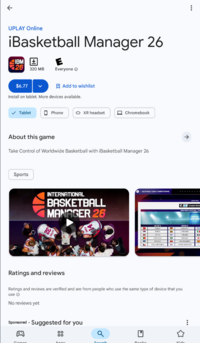
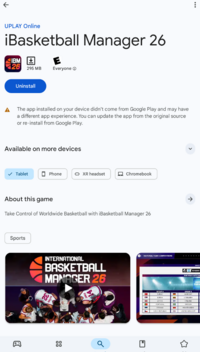
iBasketball Manager 26 - Apps on Google Play
Take Control of Worldwide Basketball with iBasketball Manager 26
Game Name: iBasketball Manager 26
Game Version: 1.1.0
Needs OBB: No
Needs Root: No
Basketball is back in your hands
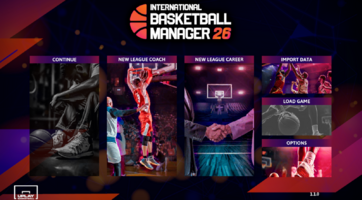
The most complete and successful basketball management simulator saga is back. International Basketball Manager 26 puts you once again in charge on the bench to prove you are the best basketball manager in the world. Take full control of your team, define your style, and lead your squad to the top.
Manage. Decide. Succeed.
Control every detail of a professional manager’s life: run training sessions, negotiate signings, adjust budgets, and manage the locker room to keep team harmony. Your leadership skills will be the key to reaching glory—or fading into obscurity.
New Feature: National Teams
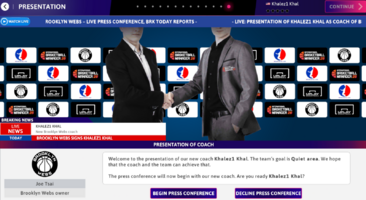
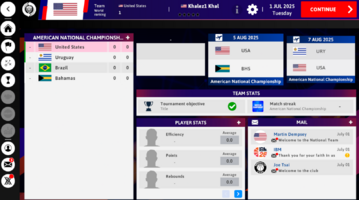
For the first time in the series, you will be able to manage national teams and compete in international tournaments. Qualify throughout the season to take part in the most prestigious summer championships and represent your country against the best national teams in the world.
More leagues, more teams, more depth
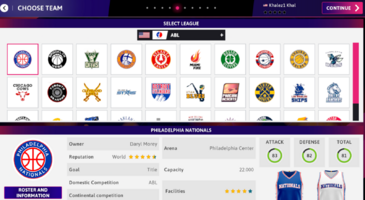
Compete in over 20 international leagues, featuring hundreds of clubs and thousands of players. Make the most of your scouts, discover young prospects, and build a long-term winning project.
Experience matches like a real coach
Choose how to follow each game:
- 2D Mode, to watch plays unfold in real time and react instantly with tactical changes.
- Result Mode, for those who prefer to focus on strategy and post-game analysis. You’ll also be able to intervene at key moments, make decisions under pressure, and change the course of every match.
New leagues for a much deeper experience
All leagues available in previous editions of International Basketball Manager, plus:
Club competitions by country:
- Spanish 3rd Division
- Turkish 2nd Division
- Italian 2nd Division
- Polish 1st Division
- UK 1st Division
- Brazilian 1st Division
- Portuguese 1st Division
Continental club competitions:
- 1st European competition updated to 20 teams with the Play-In added
- 4th European competition
- 2nd South American competition
National team tournaments:
- Qualifiers during the season
- Continental tournaments (Europe, Asia, Africa, and America)
- World Cup
- Olympic Games
Key Features of International Basketball Manager 26
- All competitions, teams, and players updated for the 2025/26 season.
- Ability to manage a national team while still being in charge of a club.
- 116 national teams added.
- Major international competitions added: Continental Tournaments, World Cup, and Olympic Games, with qualification phases played during the season.
- Edit the parameters that matter most to you for competitions, teams, and players with the powerful in-game editor, and share your mods with the entire IBM community.
- Convince U18 players to sign for your team through different actions as you uncover their potential and real interest in joining your project.
- Compete with one of the 357 universities in the United States College League competition.
- New continental club competitions added.
The most complete and successful basketball management simulator saga is back. International Basketball Manager 26 puts you once again in charge on the bench to prove you are the best basketball manager in the world. Take full control of your team, define your style, and lead your squad to the top.
Manage. Decide. Succeed.
Control every detail of a professional manager’s life: run training sessions, negotiate signings, adjust budgets, and manage the locker room to keep team harmony. Your leadership skills will be the key to reaching glory—or fading into obscurity.
New Feature: National Teams
For the first time in the series, you will be able to manage national teams and compete in international tournaments. Qualify throughout the season to take part in the most prestigious summer championships and represent your country against the best national teams in the world.
More leagues, more teams, more depth
Compete in over 20 international leagues, featuring hundreds of clubs and thousands of players. Make the most of your scouts, discover young prospects, and build a long-term winning project.
Experience matches like a real coach
Choose how to follow each game:
- 2D Mode, to watch plays unfold in real time and react instantly with tactical changes.
- Result Mode, for those who prefer to focus on strategy and post-game analysis. You’ll also be able to intervene at key moments, make decisions under pressure, and change the course of every match.
New leagues for a much deeper experience
All leagues available in previous editions of International Basketball Manager, plus:
Club competitions by country:
- Spanish 3rd Division
- Turkish 2nd Division
- Italian 2nd Division
- Polish 1st Division
- UK 1st Division
- Brazilian 1st Division
- Portuguese 1st Division
Continental club competitions:
- 1st European competition updated to 20 teams with the Play-In added
- 4th European competition
- 2nd South American competition
National team tournaments:
- Qualifiers during the season
- Continental tournaments (Europe, Asia, Africa, and America)
- World Cup
- Olympic Games
Key Features of International Basketball Manager 26
- All competitions, teams, and players updated for the 2025/26 season.
- Ability to manage a national team while still being in charge of a club.
- 116 national teams added.
- Major international competitions added: Continental Tournaments, World Cup, and Olympic Games, with qualification phases played during the season.
- Edit the parameters that matter most to you for competitions, teams, and players with the powerful in-game editor, and share your mods with the entire IBM community.
- Convince U18 players to sign for your team through different actions as you uncover their potential and real interest in joining your project.
- Compete with one of the 357 universities in the United States College League competition.
- New continental club competitions added.
*MOD Features*
Unlock full game
Credit to: ?
Free Download:
! Hidden Content !
You must be registered and either click Like under this post or leave a comment before you can see the hidden links.
You may need to refresh the page after clicking Like. If you’re still having trouble revealing the hidden links, please
read this.
Did you know? VIP Members can see all links instantly, no unlocking required.
Interested? Get VIP here.
Interested? Get VIP here.
______________________________________
If credits are unknown or incorrect and you are the modder you are free to message @G-Bo and the credits will be corrected asap!
What you need to know about Shared-MODs
*How to install (click the spoilers to read)*
Signed APKs do work on all Android devices (rooted + non-rooted).
Signed APKs are in the most cases the only provided files by the mod publisher as they work for everyone.
1.) Remove the original game/app.
2.) Download the MOD APK.
3.) Install the downloaded MOD APK.
4.) Enjoy.
Regarding login methods, please note that logging in with Google will not be possible when using signed MODs. Facebook login (if available) is possible, but it requires you to remove the Facebook application from your device. Other game-specific login methods (if available), such as email, transfer code or guest login usually work fine.
Notes:
- If you used our MOD APK before and just want to update, you can install the new MOD APK on top of the old without removing the game/app first.
- In-App purchases are not possible on signed APKs as they require Google services similar to the Google login process.
Signed APKs are in the most cases the only provided files by the mod publisher as they work for everyone.
1.) Remove the original game/app.
2.) Download the MOD APK.
3.) Install the downloaded MOD APK.
4.) Enjoy.
Regarding login methods, please note that logging in with Google will not be possible when using signed MODs. Facebook login (if available) is possible, but it requires you to remove the Facebook application from your device. Other game-specific login methods (if available), such as email, transfer code or guest login usually work fine.
Notes:
- If you used our MOD APK before and just want to update, you can install the new MOD APK on top of the old without removing the game/app first.
- In-App purchases are not possible on signed APKs as they require Google services similar to the Google login process.
Unsigned APKs do only work on rooted and patched devices/environments.
These are not always provided by the mod publisher as they do only work under certain circumstances.
1.) Your device must be rooted.
2.) Your device must be patched to ignore app signatures. This can be done with the help of tools such as Luckypatcher or Xposed.
Once you fill that requirements the process is the same as with signed APKs with the difference that you can overwrite the original game/app with the MOD APK without removing it first.
1.) Download the unsigned MOD APK.
2.) Install the unsigned MOD APK.
3.) Enjoy.
Note:
For the case the unsigned APK does fail to install: Your device patch is not done correctly!
Login methods and In-App purchases on unsigned MODs function the same as in the original game. Logging in with Google works without issues. Keeping the Facebook application installed is also no problem.
You are rooted and want to know how to patch your device? Please check this for more information:
[Videotutorial] How To Login With Google+ Or Facebook App On Modded Games
These are not always provided by the mod publisher as they do only work under certain circumstances.
1.) Your device must be rooted.
2.) Your device must be patched to ignore app signatures. This can be done with the help of tools such as Luckypatcher or Xposed.
Once you fill that requirements the process is the same as with signed APKs with the difference that you can overwrite the original game/app with the MOD APK without removing it first.
1.) Download the unsigned MOD APK.
2.) Install the unsigned MOD APK.
3.) Enjoy.
Note:
For the case the unsigned APK does fail to install: Your device patch is not done correctly!
Login methods and In-App purchases on unsigned MODs function the same as in the original game. Logging in with Google works without issues. Keeping the Facebook application installed is also no problem.
You are rooted and want to know how to patch your device? Please check this for more information:
[Videotutorial] How To Login With Google+ Or Facebook App On Modded Games
OBB files are not required by every game/app. If necessary, the mod publisher will usually provide them and tell you that they are needed.
1.) Download the OBB file/files.
2.) Download the MOD APK.
3.) Move the OBB files with the help of a filemanager to Android/obb/<packagecode> on your device.
4.) Install the downloaded MOD APK.
5.) Enjoy.
The OBB files are either provided as ".obb" files or as ".zip" files. ZIP files do require to be extracted first.
Still facing issues? Please check here for more details:
How to install OBB files [as detailed as possible]
1.) Download the OBB file/files.
2.) Download the MOD APK.
3.) Move the OBB files with the help of a filemanager to Android/obb/<packagecode> on your device.
4.) Install the downloaded MOD APK.
5.) Enjoy.
The OBB files are either provided as ".obb" files or as ".zip" files. ZIP files do require to be extracted first.
Still facing issues? Please check here for more details:
How to install OBB files [as detailed as possible]
Tutorials:
How to sign up and download on Platinmods.com
List of useful tutorials about how to use this website and its content