

Playstore Link:
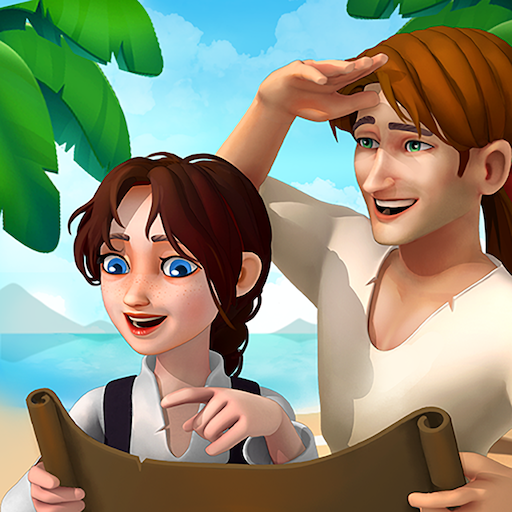
Lifespring Land: Farm Survival - Apps on Google Play
Embark on a fun journey filled with exploration, discovery, and untold mysteries
Game Name: Lifespring Land: Farm Survival
Game Version: 1.0.11
Needs OBB: No
Needs Root: No
 In early 16th century England, a legend spoke of mystical water from the Fountain of Life, said to cure all ailments and grant immortality. Many sought this water, sparing no expense to uncover its secrets.
One day, a young explorer named Jack appeared, holding an ancient map that led southward. Determined to find the truth about the Fountain of Life and seek wealth, fame, and perhaps immortality, he quickly gathered a crew of adventurers to journey into the uncharted seas marked on the map.
 The expedition included Jack, the brave explorer; Grace, the hardworking surveyor who would later win Jack's heart; Noah, the experienced and respected captain; and Henry, the steadfast army colonel. After sailing for a long time, disaster struck as they entered the mysterious sea. A giant octopus appeared, tearing their ship apart. They were thrown into the stormy waters and scattered among strange islands.
 When Jack woke up, he found himself washed ashore on the sandy beach of a small island. Welcome to Lifespring Land: Farm Survival, a captivating game where you'll transform a barren desert island into a thriving community.
Game Features:
 Farmland and Gardens:
Start by cultivating the island's fertile farmland. Plant hay and other crops, taking care of your gardens to ensure a steady food supply.
 Building House and Crafting:
Construct essential buildings and craft useful goods to support your growing community. Every structure you create will help improve your city and enhance your township.
 Explore the Wilderness:
As the island's main explorer, venture into the wilderness to find hidden resources and secrets that will help you, your friends, and your family survive.
 Adorable Animals:
Raise and care for cute animals that will become a crucial part of your farm's ecosystem.
 Trade and Economy:
Trade with neighboring islands, exchanging valuable resources to support your township's development. Some items may be expensive, but the benefits are well worth it.
 Daily Challenges:
Each day brings new challenges and opportunities. Adapt to changing conditions and make strategic decisions to ensure your community's prosperity.
 Heroic Characters:
Lead a team of heroes, including Jack, Grace, Noah, and Henry, each with unique skills that will contribute to your survival and success.
How to Play:
 Start Small:
Begin by cultivating your farmland and planting hay to establish a food supply. Use the initial resources to create basic structures.
 Expand and Build House:
As you gather more resources, expand your township by constructing new buildings and crafting useful goods. This will help improve your city and provide better living conditions for your family and community.
 Explore the Island:
Send Jack and the other heroes to explore the wild areas of the island. Discover hidden treasures, gather resources, and encounter new challenges.
 Care for Animals:
Raise cute animals that will contribute to your harvest's productivity and provide companionship for your settlers.
 Engage in Trade:
Trade surplus goods with neighboring islands to obtain valuable resources and items. Manage your economy wisely to ensure growth and stability.
 Uncover the Mystery:
As you progress, uncover the secrets of the island, love, family, and the Fountain of Life. The journey to immortality and prosperity is filled with adventure and excitement.
This game combines the excitement of exploration with the joy of building and managing a thriving community. Transform barren land into a bustling township and uncover the legendary Fountain of Life.
 Ready for an epic journey? Dive into
Lifespring Land: Farm Survival
and experience the adventure of a lifetime!
*MOD Features*
MOD MENU
✶ Free In-App Purchase
Stay away from harmful malicious mods that fill your device with UNWANTED ADS! I always provide quality service with no such malicious tricks to earn money. We want you happy, that's our goal. You can be sure to download quality on platinmods.com.
*How to install (click the spoilers to read)*
Signed APKs do work on all Android devices (rooted + non-rooted).
Signed APKs are in the most cases the only provided files by the mod publisher as they work for everyone.
1.) Remove the original game/app.
2.) Download the MOD APK.
3.) Install the downloaded MOD APK.
4.) Enjoy.
Regarding login methods, please note that logging in with Google will not be possible when using signed MODs. Facebook login (if available) is possible, but it requires you to remove the Facebook application from your device. Other game-specific login methods (if available), such as email, transfer code or guest login usually work fine.
Notes:
- If you used our MOD APK before and just want to update, you can install the new MOD APK on top of the old without removing the game/app first.
- In-App purchases are not possible on signed APKs as they require Google services similar to the Google login process.
Signed APKs are in the most cases the only provided files by the mod publisher as they work for everyone.
1.) Remove the original game/app.
2.) Download the MOD APK.
3.) Install the downloaded MOD APK.
4.) Enjoy.
Regarding login methods, please note that logging in with Google will not be possible when using signed MODs. Facebook login (if available) is possible, but it requires you to remove the Facebook application from your device. Other game-specific login methods (if available), such as email, transfer code or guest login usually work fine.
Notes:
- If you used our MOD APK before and just want to update, you can install the new MOD APK on top of the old without removing the game/app first.
- In-App purchases are not possible on signed APKs as they require Google services similar to the Google login process.
Unsigned APKs do only work on rooted and patched devices/environments.
These are not always provided by the mod publisher as they do only work under certain circumstances.
1.) Your device must be rooted.
2.) Your device must be patched to ignore app signatures. This can be done with the help of tools such as Luckypatcher or Xposed.
Once you fill that requirements the process is the same as with signed APKs with the difference that you can overwrite the original game/app with the MOD APK without removing it first.
1.) Download the unsigned MOD APK.
2.) Install the unsigned MOD APK.
3.) Enjoy.
Note:
For the case the unsigned APK does fail to install: Your device patch is not done correctly!
Login methods and In-App purchases on unsigned MODs function the same as in the original game. Logging in with Google works without issues. Keeping the Facebook application installed is also no problem.
You are rooted and want to know how to patch your device? Please check this for more information:
[Videotutorial] How To Login With Google+ Or Facebook App On Modded Games
These are not always provided by the mod publisher as they do only work under certain circumstances.
1.) Your device must be rooted.
2.) Your device must be patched to ignore app signatures. This can be done with the help of tools such as Luckypatcher or Xposed.
Once you fill that requirements the process is the same as with signed APKs with the difference that you can overwrite the original game/app with the MOD APK without removing it first.
1.) Download the unsigned MOD APK.
2.) Install the unsigned MOD APK.
3.) Enjoy.
Note:
For the case the unsigned APK does fail to install: Your device patch is not done correctly!
Login methods and In-App purchases on unsigned MODs function the same as in the original game. Logging in with Google works without issues. Keeping the Facebook application installed is also no problem.
You are rooted and want to know how to patch your device? Please check this for more information:
[Videotutorial] How To Login With Google+ Or Facebook App On Modded Games
OBB files are not required by every game/app. If necessary, the mod publisher will usually provide them and tell you that they are needed.
1.) Download the OBB file/files.
2.) Download the MOD APK.
3.) Move the OBB files with the help of a filemanager to Android/obb/<packagecode> on your device.
4.) Install the downloaded MOD APK.
5.) Enjoy.
The OBB files are either provided as ".obb" files or as ".zip" files. ZIP files do require to be extracted first.
Still facing issues? Please check here for more details:
How to install OBB files [as detailed as possible]
1.) Download the OBB file/files.
2.) Download the MOD APK.
3.) Move the OBB files with the help of a filemanager to Android/obb/<packagecode> on your device.
4.) Install the downloaded MOD APK.
5.) Enjoy.
The OBB files are either provided as ".obb" files or as ".zip" files. ZIP files do require to be extracted first.
Still facing issues? Please check here for more details:
How to install OBB files [as detailed as possible]
Free Download:
Tutorials:
How to sign up and download on Platinmods.com
List of useful tutorials about how to use this website and its content
Last edited:


