Playstore Link:

My Perfect Farm: 3D Idle Game - Apps on Google Play
Build your own farm, grow crops and feed lovely animals in farm simulator
Game Name: My Perfect Farm: Idle Tycoon
Game Version: v5.5.4
Needs OBB: No
Needs Root: No
 My Perfect Farm – Idle Farm Tycoon Simulator
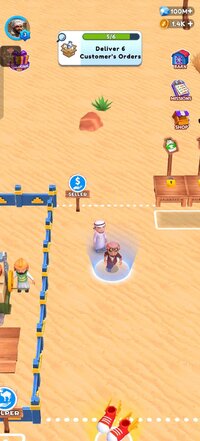
My Perfect Farm is a relaxing farm simulator and addictive idle farm game where you build your dream farm land, harvest crops, raise animals, and grow a powerful farming empire. Start small, expand fast, and become the ultimate farm tycoon in this immersive farming simulator game designed for offline play.
Transform desert land into a thriving countryside farm as you plant crops, raise livestock, and manage production like a true farm management expert. If you have any feedback, suggestions, or need support, feel free to contact us at [email protected]
 Build Your Farm & Grow Your Empire
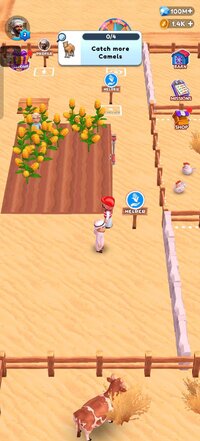
Start your my little farm and turn it into a successful farm town builder experience. Plant corn, wheat, tomatoes, cabbage, watermelon, and olives. Harvest crops, grow crops and feed animals, and sell goods to expand farm areas.
Upgrade buildings, unlock new zones, and scale your farming business in one of the most satisfying tycoon games for mobile.
 Raise Animals & Manage Your Dairy Farm
Enjoy a complete animal farming game and strategic livestock farming game experience.
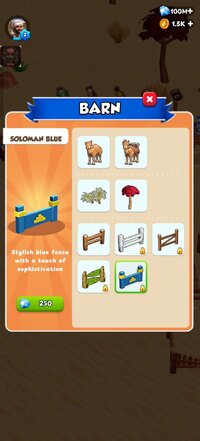
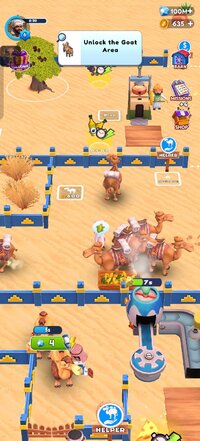
Raise cows, camels, goats, chickens, and ostriches. Manage your own dairy farm game, run a realistic milk production game, and collect milk and eggs to fulfill customer orders.
Build production lines with cheese, flour, ketchup, and olive machines while expanding your farm business step by step.
 Idle Farm Game – Play Online
This farming simulator lets you progress anytime, anywhere. Even when you're away, your farm keeps earning in this smooth idle farming game.
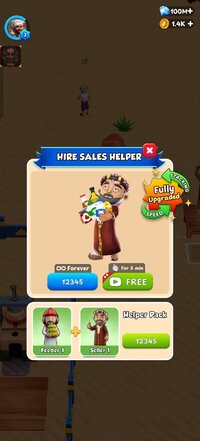
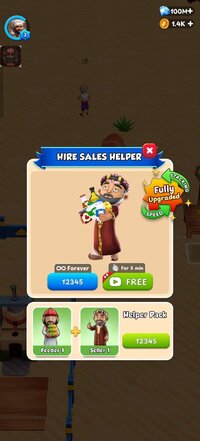
Hire helpers to complete tasks faster, automate production, and increase profits while enjoying a realistic farming experience.
 From Desert to Farm Town
Turn dry land into a beautiful village farming game environment. Transform desert into green village landscapes and expand your countryside farm into a massive farming empire.
Whether you enjoy a relaxing camel farming game or a competitive farming tycoon game, My Perfect Farm offers the perfect balance of strategy and idle progression.
 Why Players Love This Farm Game
✔ Addictive idle farm game progression
✔ Complete farm simulator and farming simulator game
✔ Strategic farm management game mechanics
✔ Engaging dairy farm game & milk production system
✔ Build farm game with expansion zones
✔ Perfect for fans of farm tycoon and tycoon games
✔ Realistic farming experience with crops and livestock
Download now and build your dream farm land. Harvest crops, raise animals, collect milk and eggs, sell goods to expand farm territory, and become the ultimate farm tycoon in this relaxing countryside farm adventure.*MOD Features*
1. Unlimited gems
2. No ads
3. Free helper
Notes:
Install with Zarchiper or anything anti split apk
*How to install (click the spoilers to read)*
Signed APKs do work on all Android devices (rooted + non-rooted).
Signed APKs are in the most cases the only provided files by the mod publisher as they work for everyone.
1.) Remove the original game/app.
2.) Download the MOD APK.
3.) Install the downloaded MOD APK.
4.) Enjoy.
Regarding login methods, please note that logging in with Google will not be possible when using signed MODs. Facebook login (if available) is possible, but it requires you to remove the Facebook application from your device. Other game-specific login methods (if available), such as email, transfer code or guest login usually work fine.
Notes:
- If you used our MOD APK before and just want to update, you can install the new MOD APK on top of the old without removing the game/app first.
- In-App purchases are not possible on signed APKs as they require Google services similar to the Google login process.
Signed APKs are in the most cases the only provided files by the mod publisher as they work for everyone.
1.) Remove the original game/app.
2.) Download the MOD APK.
3.) Install the downloaded MOD APK.
4.) Enjoy.
Regarding login methods, please note that logging in with Google will not be possible when using signed MODs. Facebook login (if available) is possible, but it requires you to remove the Facebook application from your device. Other game-specific login methods (if available), such as email, transfer code or guest login usually work fine.
Notes:
- If you used our MOD APK before and just want to update, you can install the new MOD APK on top of the old without removing the game/app first.
- In-App purchases are not possible on signed APKs as they require Google services similar to the Google login process.
Unsigned APKs do only work on rooted and patched devices/environments.
These are not always provided by the mod publisher as they do only work under certain circumstances.
1.) Your device must be rooted.
2.) Your device must be patched to ignore app signatures. This can be done with the help of tools such as Luckypatcher or Xposed.
Once you fill that requirements the process is the same as with signed APKs with the difference that you can overwrite the original game/app with the MOD APK without removing it first.
1.) Download the unsigned MOD APK.
2.) Install the unsigned MOD APK.
3.) Enjoy.
Note:
For the case the unsigned APK does fail to install: Your device patch is not done correctly!
Login methods and In-App purchases on unsigned MODs function the same as in the original game. Logging in with Google works without issues. Keeping the Facebook application installed is also no problem.
You are rooted and want to know how to patch your device? Please check this for more information:
[Videotutorial] How To Login With Google+ Or Facebook App On Modded Games
These are not always provided by the mod publisher as they do only work under certain circumstances.
1.) Your device must be rooted.
2.) Your device must be patched to ignore app signatures. This can be done with the help of tools such as Luckypatcher or Xposed.
Once you fill that requirements the process is the same as with signed APKs with the difference that you can overwrite the original game/app with the MOD APK without removing it first.
1.) Download the unsigned MOD APK.
2.) Install the unsigned MOD APK.
3.) Enjoy.
Note:
For the case the unsigned APK does fail to install: Your device patch is not done correctly!
Login methods and In-App purchases on unsigned MODs function the same as in the original game. Logging in with Google works without issues. Keeping the Facebook application installed is also no problem.
You are rooted and want to know how to patch your device? Please check this for more information:
[Videotutorial] How To Login With Google+ Or Facebook App On Modded Games
OBB files are not required by every game/app. If necessary, the mod publisher will usually provide them and tell you that they are needed.
1.) Download the OBB file/files.
2.) Download the MOD APK.
3.) Move the OBB files with the help of a filemanager to Android/obb/<packagecode> on your device.
4.) Install the downloaded MOD APK.
5.) Enjoy.
The OBB files are either provided as ".obb" files or as ".zip" files. ZIP files do require to be extracted first.
Still facing issues? Please check here for more details:
How to install OBB files [as detailed as possible]
1.) Download the OBB file/files.
2.) Download the MOD APK.
3.) Move the OBB files with the help of a filemanager to Android/obb/<packagecode> on your device.
4.) Install the downloaded MOD APK.
5.) Enjoy.
The OBB files are either provided as ".obb" files or as ".zip" files. ZIP files do require to be extracted first.
Still facing issues? Please check here for more details:
How to install OBB files [as detailed as possible]
Free Download:
! Hidden Content !
You must be registered and either click Like under this post or leave a comment before you can see the hidden links.
You may need to refresh the page after clicking Like. If you’re still having trouble revealing the hidden links, please
read this.
Did you know? VIP Members can see all links instantly, no unlocking required.
Interested? Get VIP here.
Interested? Get VIP here.
Tutorials:
How to sign up and download on Platinmods.com
List of useful tutorials about how to use this website and its content
Last edited by a moderator: