Playstore Link:

TheoTown: City Builder - Apps on Google Play
No limits. Build, destroy, and rebuild the city exactly how you want.
Game Name: TheoTown
Game Version: 1.12.50a
Needs OBB: No
Needs Root: No
Step into a city building game focused on freedom, scale, and long-term development. TheoTown lets you build a city from scratch—whether it’s a small town, a growing metropolis, or something entirely your own. Inspired by classic city builders, TheoTown combines intuitive tools with deep simulation systems. From towering skyscrapers to simple residential blocks, every part of your city is shaped by your decisions.
DESIGN CITIES WITH ZONES, ROADS, AND PUBLIC BUILDINGS 
TheoTown is about planning and experimentation. As your city grows, you decide how districts are laid out, how neighborhoods connect, and how the city evolves over time. Few city simulation games offer this level of freedom to build, change, and rebuild without artificial limits.
PLAN TRANSPORTATION & INFRASTRUCTURE 
A functioning city depends on movement. Build roads, highways, railways, and airports to connect different parts of your city. TheoTown challenges you to design efficient transportation networks and manage traffic flow as your city expands.
HANDLE EMERGENCIES AND KEEP THE CITY RUNNING 
City life isn’t always predictable. Disasters can happen, emergencies arise, and public safety must be maintained. Build fire stations, police departments, and hospitals to respond to events and keep your city operational.
BUILD LANDMARKS AND CUSTOMIZE YOUR WORLD 
Construct famous landmarks, unique structures, and customize your game using community-made plugins. TheoTown supports a wide range of play styles, from realistic city layouts to creative and experimental designs.
THEOTOWN GAME FEATURES:
- Flexible City Building – Create anything from small towns to large megacities with detailed layouts and varied architecture. - Transportation Systems – Build and connect roads, railways, and airports; manage trains, buses, and planes. - Emergencies & Events – Deal with fires, natural disasters, crime, and other city challenges. - Famous Landmarks – Build well-known structures such as Big Ben, the Eiffel Tower, and the Statue of Liberty. - User-Made Plugins – Expand the game with community-created buildings and features. - Sports Facilities – Build stadiums that add character and activity to your city. - Energy Systems – Power your city using different energy sources, from traditional plants to advanced solutions. - Public Services – Establish police stations, fire departments, and hospitals. - Open-Ended Gameplay – Unlock new content as your city grows, with long-term simulation depth. - Community & Sharing – Take screenshots of your cities and explore creations made by other players.TheoTown is made for fans of city simulation, urban planning, and thoughtful building games. Take your time, experiment, and shape a city that grows in its own way.
 Download and play TheoTown free and offline!
Join Our Community:
Discord: discord.gg/theotown
Facebook: facebook.com/theotowngame
Instagram: instagram.com/theotowngame
Help & Support:
FAQ: theotown.com/faq
Email: [email protected]
*MOD Features*
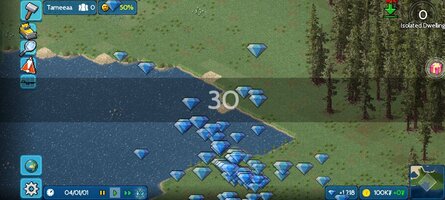
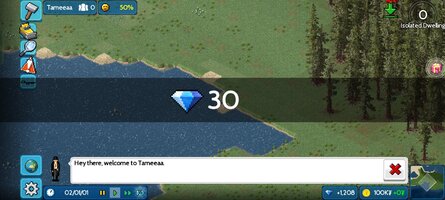
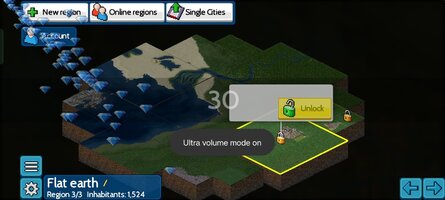
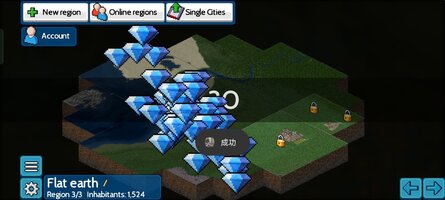
Press the volume button to add a small amount of diamonds, and long press to get more
Note:
1. Be sure to skip the tutorial when entering the game for the first time.
2. If the official anti-cheating function is effective, you can try to uninstall and reinstall the game and then disconnect from the Internet to enter the game.
Free Download:
! Hidden Content !
You must be registered and either click Like under this post or leave a comment before you can see the hidden links.
You may need to refresh the page after clicking Like. If you’re still having trouble revealing the hidden links, please
read this.
Did you know? VIP Members can see all links instantly, no unlocking required.
Interested? Get VIP here.
Interested? Get VIP here.
______________________________________
If credits are unknown or incorrect and you are the modder you are free to message @G-Bo and the credits will be corrected asap!
What you need to know about Shared-MODs
*How to install (click the spoilers to read)*
Signed APKs do work on all Android devices (rooted + non-rooted).
Signed APKs are in the most cases the only provided files by the mod publisher as they work for everyone.
1.) Remove the original game/app.
2.) Download the MOD APK.
3.) Install the downloaded MOD APK.
4.) Enjoy.
Regarding login methods, please note that logging in with Google will not be possible when using signed MODs. Facebook login (if available) is possible, but it requires you to remove the Facebook application from your device. Other game-specific login methods (if available), such as email, transfer code or guest login usually work fine.
Notes:
- If you used our MOD APK before and just want to update, you can install the new MOD APK on top of the old without removing the game/app first.
- In-App purchases are not possible on signed APKs as they require Google services similar to the Google login process.
Signed APKs are in the most cases the only provided files by the mod publisher as they work for everyone.
1.) Remove the original game/app.
2.) Download the MOD APK.
3.) Install the downloaded MOD APK.
4.) Enjoy.
Regarding login methods, please note that logging in with Google will not be possible when using signed MODs. Facebook login (if available) is possible, but it requires you to remove the Facebook application from your device. Other game-specific login methods (if available), such as email, transfer code or guest login usually work fine.
Notes:
- If you used our MOD APK before and just want to update, you can install the new MOD APK on top of the old without removing the game/app first.
- In-App purchases are not possible on signed APKs as they require Google services similar to the Google login process.
Unsigned APKs do only work on rooted and patched devices/environments.
These are not always provided by the mod publisher as they do only work under certain circumstances.
1.) Your device must be rooted.
2.) Your device must be patched to ignore app signatures. This can be done with the help of tools such as Luckypatcher or Xposed.
Once you fill that requirements the process is the same as with signed APKs with the difference that you can overwrite the original game/app with the MOD APK without removing it first.
1.) Download the unsigned MOD APK.
2.) Install the unsigned MOD APK.
3.) Enjoy.
Note:
For the case the unsigned APK does fail to install: Your device patch is not done correctly!
Login methods and In-App purchases on unsigned MODs function the same as in the original game. Logging in with Google works without issues. Keeping the Facebook application installed is also no problem.
You are rooted and want to know how to patch your device? Please check this for more information:
[Videotutorial] How To Login With Google+ Or Facebook App On Modded Games
These are not always provided by the mod publisher as they do only work under certain circumstances.
1.) Your device must be rooted.
2.) Your device must be patched to ignore app signatures. This can be done with the help of tools such as Luckypatcher or Xposed.
Once you fill that requirements the process is the same as with signed APKs with the difference that you can overwrite the original game/app with the MOD APK without removing it first.
1.) Download the unsigned MOD APK.
2.) Install the unsigned MOD APK.
3.) Enjoy.
Note:
For the case the unsigned APK does fail to install: Your device patch is not done correctly!
Login methods and In-App purchases on unsigned MODs function the same as in the original game. Logging in with Google works without issues. Keeping the Facebook application installed is also no problem.
You are rooted and want to know how to patch your device? Please check this for more information:
[Videotutorial] How To Login With Google+ Or Facebook App On Modded Games
OBB files are not required by every game/app. If necessary, the mod publisher will usually provide them and tell you that they are needed.
1.) Download the OBB file/files.
2.) Download the MOD APK.
3.) Move the OBB files with the help of a filemanager to Android/obb/<packagecode> on your device.
4.) Install the downloaded MOD APK.
5.) Enjoy.
The OBB files are either provided as ".obb" files or as ".zip" files. ZIP files do require to be extracted first.
Still facing issues? Please check here for more details:
How to install OBB files [as detailed as possible]
1.) Download the OBB file/files.
2.) Download the MOD APK.
3.) Move the OBB files with the help of a filemanager to Android/obb/<packagecode> on your device.
4.) Install the downloaded MOD APK.
5.) Enjoy.
The OBB files are either provided as ".obb" files or as ".zip" files. ZIP files do require to be extracted first.
Still facing issues? Please check here for more details:
How to install OBB files [as detailed as possible]
Tutorials:
How to sign up and download on Platinmods.com
List of useful tutorials about how to use this website and its content