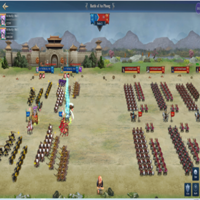
Playstore Link:

Three Kingdoms All-Star : RPG - Apps on Google Play
Auto battles, idle growth, massive rewards—true strategy for AFK gamers!
Game Name: Three Kingdoms All-Star : RPG
Game Version: v0.75
Game Package: com.highbrow.games.tki
Needs OBB: No
Needs Root: No
Needs License: Yes! Get your license here
 Auto Battles, Real Strategy – Welcome to Idle RPG!
Enjoy hands-free battles with rewarding progression—grow stronger even when offline!
The perfect AFK game for fans of idle growth and strategic play.
 Instant Progression, Endless Power
No grind needed. Set your team, sit back, and let them fight!
Watch your squad dominate through auto combat and smart synergy.
 Massive Rewards, Epic Combos
Unlock treasures, upgrade gear, and unleash powerful skills!
Your victory depends on how well you build and balance your team.
Join millions of idle gamers and rule the battlefield—without lifting a finger!
*MOD Preview*
*MOD Features*
1. MOD Menu
2. Damage Multiplier x1 - x100
3. Defense Multiplier x1 - x100
4. Faster Game Speed
5. God Mode
6. Unlocked No Ads
Note:
Game detects root. If you are rooted, you need to disable or hide root in order to play this mod.
*How to install (click the spoilers to read)*
Signed APKs do work on all Android devices (rooted + non-rooted).
Signed APKs are in the most cases the only provided files by the mod publisher as they work for everyone.
1.) Remove the original game/app.
2.) Download the MOD APK.
3.) Install the downloaded MOD APK.
4.) Enjoy.
Regarding login methods, please note that logging in with Google will not be possible when using signed MODs. Facebook login (if available) is possible, but it requires you to remove the Facebook application from your device. Other game-specific login methods (if available), such as email, transfer code or guest login usually work fine.
Notes:
- If you used our MOD APK before and just want to update, you can install the new MOD APK on top of the old without removing the game/app first.
- In-App purchases are not possible on signed APKs as they require Google services similar to the Google login process.
Signed APKs are in the most cases the only provided files by the mod publisher as they work for everyone.
1.) Remove the original game/app.
2.) Download the MOD APK.
3.) Install the downloaded MOD APK.
4.) Enjoy.
Regarding login methods, please note that logging in with Google will not be possible when using signed MODs. Facebook login (if available) is possible, but it requires you to remove the Facebook application from your device. Other game-specific login methods (if available), such as email, transfer code or guest login usually work fine.
Notes:
- If you used our MOD APK before and just want to update, you can install the new MOD APK on top of the old without removing the game/app first.
- In-App purchases are not possible on signed APKs as they require Google services similar to the Google login process.
Unsigned APKs do only work on rooted and patched devices/environments.
These are not always provided by the mod publisher as they do only work under certain circumstances.
1.) Your device must be rooted.
2.) Your device must be patched to ignore app signatures. This can be done with the help of tools such as Luckypatcher or Xposed.
Once you fill that requirements the process is the same as with signed APKs with the difference that you can overwrite the original game/app with the MOD APK without removing it first.
1.) Download the unsigned MOD APK.
2.) Install the unsigned MOD APK.
3.) Enjoy.
Note:
For the case the unsigned APK does fail to install: Your device patch is not done correctly!
Login methods and In-App purchases on unsigned MODs function the same as in the original game. Logging in with Google works without issues. Keeping the Facebook application installed is also no problem.
You are rooted and want to know how to patch your device? Please check this for more information:
[Videotutorial] How To Login With Google+ Or Facebook App On Modded Games
These are not always provided by the mod publisher as they do only work under certain circumstances.
1.) Your device must be rooted.
2.) Your device must be patched to ignore app signatures. This can be done with the help of tools such as Luckypatcher or Xposed.
Once you fill that requirements the process is the same as with signed APKs with the difference that you can overwrite the original game/app with the MOD APK without removing it first.
1.) Download the unsigned MOD APK.
2.) Install the unsigned MOD APK.
3.) Enjoy.
Note:
For the case the unsigned APK does fail to install: Your device patch is not done correctly!
Login methods and In-App purchases on unsigned MODs function the same as in the original game. Logging in with Google works without issues. Keeping the Facebook application installed is also no problem.
You are rooted and want to know how to patch your device? Please check this for more information:
[Videotutorial] How To Login With Google+ Or Facebook App On Modded Games
VIP ONLY DOWNLOAD
Three Kingdoms All-Star RPG MOD Menu APK | God Mode, Damage & Defense Multiplier, Speed, Ads
Playstore Link: https://play.google.com/store/apps/details?id=com.highbrow.games.tki Game Name: Three Kingdoms All-Star : RPG Game Package: com.highbrow.games.tki Needs OBB: No Needs Root: No Supported Android Versions: Android 9-17...
 platinmods.com
You want this awesome MOD together with many other games and perks? Get VIP here:
Account Upgrade
platinmods.com
Tutorials:
How to sign up and download on Platinmods.com
List of useful tutorials about how to use this website and its content