Playstore Link:

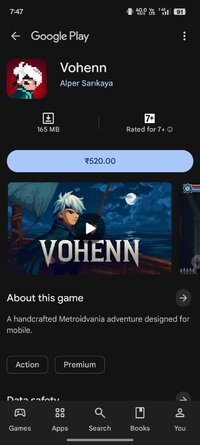
Vohenn - Apps on Google Play
A handcrafted Metroidvania adventure designed for mobile.
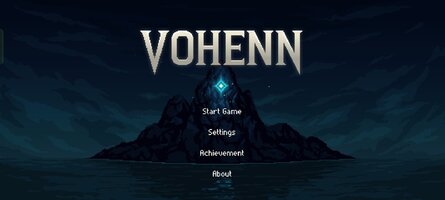
Game Name: Vohenn
Game Version: 1.0.1
Needs OBB: No
Needs Root: No
After a violent storm wrecks his ship, Vohenn awakens on a mysterious island once protected by elemental forces, now consumed by darkness. Guided by echoes of a lost power, he sets out to uncover the secret of the shattered Harmonic Stone and the power that turned the island against itself.
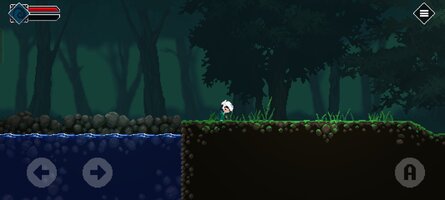
Built for mobile from the ground up, Vohenn combines precise 2D action-platforming with Metroidvania-style exploration. Every corner of the island offers hidden rewards, inviting players to explore, uncover its secrets, and shape their own journey.
FEATURES
- Metroidvania Exploration: Unlock new paths with each ability and uncover the secrets, lore, and dangers hidden across the island.
- Non-linear gameplay: Roam freely through regions filled with hidden paths, treasures, and mysteries waiting to be found.
- Side Explorations: Discover chests, complete timed challenges, collect special objects, and solve puzzles alongside the main story.
- Minimap System: Track your journey on a clean, intuitive map that shows your progress through the world.
- Customize Your Style: Level up your main skills and enhance your build with charms, sword upgrades, and spells.
- Designed for Mobile: Enjoy precise, fully customizable touch controls built specifically for mobile gameplay.
- Gamepad Support: Play seamlessly with your favorite controller.
- Cloud Save Support: Sync your progress across devices with both automatic and manual save options.
- Premium Experience: No ads. No in-app purchases. Just a complete adventure from start to finish.
Built for mobile from the ground up, Vohenn combines precise 2D action-platforming with Metroidvania-style exploration. Every corner of the island offers hidden rewards, inviting players to explore, uncover its secrets, and shape their own journey.
FEATURES
- Metroidvania Exploration: Unlock new paths with each ability and uncover the secrets, lore, and dangers hidden across the island.
- Non-linear gameplay: Roam freely through regions filled with hidden paths, treasures, and mysteries waiting to be found.
- Side Explorations: Discover chests, complete timed challenges, collect special objects, and solve puzzles alongside the main story.
- Minimap System: Track your journey on a clean, intuitive map that shows your progress through the world.
- Customize Your Style: Level up your main skills and enhance your build with charms, sword upgrades, and spells.
- Designed for Mobile: Enjoy precise, fully customizable touch controls built specifically for mobile gameplay.
- Gamepad Support: Play seamlessly with your favorite controller.
- Cloud Save Support: Sync your progress across devices with both automatic and manual save options.
- Premium Experience: No ads. No in-app purchases. Just a complete adventure from start to finish.
*MOD Features*
Unlock full content
Credit to: ?
Free Download:
! Hidden Content !
You must be registered and either click Like under this post or leave a comment before you can see the hidden links.
You may need to refresh the page after clicking Like. If you’re still having trouble revealing the hidden links, please
read this.
Did you know? VIP Members can see all links instantly, no unlocking required.
Interested? Get VIP here.
Interested? Get VIP here.
______________________________________
If credits are unknown or incorrect and you are the modder you are free to message @G-Bo and the credits will be corrected asap!
What you need to know about Shared-MODs
*How to install (click the spoilers to read)*
Signed APKs do work on all Android devices (rooted + non-rooted).
Signed APKs are in the most cases the only provided files by the mod publisher as they work for everyone.
1.) Remove the original game/app.
2.) Download the MOD APK.
3.) Install the downloaded MOD APK.
4.) Enjoy.
Regarding login methods, please note that logging in with Google will not be possible when using signed MODs. Facebook login (if available) is possible, but it requires you to remove the Facebook application from your device. Other game-specific login methods (if available), such as email, transfer code or guest login usually work fine.
Notes:
- If you used our MOD APK before and just want to update, you can install the new MOD APK on top of the old without removing the game/app first.
- In-App purchases are not possible on signed APKs as they require Google services similar to the Google login process.
Signed APKs are in the most cases the only provided files by the mod publisher as they work for everyone.
1.) Remove the original game/app.
2.) Download the MOD APK.
3.) Install the downloaded MOD APK.
4.) Enjoy.
Regarding login methods, please note that logging in with Google will not be possible when using signed MODs. Facebook login (if available) is possible, but it requires you to remove the Facebook application from your device. Other game-specific login methods (if available), such as email, transfer code or guest login usually work fine.
Notes:
- If you used our MOD APK before and just want to update, you can install the new MOD APK on top of the old without removing the game/app first.
- In-App purchases are not possible on signed APKs as they require Google services similar to the Google login process.
Unsigned APKs do only work on rooted and patched devices/environments.
These are not always provided by the mod publisher as they do only work under certain circumstances.
1.) Your device must be rooted.
2.) Your device must be patched to ignore app signatures. This can be done with the help of tools such as Luckypatcher or Xposed.
Once you fill that requirements the process is the same as with signed APKs with the difference that you can overwrite the original game/app with the MOD APK without removing it first.
1.) Download the unsigned MOD APK.
2.) Install the unsigned MOD APK.
3.) Enjoy.
Note:
For the case the unsigned APK does fail to install: Your device patch is not done correctly!
Login methods and In-App purchases on unsigned MODs function the same as in the original game. Logging in with Google works without issues. Keeping the Facebook application installed is also no problem.
You are rooted and want to know how to patch your device? Please check this for more information:
[Videotutorial] How To Login With Google+ Or Facebook App On Modded Games
These are not always provided by the mod publisher as they do only work under certain circumstances.
1.) Your device must be rooted.
2.) Your device must be patched to ignore app signatures. This can be done with the help of tools such as Luckypatcher or Xposed.
Once you fill that requirements the process is the same as with signed APKs with the difference that you can overwrite the original game/app with the MOD APK without removing it first.
1.) Download the unsigned MOD APK.
2.) Install the unsigned MOD APK.
3.) Enjoy.
Note:
For the case the unsigned APK does fail to install: Your device patch is not done correctly!
Login methods and In-App purchases on unsigned MODs function the same as in the original game. Logging in with Google works without issues. Keeping the Facebook application installed is also no problem.
You are rooted and want to know how to patch your device? Please check this for more information:
[Videotutorial] How To Login With Google+ Or Facebook App On Modded Games
OBB files are not required by every game/app. If necessary, the mod publisher will usually provide them and tell you that they are needed.
1.) Download the OBB file/files.
2.) Download the MOD APK.
3.) Move the OBB files with the help of a filemanager to Android/obb/<packagecode> on your device.
4.) Install the downloaded MOD APK.
5.) Enjoy.
The OBB files are either provided as ".obb" files or as ".zip" files. ZIP files do require to be extracted first.
Still facing issues? Please check here for more details:
How to install OBB files [as detailed as possible]
1.) Download the OBB file/files.
2.) Download the MOD APK.
3.) Move the OBB files with the help of a filemanager to Android/obb/<packagecode> on your device.
4.) Install the downloaded MOD APK.
5.) Enjoy.
The OBB files are either provided as ".obb" files or as ".zip" files. ZIP files do require to be extracted first.
Still facing issues? Please check here for more details:
How to install OBB files [as detailed as possible]
Tutorials:
How to sign up and download on Platinmods.com
List of useful tutorials about how to use this website and its content