Playstore Link:

Airport City transport manager - Apps on Google Play
Fly planes & helicopters, expand your airport, and build a tycoon empire!
Game Name: Airport City transport manager
Game Version: 8.51.00
Needs OBB: No
Needs Root: No
 WELCOME TO YOUR ULTIMATE AIRPORT EMPIRE!
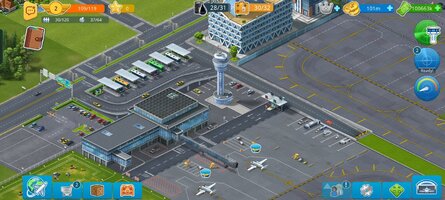
Airport games are a wonderful adventure, but this is more than your average city simulator or tycoon game. It combines the exciting sense of adventure from flight games with the strategic planning of top city builders!
Tired of repetitive farm sims and basic plane games? Put your farm on hold. Start building a tiny town and transform it into a massive megapolis with a world-class modern airport! We constantly update the game to ensure you are always engaged—both on the ground and in the air.
Whether you want to be a powerful air tycoon or a skilled airline commander, you’ll find something to love.
 CORE FEATURES
• Build Your Hub: Construct a modern international terminal to send flights anywhere in the world.
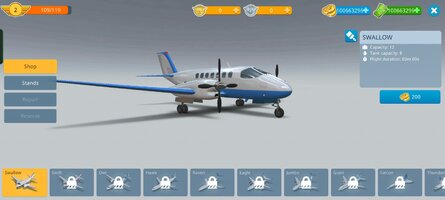
• Planes & Helicopters: Fly your aircraft to any destination, from a faraway town to a shining megapolis.
• Collect Rare Items: Bring back rare artifacts, unique collections, and souvenirs from your travels.
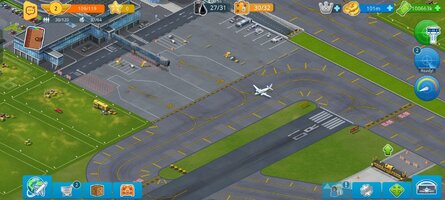
• Manage Infrastructure: Develop the city next to your hub to provide your airport with all required services.
• Form Alliances: Team up with other players to complete joint quests, join competitions, and double your fun!
 BECOME THE ULTIMATE TYCOON
✔ Test Your Skills: Develop your airport and build a massive aircraft collection.
✔ Build a Megapolis: Upgrade your town, collect profits, and support your growing airport infrastructure.
✔ Global Transport Hub: Manage unique buildings and travel destinations in a breathtaking tycoon simulation.
✔ Connect with Friends: Join alliances, interact with like-minded players, and dominate special events.
✔ Explore the World: Travel to your favorite global destinations and bring home exclusive collections.
 JOIN THE COMMUNITY
• Facebook: Airport City
• Trailer:
• Privacy Policy: The Tribez, Airport City, Mystery Manor, Paradise Island 2
• Terms of Service: The Tribez, Airport City, Mystery Manor, Paradise Island 2
Discover more titles from GameInsight:
• Website: Game Insight | The leading global game developer
• Facebook: Facebook
• YouTube: http://goo.gl/qRFX2h
• Twitter: http://twitter.com/GI_Mobile
• Instagram: Instagram
This game is intended exclusively for users aged 18 and over due to the inclusion of in-app purchases.
*MOD Features*
Large amounts of currency
Free Download:
! Hidden Content !
You must be registered and either click Like under this post or leave a comment before you can see the hidden links.
You may need to refresh the page after clicking Like. If you’re still having trouble revealing the hidden links, please
read this.
Did you know? VIP Members can see all links instantly, no unlocking required.
Interested? Get VIP here.
Interested? Get VIP here.
______________________________________
If credits are unknown or incorrect and you are the modder you are free to message @G-Bo and the credits will be corrected asap!
What you need to know about Shared-MODs
*How to install (click the spoilers to read)*
Signed APKs do work on all Android devices (rooted + non-rooted).
Signed APKs are in the most cases the only provided files by the mod publisher as they work for everyone.
1.) Remove the original game/app.
2.) Download the MOD APK.
3.) Install the downloaded MOD APK.
4.) Enjoy.
Regarding login methods, please note that logging in with Google will not be possible when using signed MODs. Facebook login (if available) is possible, but it requires you to remove the Facebook application from your device. Other game-specific login methods (if available), such as email, transfer code or guest login usually work fine.
Notes:
- If you used our MOD APK before and just want to update, you can install the new MOD APK on top of the old without removing the game/app first.
- In-App purchases are not possible on signed APKs as they require Google services similar to the Google login process.
Signed APKs are in the most cases the only provided files by the mod publisher as they work for everyone.
1.) Remove the original game/app.
2.) Download the MOD APK.
3.) Install the downloaded MOD APK.
4.) Enjoy.
Regarding login methods, please note that logging in with Google will not be possible when using signed MODs. Facebook login (if available) is possible, but it requires you to remove the Facebook application from your device. Other game-specific login methods (if available), such as email, transfer code or guest login usually work fine.
Notes:
- If you used our MOD APK before and just want to update, you can install the new MOD APK on top of the old without removing the game/app first.
- In-App purchases are not possible on signed APKs as they require Google services similar to the Google login process.
Unsigned APKs do only work on rooted and patched devices/environments.
These are not always provided by the mod publisher as they do only work under certain circumstances.
1.) Your device must be rooted.
2.) Your device must be patched to ignore app signatures. This can be done with the help of tools such as Luckypatcher or Xposed.
Once you fill that requirements the process is the same as with signed APKs with the difference that you can overwrite the original game/app with the MOD APK without removing it first.
1.) Download the unsigned MOD APK.
2.) Install the unsigned MOD APK.
3.) Enjoy.
Note:
For the case the unsigned APK does fail to install: Your device patch is not done correctly!
Login methods and In-App purchases on unsigned MODs function the same as in the original game. Logging in with Google works without issues. Keeping the Facebook application installed is also no problem.
You are rooted and want to know how to patch your device? Please check this for more information:
[Videotutorial] How To Login With Google+ Or Facebook App On Modded Games
These are not always provided by the mod publisher as they do only work under certain circumstances.
1.) Your device must be rooted.
2.) Your device must be patched to ignore app signatures. This can be done with the help of tools such as Luckypatcher or Xposed.
Once you fill that requirements the process is the same as with signed APKs with the difference that you can overwrite the original game/app with the MOD APK without removing it first.
1.) Download the unsigned MOD APK.
2.) Install the unsigned MOD APK.
3.) Enjoy.
Note:
For the case the unsigned APK does fail to install: Your device patch is not done correctly!
Login methods and In-App purchases on unsigned MODs function the same as in the original game. Logging in with Google works without issues. Keeping the Facebook application installed is also no problem.
You are rooted and want to know how to patch your device? Please check this for more information:
[Videotutorial] How To Login With Google+ Or Facebook App On Modded Games
OBB files are not required by every game/app. If necessary, the mod publisher will usually provide them and tell you that they are needed.
1.) Download the OBB file/files.
2.) Download the MOD APK.
3.) Move the OBB files with the help of a filemanager to Android/obb/<packagecode> on your device.
4.) Install the downloaded MOD APK.
5.) Enjoy.
The OBB files are either provided as ".obb" files or as ".zip" files. ZIP files do require to be extracted first.
Still facing issues? Please check here for more details:
How to install OBB files [as detailed as possible]
1.) Download the OBB file/files.
2.) Download the MOD APK.
3.) Move the OBB files with the help of a filemanager to Android/obb/<packagecode> on your device.
4.) Install the downloaded MOD APK.
5.) Enjoy.
The OBB files are either provided as ".obb" files or as ".zip" files. ZIP files do require to be extracted first.
Still facing issues? Please check here for more details:
How to install OBB files [as detailed as possible]
Tutorials:
How to sign up and download on Platinmods.com
List of useful tutorials about how to use this website and its content