Playstore Link:

Calamity - Apps on Google Play
An Action RPG with engaging classic gameplay and player-driven economy.
Game Name: Calamity
Game Version: 0.2603132
Needs OBB: No
Needs Root: No
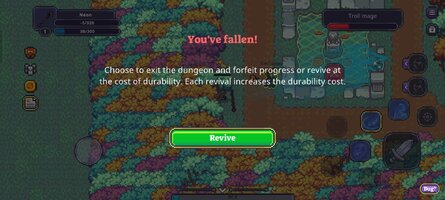
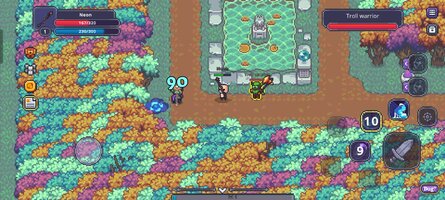
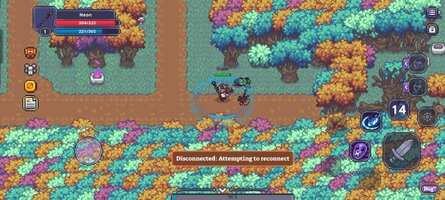
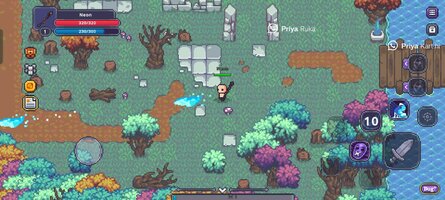
Welcome to Calamity, a free-to-play sandbox MMORPG set in a vibrant 2D top-down world.
Inspired by genre legends such as World of Warcraft, Lineage, Diablo, and Albion Online, Calamity invites you to conquer challenging dungeons, team up with friends, and shape a true player-driven economy.
With flexible weapon-based classes, deep itemization, and three-player online co-op, every adventurer will find a unique path in this captivating fantasy realm.
PLAYER DRIVEN ECONOMY
Every item you earn through skill and dedication can be traded on the in-game marketplace, keeping loot circulation firmly in players’ hands.
COMBAT
Single-target abilities lock to your chosen foe, while directional and area-of-effect skills demand careful aim. Easy to learn, hard to master.
Specializations – Warrior, Archer, and Mage at launch.
Weapon Skills – Each weapon can carry up to four active abilities; reroll specific skills at a dedicated NPC.
Armor Skills – Upgrading to higher-tier armor unlocks new active and passive abilities.
PROGRESSION
Specialization Levels – Level the weapon type you use.
Item Rarities – Common → Epic gear with semi-randomized stats.
Gem Sockets – Embed five gem types for min-max power; combine or extract at will.
Enhancement – Merge duplicates to push gear from +1 to +10. Attempts above +4 risk downgrades, adding tension to every upgrade.
KEY FEATURES
3-Player Online Co-op – Tackle dungeons, world bosses, and seasonal raids with friends.
Sandbox Economy – Every loot drop is tradable; supply and demand—not cash—set prices.
Flexible Gear Presets – Instantly swap weapon sets and armor mixes for any encounter.
Seasonal Leaderboards – Compete for prestige titles and exclusive cosmetic skins.
Player-Friendly Monetization – Optional subscription, convenience boosts, and cosmetic items.
Inspired by genre legends such as World of Warcraft, Lineage, Diablo, and Albion Online, Calamity invites you to conquer challenging dungeons, team up with friends, and shape a true player-driven economy.
With flexible weapon-based classes, deep itemization, and three-player online co-op, every adventurer will find a unique path in this captivating fantasy realm.
PLAYER DRIVEN ECONOMY
Every item you earn through skill and dedication can be traded on the in-game marketplace, keeping loot circulation firmly in players’ hands.
COMBAT
Single-target abilities lock to your chosen foe, while directional and area-of-effect skills demand careful aim. Easy to learn, hard to master.
Specializations – Warrior, Archer, and Mage at launch.
Weapon Skills – Each weapon can carry up to four active abilities; reroll specific skills at a dedicated NPC.
Armor Skills – Upgrading to higher-tier armor unlocks new active and passive abilities.
PROGRESSION
Specialization Levels – Level the weapon type you use.
Item Rarities – Common → Epic gear with semi-randomized stats.
Gem Sockets – Embed five gem types for min-max power; combine or extract at will.
Enhancement – Merge duplicates to push gear from +1 to +10. Attempts above +4 risk downgrades, adding tension to every upgrade.
KEY FEATURES
3-Player Online Co-op – Tackle dungeons, world bosses, and seasonal raids with friends.
Sandbox Economy – Every loot drop is tradable; supply and demand—not cash—set prices.
Flexible Gear Presets – Instantly swap weapon sets and armor mixes for any encounter.
Seasonal Leaderboards – Compete for prestige titles and exclusive cosmetic skins.
Player-Friendly Monetization – Optional subscription, convenience boosts, and cosmetic items.
*MOD Features*
No skill cooldown
Free Download:
! Hidden Content !
You must be registered and either click Like under this post or leave a comment before you can see the hidden links.
You may need to refresh the page after clicking Like. If you’re still having trouble revealing the hidden links, please
read this.
Did you know? VIP Members can see all links instantly, no unlocking required.
Interested? Get VIP here.
Interested? Get VIP here.
______________________________________
If credits are unknown or incorrect and you are the modder you are free to message @G-Bo and the credits will be corrected asap!
What you need to know about Shared-MODs
*How to install (click the spoilers to read)*
Signed APKs do work on all Android devices (rooted + non-rooted).
Signed APKs are in the most cases the only provided files by the mod publisher as they work for everyone.
1.) Remove the original game/app.
2.) Download the MOD APK.
3.) Install the downloaded MOD APK.
4.) Enjoy.
Regarding login methods, please note that logging in with Google will not be possible when using signed MODs. Facebook login (if available) is possible, but it requires you to remove the Facebook application from your device. Other game-specific login methods (if available), such as email, transfer code or guest login usually work fine.
Notes:
- If you used our MOD APK before and just want to update, you can install the new MOD APK on top of the old without removing the game/app first.
- In-App purchases are not possible on signed APKs as they require Google services similar to the Google login process.
Signed APKs are in the most cases the only provided files by the mod publisher as they work for everyone.
1.) Remove the original game/app.
2.) Download the MOD APK.
3.) Install the downloaded MOD APK.
4.) Enjoy.
Regarding login methods, please note that logging in with Google will not be possible when using signed MODs. Facebook login (if available) is possible, but it requires you to remove the Facebook application from your device. Other game-specific login methods (if available), such as email, transfer code or guest login usually work fine.
Notes:
- If you used our MOD APK before and just want to update, you can install the new MOD APK on top of the old without removing the game/app first.
- In-App purchases are not possible on signed APKs as they require Google services similar to the Google login process.
Unsigned APKs do only work on rooted and patched devices/environments.
These are not always provided by the mod publisher as they do only work under certain circumstances.
1.) Your device must be rooted.
2.) Your device must be patched to ignore app signatures. This can be done with the help of tools such as Luckypatcher or Xposed.
Once you fill that requirements the process is the same as with signed APKs with the difference that you can overwrite the original game/app with the MOD APK without removing it first.
1.) Download the unsigned MOD APK.
2.) Install the unsigned MOD APK.
3.) Enjoy.
Note:
For the case the unsigned APK does fail to install: Your device patch is not done correctly!
Login methods and In-App purchases on unsigned MODs function the same as in the original game. Logging in with Google works without issues. Keeping the Facebook application installed is also no problem.
You are rooted and want to know how to patch your device? Please check this for more information:
[Videotutorial] How To Login With Google+ Or Facebook App On Modded Games
These are not always provided by the mod publisher as they do only work under certain circumstances.
1.) Your device must be rooted.
2.) Your device must be patched to ignore app signatures. This can be done with the help of tools such as Luckypatcher or Xposed.
Once you fill that requirements the process is the same as with signed APKs with the difference that you can overwrite the original game/app with the MOD APK without removing it first.
1.) Download the unsigned MOD APK.
2.) Install the unsigned MOD APK.
3.) Enjoy.
Note:
For the case the unsigned APK does fail to install: Your device patch is not done correctly!
Login methods and In-App purchases on unsigned MODs function the same as in the original game. Logging in with Google works without issues. Keeping the Facebook application installed is also no problem.
You are rooted and want to know how to patch your device? Please check this for more information:
[Videotutorial] How To Login With Google+ Or Facebook App On Modded Games
OBB files are not required by every game/app. If necessary, the mod publisher will usually provide them and tell you that they are needed.
1.) Download the OBB file/files.
2.) Download the MOD APK.
3.) Move the OBB files with the help of a filemanager to Android/obb/<packagecode> on your device.
4.) Install the downloaded MOD APK.
5.) Enjoy.
The OBB files are either provided as ".obb" files or as ".zip" files. ZIP files do require to be extracted first.
Still facing issues? Please check here for more details:
How to install OBB files [as detailed as possible]
1.) Download the OBB file/files.
2.) Download the MOD APK.
3.) Move the OBB files with the help of a filemanager to Android/obb/<packagecode> on your device.
4.) Install the downloaded MOD APK.
5.) Enjoy.
The OBB files are either provided as ".obb" files or as ".zip" files. ZIP files do require to be extracted first.
Still facing issues? Please check here for more details:
How to install OBB files [as detailed as possible]
Tutorials:
How to sign up and download on Platinmods.com
List of useful tutorials about how to use this website and its content