Playstore Link:

Casual Blade: Robot PvP Duel - Apps on Google Play
Join robot battle, capture the flag and battle royale! PvP sword fighting games!
Game Name: Casual Blade: Robot PvP Duel
Game Version: 0.250
Needs OBB: No
Needs Root: No
Casual Blade is a dynamic blend of robot battle, sword fighting, and PvP action in stunning 3D!
Dive into the mech fighting game where robots vs robots clash in intense 1v1 sword fight duels! Join the PvP robot games in the format of battle royale and capture the flag. This is the Sci-fi Medieval age of robots, where your mech robot becomes the ultimate sword master!
Welcome to the future of sword fighting games, where brute force gives way to blade mastery! Enter epic robot battle and challenge players in a true test of reflexes and tactics. Your sword training begins now: hone your fencing skills, equip your robot with a deadly sword or fast katana, and face off in thrilling PvP duel combat across Sci-fi battlegrounds!
Ready for the ultimate robogame?
Robot battle comes in various formats, including intense PvP duel challenges: 1v1 sword fight, battle royale, capture the flag or territory. In this sword game you can also upgrade not only the skills but also the parts of your mech robot! Level up your sword master, choose weapon — sword, katana, or other — and engage in fast-paced mech fighting across various PvP robot games modes!
Game Features:
 Medieval age of robots in Sci-fi setting
Join sword game with futuristic fencing! Every robot battle is a test of timing and precision. Every sword training increases your chances of winning. Defeat enemies with style in one of the most unique sword fighting games on mobile!
 Robots vs Robots 3D
Lead your mech robot to victory in a PvP duel and keep track of your score in several Leagues at once. Just you and your opponent. Robots vs Robots. The strongest wins here!
 Many types of PvP robot games
Prove yourself in every format: from tactical 1v1 sword fight to team robot battle. PvP duel, battle royale, capture the flag and capture the zone - choose the format of sword fighting and test your robots for strength!
 Full Customization
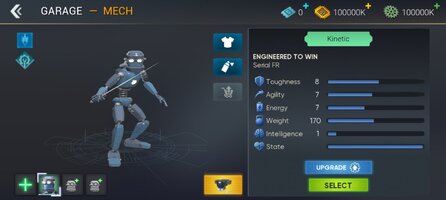
Your robots are your warriors. Build and upgrade your mech in this robogame to suit your playstyle. Enhance abilities, sharpen your katana, and get better at fighting after every sword training!
 Skill-Based robot battle
Enter sword fighting games where success relies on strategy and reaction. Robots vs Robots, player vs player. No luck, no pay-to-win — just pure fighting skill of sword game!
Age of robots and swords
Take on the age of robots and become a legend in one of the most thrilling sword fighting games! Whether you love Medieval fencing, sword game, or explosive mech fighting, Casual Blade will test your limits in 3D robot battle.
Become the knight of the new Sci-fi era. Pick up your sword, upgrade your mech robot, and dominate in cutting-edge PvP robot games like 1v1 sword fight, battle royale or capture the flag. Robots vs robots, blades drawn — only one champion will rise!
Download this robogame now and become a real sword master among cyber warriors!
Dive into the mech fighting game where robots vs robots clash in intense 1v1 sword fight duels! Join the PvP robot games in the format of battle royale and capture the flag. This is the Sci-fi Medieval age of robots, where your mech robot becomes the ultimate sword master!
Welcome to the future of sword fighting games, where brute force gives way to blade mastery! Enter epic robot battle and challenge players in a true test of reflexes and tactics. Your sword training begins now: hone your fencing skills, equip your robot with a deadly sword or fast katana, and face off in thrilling PvP duel combat across Sci-fi battlegrounds!
Ready for the ultimate robogame?
Robot battle comes in various formats, including intense PvP duel challenges: 1v1 sword fight, battle royale, capture the flag or territory. In this sword game you can also upgrade not only the skills but also the parts of your mech robot! Level up your sword master, choose weapon — sword, katana, or other — and engage in fast-paced mech fighting across various PvP robot games modes!
Game Features:
Medieval age of robots in Sci-fi settingJoin sword game with futuristic fencing! Every robot battle is a test of timing and precision. Every sword training increases your chances of winning. Defeat enemies with style in one of the most unique sword fighting games on mobile!
Robots vs Robots 3DLead your mech robot to victory in a PvP duel and keep track of your score in several Leagues at once. Just you and your opponent. Robots vs Robots. The strongest wins here!
Many types of PvP robot gamesProve yourself in every format: from tactical 1v1 sword fight to team robot battle. PvP duel, battle royale, capture the flag and capture the zone - choose the format of sword fighting and test your robots for strength!
Full CustomizationYour robots are your warriors. Build and upgrade your mech in this robogame to suit your playstyle. Enhance abilities, sharpen your katana, and get better at fighting after every sword training!
Skill-Based robot battleEnter sword fighting games where success relies on strategy and reaction. Robots vs Robots, player vs player. No luck, no pay-to-win — just pure fighting skill of sword game!
Age of robots and swords
Take on the age of robots and become a legend in one of the most thrilling sword fighting games! Whether you love Medieval fencing, sword game, or explosive mech fighting, Casual Blade will test your limits in 3D robot battle.
Become the knight of the new Sci-fi era. Pick up your sword, upgrade your mech robot, and dominate in cutting-edge PvP robot games like 1v1 sword fight, battle royale or capture the flag. Robots vs robots, blades drawn — only one champion will rise!
Download this robogame now and become a real sword master among cyber warriors!
*MOD Features*
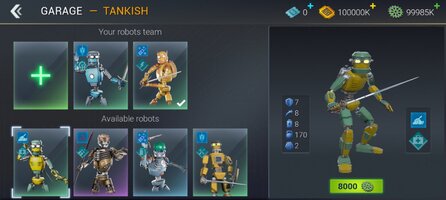
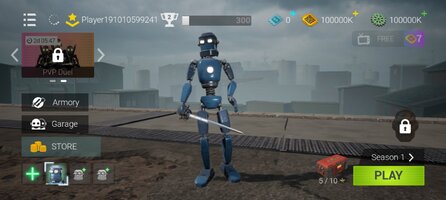
Large amounts of currency
Note: The game controls are relatively complex. You can choose to learn the SEASON1-Tutorial.
Free Download:
! Hidden Content !
You must be registered and either click Like under this post or leave a comment before you can see the hidden links.
You may need to refresh the page after clicking Like. If you’re still having trouble revealing the hidden links, please
read this.
Did you know? VIP Members can see all links instantly, no unlocking required.
Interested? Get VIP here.
Interested? Get VIP here.
______________________________________
If credits are unknown or incorrect and you are the modder you are free to message @G-Bo and the credits will be corrected asap!
What you need to know about Shared-MODs
*How to install (click the spoilers to read)*
Signed APKs do work on all Android devices (rooted + non-rooted).
Signed APKs are in the most cases the only provided files by the mod publisher as they work for everyone.
1.) Remove the original game/app.
2.) Download the MOD APK.
3.) Install the downloaded MOD APK.
4.) Enjoy.
Regarding login methods, please note that logging in with Google will not be possible when using signed MODs. Facebook login (if available) is possible, but it requires you to remove the Facebook application from your device. Other game-specific login methods (if available), such as email, transfer code or guest login usually work fine.
Notes:
- If you used our MOD APK before and just want to update, you can install the new MOD APK on top of the old without removing the game/app first.
- In-App purchases are not possible on signed APKs as they require Google services similar to the Google login process.
Signed APKs are in the most cases the only provided files by the mod publisher as they work for everyone.
1.) Remove the original game/app.
2.) Download the MOD APK.
3.) Install the downloaded MOD APK.
4.) Enjoy.
Regarding login methods, please note that logging in with Google will not be possible when using signed MODs. Facebook login (if available) is possible, but it requires you to remove the Facebook application from your device. Other game-specific login methods (if available), such as email, transfer code or guest login usually work fine.
Notes:
- If you used our MOD APK before and just want to update, you can install the new MOD APK on top of the old without removing the game/app first.
- In-App purchases are not possible on signed APKs as they require Google services similar to the Google login process.
Unsigned APKs do only work on rooted and patched devices/environments.
These are not always provided by the mod publisher as they do only work under certain circumstances.
1.) Your device must be rooted.
2.) Your device must be patched to ignore app signatures. This can be done with the help of tools such as Luckypatcher or Xposed.
Once you fill that requirements the process is the same as with signed APKs with the difference that you can overwrite the original game/app with the MOD APK without removing it first.
1.) Download the unsigned MOD APK.
2.) Install the unsigned MOD APK.
3.) Enjoy.
Note:
For the case the unsigned APK does fail to install: Your device patch is not done correctly!
Login methods and In-App purchases on unsigned MODs function the same as in the original game. Logging in with Google works without issues. Keeping the Facebook application installed is also no problem.
You are rooted and want to know how to patch your device? Please check this for more information:
[Videotutorial] How To Login With Google+ Or Facebook App On Modded Games
These are not always provided by the mod publisher as they do only work under certain circumstances.
1.) Your device must be rooted.
2.) Your device must be patched to ignore app signatures. This can be done with the help of tools such as Luckypatcher or Xposed.
Once you fill that requirements the process is the same as with signed APKs with the difference that you can overwrite the original game/app with the MOD APK without removing it first.
1.) Download the unsigned MOD APK.
2.) Install the unsigned MOD APK.
3.) Enjoy.
Note:
For the case the unsigned APK does fail to install: Your device patch is not done correctly!
Login methods and In-App purchases on unsigned MODs function the same as in the original game. Logging in with Google works without issues. Keeping the Facebook application installed is also no problem.
You are rooted and want to know how to patch your device? Please check this for more information:
[Videotutorial] How To Login With Google+ Or Facebook App On Modded Games
OBB files are not required by every game/app. If necessary, the mod publisher will usually provide them and tell you that they are needed.
1.) Download the OBB file/files.
2.) Download the MOD APK.
3.) Move the OBB files with the help of a filemanager to Android/obb/<packagecode> on your device.
4.) Install the downloaded MOD APK.
5.) Enjoy.
The OBB files are either provided as ".obb" files or as ".zip" files. ZIP files do require to be extracted first.
Still facing issues? Please check here for more details:
How to install OBB files [as detailed as possible]
1.) Download the OBB file/files.
2.) Download the MOD APK.
3.) Move the OBB files with the help of a filemanager to Android/obb/<packagecode> on your device.
4.) Install the downloaded MOD APK.
5.) Enjoy.
The OBB files are either provided as ".obb" files or as ".zip" files. ZIP files do require to be extracted first.
Still facing issues? Please check here for more details:
How to install OBB files [as detailed as possible]
Tutorials:
How to sign up and download on Platinmods.com
List of useful tutorials about how to use this website and its content