Playstore Link:

Cooking Fever: Restaurant Game - Apps on Google Play
Cook delicious meals and desserts from all over the world!
Game Name: Cooking Fever: Restaurant Game
Game Version: 26.0.1
Needs OBB: No
Needs Root: No
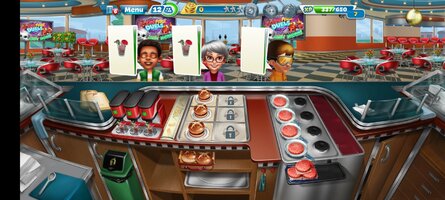
Cook delicious meals and desserts in your very own restaurant and discover different cuisines from all over the world in this addictive time-management game! 
With a wide choice of unique locations and restaurants, from sweet desserts to mouth-watering burgers
  , from Chinese
  to Indian cuisines
  , you will practice your cooking skills in a variety of different kitchens and learn unique food preparation techniques from all over the world!
Unlock hundreds of delicious recipes to prepare and serve in your very own restaurant. Try out all the possible kitchen appliances, from coffee machines and rice cookers to pizza ovens and popcorn makers.
Decorate your restaurants to attract more clients. Serve your own freebies, such as cookies or cupcakes
  , to make your customers’ experience more personal and memorable – just like in real life! Upgrade your kitchen and produce an even greater variety of dishes!
Oh, and did we say that this game is as addictive and as engrossing as fever? Have fun cooking and don’t forget to share your delicious meals with your friends on Facebook!
Exciting features include:
Thousands of delicious dishes from countries all over the world!
 Huge choice of world-famous cuisines!
 Over 1000 levels to complete!
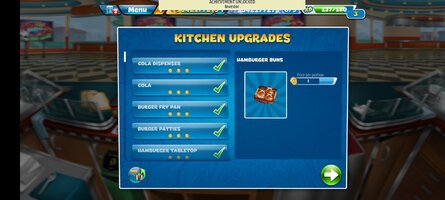
 Hundreds and hundreds of upgrades for your kitchen appliances and interior!
 Tournaments & Challenges to participate in and win!
Follow us to get the latest news and participate in giveaways!
 On Facebook!

 www.facebook.com
 On Twitter!
 On Instagram!
 www.instagram.com
 On YouTube!

 www.youtube.com
Got some trouble with the game, questions or ideas?
 Contact us here!
 Privacy / Terms & Conditions
 www.nordcurrent.com
 IMPORTANT NOTE:
Cooking Fever requires access to the internet in order to play. The game uses a small amount of data for features like our daily rewards, restoring lost game progress, tournaments, challenges, and other gameplay improvements.
With a wide choice of unique locations and restaurants, from sweet desserts
to mouth-watering burgers , from Chinese to Indian cuisines , you will practice your cooking skills in a variety of different kitchens and learn unique food preparation techniques from all over the world! Unlock hundreds of delicious recipes to prepare and serve in your very own restaurant.
Try out all the possible kitchen appliances, from coffee machines and rice cookers to pizza ovens and popcorn makers.Decorate your restaurants to attract more clients. Serve your own freebies, such as cookies
or cupcakes , to make your customers’ experience more personal and memorable – just like in real life! Upgrade your kitchen and produce an even greater variety of dishes! Oh, and did we say that this game is as addictive and as engrossing as fever? Have fun cooking and don’t forget to share your delicious meals with your friends on Facebook!
Exciting features include:
Thousands of delicious dishes from countries all over the world! Huge choice of world-famous cuisines! Over 1000 levels to complete! Hundreds and hundreds of upgrades for your kitchen appliances and interior! Tournaments & Challenges to participate in and win!Follow us to get the latest news and participate in giveaways!
On Facebook!
Cooking Fever
Cooking Fever. 8 795 909 J’aime · 4 038 en parlent. Cook delicious meals and desserts in this free addictive time-management game! #CookingFever Download the game: https://nrdc.link/CookingFever...
www.facebook.com
On Twitter! On Instagram!Login • Instagram
Welcome back to Instagram. Sign in to check out what your friends, family & interests have been capturing & sharing around the world.
www.instagram.com
On YouTube!
Cooking Fever Game
Cook delicious meals and desserts in this free addictive time-management mobile game! #CookingFever #mobilegame #Nordcurrent #gaming Download the game: https://nrdc.link/CookingFever Find us on: Instagram: @cookingfevergame Facebook: Cooking Fever X (Twitter): @cookingfever TikTok...
www.youtube.com
Got some trouble with the game, questions or ideas?
Contact us here! Privacy / Terms & ConditionsPrivacy / Terms & Conditions – Nordcurrent
www.nordcurrent.com
IMPORTANT NOTE:Cooking Fever requires access to the internet in order to play. The game uses a small amount of data for features like our daily rewards, restoring lost game progress, tournaments, challenges, and other gameplay improvements.
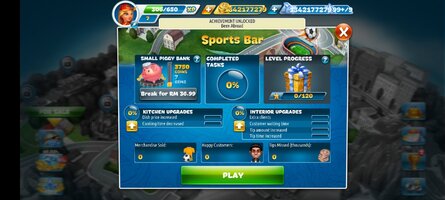
*MOD Features*
Unlimited Coins
Unlimited Gems
Credit to: ?
Free Download:
! Hidden Content !
You must be registered and either click Like under this post or leave a comment before you can see the hidden links.
You may need to refresh the page after clicking Like. If you’re still having trouble revealing the hidden links, please
read this.
______________________________________
If credits are unknown or incorrect and you are the modder you are free to message @G-Bo and the credits will be corrected asap!
What you need to know about Shared-MODs
*How to install (click the spoilers to read)*
Signed APKs do work on all Android devices (rooted + non-rooted).
Signed APKs are in the most cases the only provided files by the mod publisher as they work for everyone.
1.) Remove the original game/app.
2.) Download the MOD APK.
3.) Install the downloaded MOD APK.
4.) Enjoy.
Regarding login methods, please note that logging in with Google will not be possible when using signed MODs. Facebook login (if available) is possible, but it requires you to remove the Facebook application from your device. Other game-specific login methods (if available), such as email, transfer code or guest login usually work fine.
Notes:
- If you used our MOD APK before and just want to update, you can install the new MOD APK on top of the old without removing the game/app first.
- In-App purchases are not possible on signed APKs as they require Google services similar to the Google login process.
Signed APKs are in the most cases the only provided files by the mod publisher as they work for everyone.
1.) Remove the original game/app.
2.) Download the MOD APK.
3.) Install the downloaded MOD APK.
4.) Enjoy.
Regarding login methods, please note that logging in with Google will not be possible when using signed MODs. Facebook login (if available) is possible, but it requires you to remove the Facebook application from your device. Other game-specific login methods (if available), such as email, transfer code or guest login usually work fine.
Notes:
- If you used our MOD APK before and just want to update, you can install the new MOD APK on top of the old without removing the game/app first.
- In-App purchases are not possible on signed APKs as they require Google services similar to the Google login process.
Unsigned APKs do only work on rooted and patched devices/environments.
These are not always provided by the mod publisher as they do only work under certain circumstances.
1.) Your device must be rooted.
2.) Your device must be patched to ignore app signatures. This can be done with the help of tools such as Luckypatcher or Xposed.
Once you fill that requirements the process is the same as with signed APKs with the difference that you can overwrite the original game/app with the MOD APK without removing it first.
1.) Download the unsigned MOD APK.
2.) Install the unsigned MOD APK.
3.) Enjoy.
Note:
For the case the unsigned APK does fail to install: Your device patch is not done correctly!
Login methods and In-App purchases on unsigned MODs function the same as in the original game. Logging in with Google works without issues. Keeping the Facebook application installed is also no problem.
You are rooted and want to know how to patch your device? Please check this for more information:
[Videotutorial] How To Login With Google+ Or Facebook App On Modded Games
These are not always provided by the mod publisher as they do only work under certain circumstances.
1.) Your device must be rooted.
2.) Your device must be patched to ignore app signatures. This can be done with the help of tools such as Luckypatcher or Xposed.
Once you fill that requirements the process is the same as with signed APKs with the difference that you can overwrite the original game/app with the MOD APK without removing it first.
1.) Download the unsigned MOD APK.
2.) Install the unsigned MOD APK.
3.) Enjoy.
Note:
For the case the unsigned APK does fail to install: Your device patch is not done correctly!
Login methods and In-App purchases on unsigned MODs function the same as in the original game. Logging in with Google works without issues. Keeping the Facebook application installed is also no problem.
You are rooted and want to know how to patch your device? Please check this for more information:
[Videotutorial] How To Login With Google+ Or Facebook App On Modded Games
OBB files are not required by every game/app. If necessary, the mod publisher will usually provide them and tell you that they are needed.
1.) Download the OBB file/files.
2.) Download the MOD APK.
3.) Move the OBB files with the help of a filemanager to Android/obb/<packagecode> on your device.
4.) Install the downloaded MOD APK.
5.) Enjoy.
The OBB files are either provided as ".obb" files or as ".zip" files. ZIP files do require to be extracted first.
Still facing issues? Please check here for more details:
How to install OBB files [as detailed as possible]
1.) Download the OBB file/files.
2.) Download the MOD APK.
3.) Move the OBB files with the help of a filemanager to Android/obb/<packagecode> on your device.
4.) Install the downloaded MOD APK.
5.) Enjoy.
The OBB files are either provided as ".obb" files or as ".zip" files. ZIP files do require to be extracted first.
Still facing issues? Please check here for more details:
How to install OBB files [as detailed as possible]
Tutorials:
How to sign up and download on Platinmods.com
List of useful tutorials about how to use this website and its content