

Playstore Link:
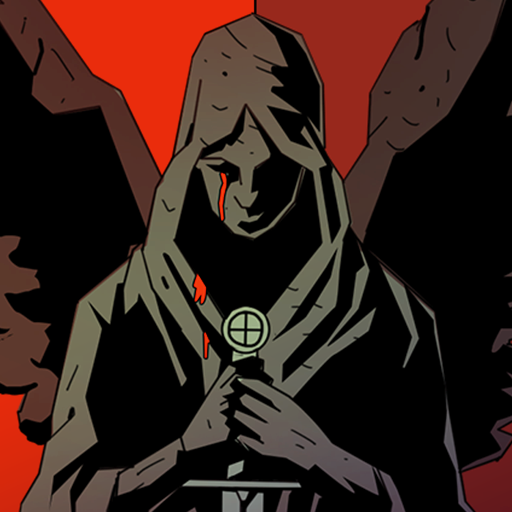
Dice & Spells - Apps on Google Play
Use swords & spells in epic turn based battles. Dice game for knight & wizards.
Game Name: Dice & Spells
Game Version: 01.11.04
Needs OBB: No
Needs Root: No
 Start a mysterious adventure and defeat the dark hordes of undead!
Looking for a thrilling mobile dice RPG that combines turn based gameplay with epic fantasy adventure? Look no further than Dice & Spells, available for free on Google Play.
Features:
 Turn based dice game with RPG core
 Hero battles with undead monsters
 Magic dice which grants powerful spells
 Many playable hero characters - knight, wizard, rogue, warrior and many others
 Power-ups that diversify the magic battles Upgrade the power of magic dice
 Variety of weapons to fight with - sword, wand, bow, dagger and many others
 Expand the potential of your hero and spells
 A world full of dangers and dark secrets
 100+ unique stages
 Dynamic dungeon boss fights
 Rewards for each battle won DIVE INTO RPG DICE GAME WORLD
 Build and upgrade available characters, and lead them into battle against powerful enemies in a unique blend of turn based combat and RPG elements. Choose your wizard, knight, rogue, or maybe botanist… It's up to you what class you will use to defeat monsters! With endless value and strategic depth, this adventure will keep you engaged for hours on end.
IMMERSE YOURSELF IN A DARK FANTASY WORLD With stunning 2D graphics, intuitive gameplay, and endless fights, this dice game is perfect for strategy RPGs and turn based combat fans. Whether you're a seasoned player or new to the genre, you'll find endless opportunities for adventure and excitement in this dice RPG.
 DICE RPG WITH MARVELOUS REWARDS
 Collect and upgrade various dice, each with unique abilities and effects, and choose from a variety of different heroes, each with their own strengths and weaknesses. For example, knight Sir Ralf is a strong character using heavy attacks. Deidre is a cunning assassin and Ushma will destroy any enemy with her mage spells. As you progress through this dice game, explore a vast fantasy world filled with challenging enemies and epic loot.
UPGRADE YOUR GEAR AND PLAY THE BEST STRATEGY Experience the freedom to explore dangerous dungeons as a wizard, warrior, rogue, or botanist. Complete quests, and engage in single and royal battles against legendary foes. With tactical gameplay and a variety of chests and cards to discover, you'll have plenty of opportunities to compete and level up your warrior, mage, rogue, or assassin.
ASSEMBLE A BAND OF MIGHTY HEROES - MAGE, KNIGHT, ASSASSIN AND MORE Gather a diverse roster of heroes, each with their own unique abilities and playstyles. From courageous warrior to cunning wizard or assassin, build a character conquering any challenge. Equip powerful gear and dice, and unleash their full potential.
 DICE RPG WITH VARIETY OF ENEMIES
 But beware - the undead, necromancy, demonic, soulless, and supernatural enemies you'll encounter in this dice RPG , are not to be underestimated. Destroy them with your spells & swords as a wizard, warrior or rogue. Only the bravest and most skilled heroes will be able to survive and emerge victorious in this thrilling dice game.
Are you ready to choose your hero and roll the dice in an epic darkest fantasy adventure? The time has come. Fight with others for the freedom of the whole world!
Download Dice & Spells now for free!
Join our Discord community!

discord.gg/tbull
*MOD Features*
1. Menu
2. Free In-App Purchase
Stay away from harmful malicious mods that fill your device with UNWANTED ADS! I always provide quality service with no such malicious tricks to earn money. We want you happy, that's our goal. You can be sure to download quality on platinmods.com.
*How to install (click the spoilers to read)*
Signed APKs do work on all Android devices (rooted + non-rooted).
Signed APKs are in the most cases the only provided files by the mod publisher as they work for everyone.
1.) Remove the original game/app.
2.) Download the MOD APK.
3.) Install the downloaded MOD APK.
4.) Enjoy.
Regarding login methods, please note that logging in with Google will not be possible when using signed MODs. Facebook login (if available) is possible, but it requires you to remove the Facebook application from your device. Other game-specific login methods (if available), such as email, transfer code or guest login usually work fine.
Notes:
- If you used our MOD APK before and just want to update, you can install the new MOD APK on top of the old without removing the game/app first.
- In-App purchases are not possible on signed APKs as they require Google services similar to the Google login process.
Signed APKs are in the most cases the only provided files by the mod publisher as they work for everyone.
1.) Remove the original game/app.
2.) Download the MOD APK.
3.) Install the downloaded MOD APK.
4.) Enjoy.
Regarding login methods, please note that logging in with Google will not be possible when using signed MODs. Facebook login (if available) is possible, but it requires you to remove the Facebook application from your device. Other game-specific login methods (if available), such as email, transfer code or guest login usually work fine.
Notes:
- If you used our MOD APK before and just want to update, you can install the new MOD APK on top of the old without removing the game/app first.
- In-App purchases are not possible on signed APKs as they require Google services similar to the Google login process.
Unsigned APKs do only work on rooted and patched devices/environments.
These are not always provided by the mod publisher as they do only work under certain circumstances.
1.) Your device must be rooted.
2.) Your device must be patched to ignore app signatures. This can be done with the help of tools such as Luckypatcher or Xposed.
Once you fill that requirements the process is the same as with signed APKs with the difference that you can overwrite the original game/app with the MOD APK without removing it first.
1.) Download the unsigned MOD APK.
2.) Install the unsigned MOD APK.
3.) Enjoy.
Note:
For the case the unsigned APK does fail to install: Your device patch is not done correctly!
Login methods and In-App purchases on unsigned MODs function the same as in the original game. Logging in with Google works without issues. Keeping the Facebook application installed is also no problem.
You are rooted and want to know how to patch your device? Please check this for more information:
[Videotutorial] How To Login With Google+ Or Facebook App On Modded Games
These are not always provided by the mod publisher as they do only work under certain circumstances.
1.) Your device must be rooted.
2.) Your device must be patched to ignore app signatures. This can be done with the help of tools such as Luckypatcher or Xposed.
Once you fill that requirements the process is the same as with signed APKs with the difference that you can overwrite the original game/app with the MOD APK without removing it first.
1.) Download the unsigned MOD APK.
2.) Install the unsigned MOD APK.
3.) Enjoy.
Note:
For the case the unsigned APK does fail to install: Your device patch is not done correctly!
Login methods and In-App purchases on unsigned MODs function the same as in the original game. Logging in with Google works without issues. Keeping the Facebook application installed is also no problem.
You are rooted and want to know how to patch your device? Please check this for more information:
[Videotutorial] How To Login With Google+ Or Facebook App On Modded Games
OBB files are not required by every game/app. If necessary, the mod publisher will usually provide them and tell you that they are needed.
1.) Download the OBB file/files.
2.) Download the MOD APK.
3.) Move the OBB files with the help of a filemanager to Android/obb/<packagecode> on your device.
4.) Install the downloaded MOD APK.
5.) Enjoy.
The OBB files are either provided as ".obb" files or as ".zip" files. ZIP files do require to be extracted first.
Still facing issues? Please check here for more details:
How to install OBB files [as detailed as possible]
1.) Download the OBB file/files.
2.) Download the MOD APK.
3.) Move the OBB files with the help of a filemanager to Android/obb/<packagecode> on your device.
4.) Install the downloaded MOD APK.
5.) Enjoy.
The OBB files are either provided as ".obb" files or as ".zip" files. ZIP files do require to be extracted first.
Still facing issues? Please check here for more details:
How to install OBB files [as detailed as possible]
Free Download:
Tutorials:
How to sign up and download on Platinmods.com
List of useful tutorials about how to use this website and its content
Last edited by a moderator:


