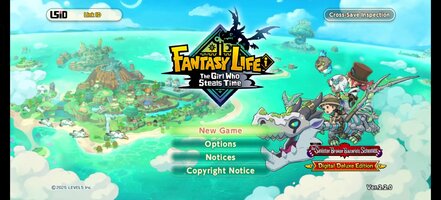
Playstore Link:

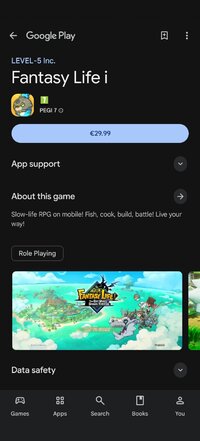
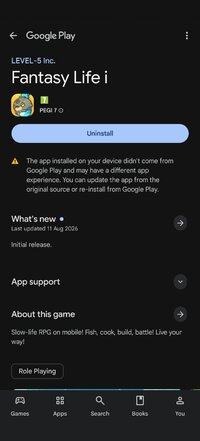
Fantasy Life i - Apps on Google Play
Slow-life RPG on mobile! Fish, cook, build, battle! Live your way!
Game Name: Fantasy Life i
Game Version: 2.2.1.0
Needs OBB: No
Needs Root: No
From thrilling adventures to building up your own island, the anything-goes slow-life RPG comes to mobile!
Experience an epic story, explore a vast open world, or simply relax with fishing, cooking, and crafting.
Do what you want, whenever and wherever you like—all in the palm of your hand. Start your very own Fantasy Life!
■ Play Anytime on Your Smartphone
Whether you want to enjoy a laid-back life as a farmer and grow crops at your own pace, or simply run free across a vast landscape, your fantasy life is always waiting whenever you have a spare moment.
Cross-play support lets you play together with friends on both mobile devices and consoles!
■ Guided by a Dragon to a Mysterious Island
You are an adventurer who sets sail alongside the archaeologist Edward and his team.
Following the guiding light from a fossilized dragon, you discover an uncharted island.
The Depths, a mysterious skeletal dragon, and a message from a girl pleading, "Save this world..."
Travel between the island's golden age 1,000 years ago and the present day to uncover the mystery behind its destruction!
■ Shape Your Adventure with 14 Unique Lives
In this world, a Life is your chosen profession, and each Life has its own identity and playstyle.
Switch to a Gathering Life to gather ingredients and materials, a Crafting Life to create weapons and meals, or a Combat Life to battle monsters. Swap between Lives anytime and create a Fantasy Life that's uniquely yours.
■ Craft Your Island
Put your Lives to work and gather resources to restore the island to its former glory!
Place houses and objects, reshape the landscape, and even create your own rivers and roads to build an island that's truly one of a kind.
Expand your home, freely arrange furniture, and customize your interiors!
■ Embark on an Open-World Adventure!
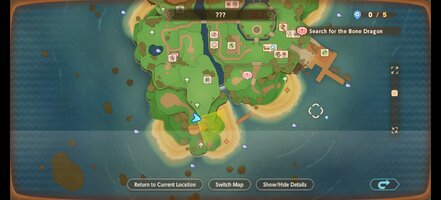
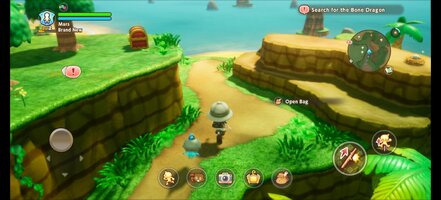
Explore the largest continent in the series and venture wherever your heart takes you!
Climb towering cliffs, swim across rivers and lakes, or ride across the land on your favorite mount.
Oh, and the Teleportation Gate lets you easily travel to the continent from anywhere.
■ Continue Your Adventure Across Devices
Cross-save support lets you continue your adventure on your smartphone from your existing console save data.
Gather materials on the go with your smartphone, then switch back to your console at home for more in-depth crafting.
You can also enjoy multiplayer by inviting friends to your island or exploring dungeons together. How you play is entirely up to you.
*The 2P Family Co-op feature is not available in the mobile version.
▼ Official X
 x.com
x.com
▼ Official Website
 www.fantasylife.jp
▼ System Requirements
Supported OS: Android 10 or later
Please note that even if your device meets the minimum system requirements, performance may vary depending on your device model, usage conditions, or other factors.
Experience an epic story, explore a vast open world, or simply relax with fishing, cooking, and crafting.
Do what you want, whenever and wherever you like—all in the palm of your hand. Start your very own Fantasy Life!
■ Play Anytime on Your Smartphone
Whether you want to enjoy a laid-back life as a farmer and grow crops at your own pace, or simply run free across a vast landscape, your fantasy life is always waiting whenever you have a spare moment.
Cross-play support lets you play together with friends on both mobile devices and consoles!
■ Guided by a Dragon to a Mysterious Island
You are an adventurer who sets sail alongside the archaeologist Edward and his team.
Following the guiding light from a fossilized dragon, you discover an uncharted island.
The Depths, a mysterious skeletal dragon, and a message from a girl pleading, "Save this world..."
Travel between the island's golden age 1,000 years ago and the present day to uncover the mystery behind its destruction!
■ Shape Your Adventure with 14 Unique Lives
In this world, a Life is your chosen profession, and each Life has its own identity and playstyle.
Switch to a Gathering Life to gather ingredients and materials, a Crafting Life to create weapons and meals, or a Combat Life to battle monsters. Swap between Lives anytime and create a Fantasy Life that's uniquely yours.
■ Craft Your Island
Put your Lives to work and gather resources to restore the island to its former glory!
Place houses and objects, reshape the landscape, and even create your own rivers and roads to build an island that's truly one of a kind.
Expand your home, freely arrange furniture, and customize your interiors!
■ Embark on an Open-World Adventure!
Explore the largest continent in the series and venture wherever your heart takes you!
Climb towering cliffs, swim across rivers and lakes, or ride across the land on your favorite mount.
Oh, and the Teleportation Gate lets you easily travel to the continent from anywhere.
■ Continue Your Adventure Across Devices
Cross-save support lets you continue your adventure on your smartphone from your existing console save data.
Gather materials on the go with your smartphone, then switch back to your console at home for more in-depth crafting.
You can also enjoy multiplayer by inviting friends to your island or exploring dungeons together. How you play is entirely up to you.
*The 2P Family Co-op feature is not available in the mobile version.
▼ Official X
FANTASY LIFE Series (@FANTASYLIFE_EN) on X
Welcome to the official account of the “FANTASY LIFE” series. #FLi Follow for the latest news & share your favorite moments from FANTASY LIFE i with #MyFL 📷
▼ Official Website
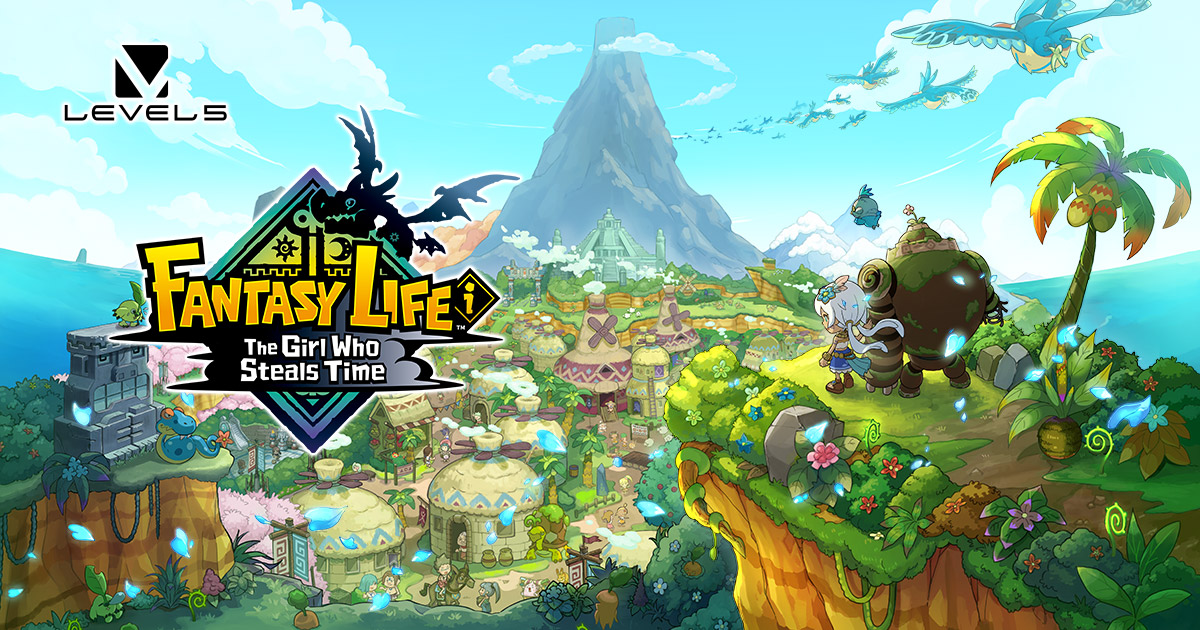
FANTASY LIFE i: The Girl Who Steals Time
Live as you please in the latest game in the Fantasy Life series!
www.fantasylife.jp
▼ System Requirements
Supported OS: Android 10 or later
Please note that even if your device meets the minimum system requirements, performance may vary depending on your device model, usage conditions, or other factors.
*MOD Features*
Unlock full content
Credit to: ?
Free Download:
! Hidden Content !
You must be registered and either click Like under this post or leave a comment before you can see the hidden links.
You may need to refresh the page after clicking Like. If you’re still having trouble revealing the hidden links, please
read this.
Did you know? VIP Members can see all links instantly, no unlocking required.
Interested? Get VIP here.
Interested? Get VIP here.
______________________________________
If credits are unknown or incorrect and you are the modder you are free to message @G-Bo and the credits will be corrected asap!
What you need to know about Shared-MODs
*How to install (click the spoilers to read)*
Signed APKs do work on all Android devices (rooted + non-rooted).
Signed APKs are in the most cases the only provided files by the mod publisher as they work for everyone.
1.) Remove the original game/app.
2.) Download the MOD APK.
3.) Install the downloaded MOD APK.
4.) Enjoy.
Regarding login methods, please note that logging in with Google will not be possible when using signed MODs. Facebook login (if available) is possible, but it requires you to remove the Facebook application from your device. Other game-specific login methods (if available), such as email, transfer code or guest login usually work fine.
Notes:
- If you used our MOD APK before and just want to update, you can install the new MOD APK on top of the old without removing the game/app first.
- In-App purchases are not possible on signed APKs as they require Google services similar to the Google login process.
Signed APKs are in the most cases the only provided files by the mod publisher as they work for everyone.
1.) Remove the original game/app.
2.) Download the MOD APK.
3.) Install the downloaded MOD APK.
4.) Enjoy.
Regarding login methods, please note that logging in with Google will not be possible when using signed MODs. Facebook login (if available) is possible, but it requires you to remove the Facebook application from your device. Other game-specific login methods (if available), such as email, transfer code or guest login usually work fine.
Notes:
- If you used our MOD APK before and just want to update, you can install the new MOD APK on top of the old without removing the game/app first.
- In-App purchases are not possible on signed APKs as they require Google services similar to the Google login process.
Unsigned APKs do only work on rooted and patched devices/environments.
These are not always provided by the mod publisher as they do only work under certain circumstances.
1.) Your device must be rooted.
2.) Your device must be patched to ignore app signatures. This can be done with the help of tools such as Luckypatcher or Xposed.
Once you fill that requirements the process is the same as with signed APKs with the difference that you can overwrite the original game/app with the MOD APK without removing it first.
1.) Download the unsigned MOD APK.
2.) Install the unsigned MOD APK.
3.) Enjoy.
Note:
For the case the unsigned APK does fail to install: Your device patch is not done correctly!
Login methods and In-App purchases on unsigned MODs function the same as in the original game. Logging in with Google works without issues. Keeping the Facebook application installed is also no problem.
You are rooted and want to know how to patch your device? Please check this for more information:
[Videotutorial] How To Login With Google+ Or Facebook App On Modded Games
These are not always provided by the mod publisher as they do only work under certain circumstances.
1.) Your device must be rooted.
2.) Your device must be patched to ignore app signatures. This can be done with the help of tools such as Luckypatcher or Xposed.
Once you fill that requirements the process is the same as with signed APKs with the difference that you can overwrite the original game/app with the MOD APK without removing it first.
1.) Download the unsigned MOD APK.
2.) Install the unsigned MOD APK.
3.) Enjoy.
Note:
For the case the unsigned APK does fail to install: Your device patch is not done correctly!
Login methods and In-App purchases on unsigned MODs function the same as in the original game. Logging in with Google works without issues. Keeping the Facebook application installed is also no problem.
You are rooted and want to know how to patch your device? Please check this for more information:
[Videotutorial] How To Login With Google+ Or Facebook App On Modded Games
OBB files are not required by every game/app. If necessary, the mod publisher will usually provide them and tell you that they are needed.
1.) Download the OBB file/files.
2.) Download the MOD APK.
3.) Move the OBB files with the help of a filemanager to Android/obb/<packagecode> on your device.
4.) Install the downloaded MOD APK.
5.) Enjoy.
The OBB files are either provided as ".obb" files or as ".zip" files. ZIP files do require to be extracted first.
Still facing issues? Please check here for more details:
How to install OBB files [as detailed as possible]
1.) Download the OBB file/files.
2.) Download the MOD APK.
3.) Move the OBB files with the help of a filemanager to Android/obb/<packagecode> on your device.
4.) Install the downloaded MOD APK.
5.) Enjoy.
The OBB files are either provided as ".obb" files or as ".zip" files. ZIP files do require to be extracted first.
Still facing issues? Please check here for more details:
How to install OBB files [as detailed as possible]
Tutorials:
How to sign up and download on Platinmods.com
List of useful tutorials about how to use this website and its content