Playstore Link:

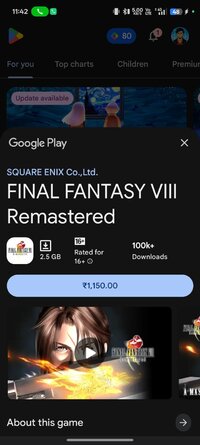
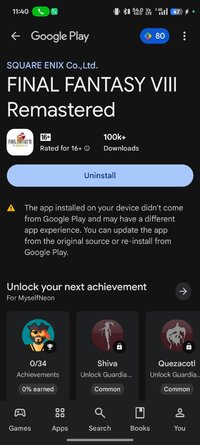
FINAL FANTASY VIII Remastered - Apps on Google Play
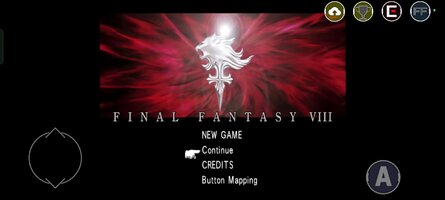
FINAL FANTASY VIII (1999) is now on Android, with new customizable features!
Game Name: FINAL FANTASY VIII Remastered
Game Version: 1.0.3
Needs OBB: No
Needs Root: No
This application requires approximately 2.59GB to download. Please be sure to allocate the necessary amount of time and space on your device before proceeding.
・ Only one download with a large amount of data will be required while progressing through the game.
・ Since it is a large application, it will take time to download. We strongly recommend connecting to Wi-Fi when downloading.
------------------------------
[Please read before playing]
* Entering or leaving vehicles such as cars and the Garden may occasionally get your character stuck between the vehicle and terrain features, or freeze the vehicle in place. This seems to happen more often when you leave your vehicle in close proximity to impassable terrain, or when you try to enter or leave your vehicle during certain scripted events. Currently, the only fix for this is to reload a previously saved game, so please make sure to save your progress often.
* Some locations may be difficult to navigate using the Speed Boost (x3). We advise you to turn off this feature in such cases.
* Make sure to check the FAQ section of our support page for solutions to common issues:
 support.na.square-enix.com
We apologize for any inconvenience these issues may cause, and thank you again for your interest in our product.
■Summary
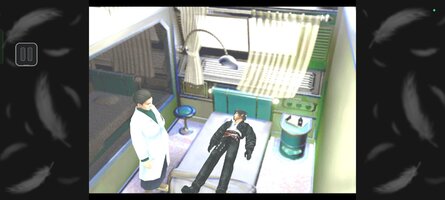
FINAL FANTASY VIII was first released on February 11, 1999. Beloved by fans, this title has garnered a great deal of popularity even compared to other installments in the FINAL FANTASY franchise, selling more than 9.6 million units worldwide. And now players can enjoy FINAL FANTASY VIII on their smartphone! With renewed character CG, the world of FINAL FANTASY VIII is now more beautiful than ever before.
This installment is a remaster of FINAL FANTASY VIII for PC. This application is a one-time purchase. There will be no additional charge incurred after downloading.
■Story
It is a time of war.
The Republic of Galbadia, under the influence of the sorceress Edea, mobilizes its great armies against the other nations of the world.
Squall and other members of SeeD, an elite mercenary force, join hands with Rinoa, a resistance fighter, to fight against Galbadia's tyrannical rule and to prevent Edea from fulfilling her ultimate goal.
■FINAL FANTASY VIII: Release Features
・Guardian Force(G.F.)
G.F. are summoned creatures in FFVIII used to protect the protagonists. Call upon them in battle to unleash their might and to increase their power alongside player characters. By junctioning G.F., players will be able to enjoy greater freedom in how they approach battles.
・Drawing
Obtain magic in FFVIII by drawing (extracting) it in battle. MP does not exist and players are limited to the number they have in their possession. Magic that has been extracted can be released on the spot or stocked for later use.
・ Junctioning
This system allows players to equip G.F. and stocked magic to characters in order to increase their power.
■ Additional Features
・ Battle Assist
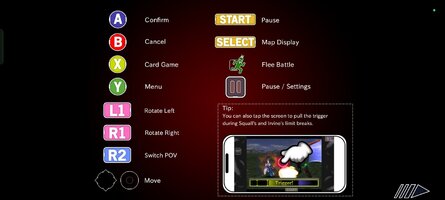
Max out HP and ATB gauge during battle and activate Limit Breaks at any time.
・ No Encounters
Players can choose to turn Battle Encounters on or off.
・ 3x Speed
With the exception of certain cutscenes, players can choose to proceed through the game at 3x speed.
[Minimum Requirements]
Android 9.0 or higher
Internal Memory (RAM):3GB or more
*Some devices may not run this application smoothly, even if meeting the above requirements. Please check the device you are using before downloading.
・ Only one download with a large amount of data will be required while progressing through the game.
・ Since it is a large application, it will take time to download. We strongly recommend connecting to Wi-Fi when downloading.
------------------------------
[Please read before playing]
* Entering or leaving vehicles such as cars and the Garden may occasionally get your character stuck between the vehicle and terrain features, or freeze the vehicle in place. This seems to happen more often when you leave your vehicle in close proximity to impassable terrain, or when you try to enter or leave your vehicle during certain scripted events. Currently, the only fix for this is to reload a previously saved game, so please make sure to save your progress often.
* Some locations may be difficult to navigate using the Speed Boost (x3). We advise you to turn off this feature in such cases.
* Make sure to check the FAQ section of our support page for solutions to common issues:
SQUARE ENIX Support Center
The SQUARE ENIX Support Center is a centralized support site that provides product information and solutions to the frequently asked questions and issues with our products and services.
support.na.square-enix.com
We apologize for any inconvenience these issues may cause, and thank you again for your interest in our product.
■Summary
FINAL FANTASY VIII was first released on February 11, 1999. Beloved by fans, this title has garnered a great deal of popularity even compared to other installments in the FINAL FANTASY franchise, selling more than 9.6 million units worldwide. And now players can enjoy FINAL FANTASY VIII on their smartphone! With renewed character CG, the world of FINAL FANTASY VIII is now more beautiful than ever before.
This installment is a remaster of FINAL FANTASY VIII for PC. This application is a one-time purchase. There will be no additional charge incurred after downloading.
■Story
It is a time of war.
The Republic of Galbadia, under the influence of the sorceress Edea, mobilizes its great armies against the other nations of the world.
Squall and other members of SeeD, an elite mercenary force, join hands with Rinoa, a resistance fighter, to fight against Galbadia's tyrannical rule and to prevent Edea from fulfilling her ultimate goal.
■FINAL FANTASY VIII: Release Features
・Guardian Force(G.F.)
G.F. are summoned creatures in FFVIII used to protect the protagonists. Call upon them in battle to unleash their might and to increase their power alongside player characters. By junctioning G.F., players will be able to enjoy greater freedom in how they approach battles.
・Drawing
Obtain magic in FFVIII by drawing (extracting) it in battle. MP does not exist and players are limited to the number they have in their possession. Magic that has been extracted can be released on the spot or stocked for later use.
・ Junctioning
This system allows players to equip G.F. and stocked magic to characters in order to increase their power.
■ Additional Features
・ Battle Assist
Max out HP and ATB gauge during battle and activate Limit Breaks at any time.
・ No Encounters
Players can choose to turn Battle Encounters on or off.
・ 3x Speed
With the exception of certain cutscenes, players can choose to proceed through the game at 3x speed.
[Minimum Requirements]
Android 9.0 or higher
Internal Memory (RAM):3GB or more
*Some devices may not run this application smoothly, even if meeting the above requirements. Please check the device you are using before downloading.
*MOD Features*
Unlock Full
Free Download:
! Hidden Content !
You must be registered and either click Like under this post or leave a comment before you can see the hidden links.
You may need to refresh the page after clicking Like. If you’re still having trouble revealing the hidden links, please
read this.
Did you know? VIP Members can see all links instantly, no unlocking required.
Interested? Get VIP here.
Interested? Get VIP here.
______________________________________
If credits are unknown or incorrect and you are the modder you are free to message @G-Bo and the credits will be corrected asap!
What you need to know about Shared-MODs
*How to install (click the spoilers to read)*
Signed APKs do work on all Android devices (rooted + non-rooted).
Signed APKs are in the most cases the only provided files by the mod publisher as they work for everyone.
1.) Remove the original game/app.
2.) Download the MOD APK.
3.) Install the downloaded MOD APK.
4.) Enjoy.
Regarding login methods, please note that logging in with Google will not be possible when using signed MODs. Facebook login (if available) is possible, but it requires you to remove the Facebook application from your device. Other game-specific login methods (if available), such as email, transfer code or guest login usually work fine.
Notes:
- If you used our MOD APK before and just want to update, you can install the new MOD APK on top of the old without removing the game/app first.
- In-App purchases are not possible on signed APKs as they require Google services similar to the Google login process.
Signed APKs are in the most cases the only provided files by the mod publisher as they work for everyone.
1.) Remove the original game/app.
2.) Download the MOD APK.
3.) Install the downloaded MOD APK.
4.) Enjoy.
Regarding login methods, please note that logging in with Google will not be possible when using signed MODs. Facebook login (if available) is possible, but it requires you to remove the Facebook application from your device. Other game-specific login methods (if available), such as email, transfer code or guest login usually work fine.
Notes:
- If you used our MOD APK before and just want to update, you can install the new MOD APK on top of the old without removing the game/app first.
- In-App purchases are not possible on signed APKs as they require Google services similar to the Google login process.
Unsigned APKs do only work on rooted and patched devices/environments.
These are not always provided by the mod publisher as they do only work under certain circumstances.
1.) Your device must be rooted.
2.) Your device must be patched to ignore app signatures. This can be done with the help of tools such as Luckypatcher or Xposed.
Once you fill that requirements the process is the same as with signed APKs with the difference that you can overwrite the original game/app with the MOD APK without removing it first.
1.) Download the unsigned MOD APK.
2.) Install the unsigned MOD APK.
3.) Enjoy.
Note:
For the case the unsigned APK does fail to install: Your device patch is not done correctly!
Login methods and In-App purchases on unsigned MODs function the same as in the original game. Logging in with Google works without issues. Keeping the Facebook application installed is also no problem.
You are rooted and want to know how to patch your device? Please check this for more information:
[Videotutorial] How To Login With Google+ Or Facebook App On Modded Games
These are not always provided by the mod publisher as they do only work under certain circumstances.
1.) Your device must be rooted.
2.) Your device must be patched to ignore app signatures. This can be done with the help of tools such as Luckypatcher or Xposed.
Once you fill that requirements the process is the same as with signed APKs with the difference that you can overwrite the original game/app with the MOD APK without removing it first.
1.) Download the unsigned MOD APK.
2.) Install the unsigned MOD APK.
3.) Enjoy.
Note:
For the case the unsigned APK does fail to install: Your device patch is not done correctly!
Login methods and In-App purchases on unsigned MODs function the same as in the original game. Logging in with Google works without issues. Keeping the Facebook application installed is also no problem.
You are rooted and want to know how to patch your device? Please check this for more information:
[Videotutorial] How To Login With Google+ Or Facebook App On Modded Games
OBB files are not required by every game/app. If necessary, the mod publisher will usually provide them and tell you that they are needed.
1.) Download the OBB file/files.
2.) Download the MOD APK.
3.) Move the OBB files with the help of a filemanager to Android/obb/<packagecode> on your device.
4.) Install the downloaded MOD APK.
5.) Enjoy.
The OBB files are either provided as ".obb" files or as ".zip" files. ZIP files do require to be extracted first.
Still facing issues? Please check here for more details:
How to install OBB files [as detailed as possible]
1.) Download the OBB file/files.
2.) Download the MOD APK.
3.) Move the OBB files with the help of a filemanager to Android/obb/<packagecode> on your device.
4.) Install the downloaded MOD APK.
5.) Enjoy.
The OBB files are either provided as ".obb" files or as ".zip" files. ZIP files do require to be extracted first.
Still facing issues? Please check here for more details:
How to install OBB files [as detailed as possible]
Tutorials:
How to sign up and download on Platinmods.com
List of useful tutorials about how to use this website and its content