Playstore Link:
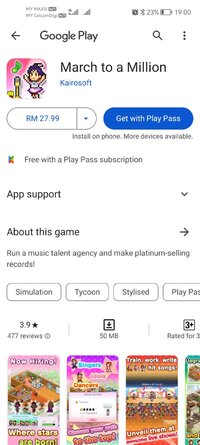
March to a Million - Apps on Google Play
Run a music talent agency and make platinum-selling records!
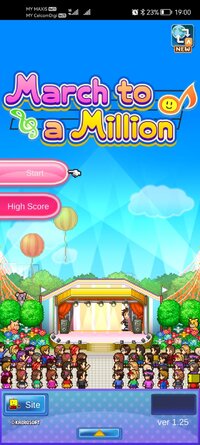
Game Name: March to a Million
Game Version: 1.2.5
Needs OBB: No
Needs Root: No
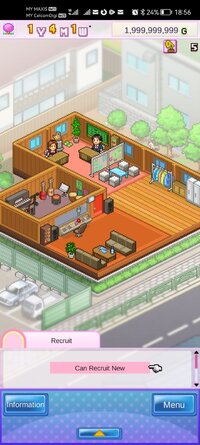
Become the boss of a talent agency in this management simulation game!
Hire up-and-coming unique talent by advertising and scouting!
Start by deciding on a record company. Give your new artists lessons and steady training, and if they can dazzle the judges in the auditions, they'll get the chance to debut as a professional singer!
Once they've debuted, hold events and jobs around the country, produce albums and have them interact with fans at concerts to raise their popularity! If they get famous, they might even be able to guest star on popular TV shows!
As their fans increase, you'll get access to more jobs and sell more albums and merchandise! Build a wide fanbase and aim for the prestigious music prizes from each record company!
What are you waiting for? It's time to go for the greatest prize in show business, the Million Award! The March to a Million begins now!
* All game progress is stored on your device. Save data cannot be transferred between devices, nor can it be restored after deleting or reinstalling the app.
Try searching for "Kairosoft" to see all of our games, or visit us at カイロパーク / Kairopark. Be sure to check out both our free-to-play and our paid games!
Follow kairokun2010 on Twitter for the latest Kairosoft news and information.

 twitter.com
Hire up-and-coming unique talent by advertising and scouting!
Start by deciding on a record company. Give your new artists lessons and steady training, and if they can dazzle the judges in the auditions, they'll get the chance to debut as a professional singer!
Once they've debuted, hold events and jobs around the country, produce albums and have them interact with fans at concerts to raise their popularity! If they get famous, they might even be able to guest star on popular TV shows!
As their fans increase, you'll get access to more jobs and sell more albums and merchandise! Build a wide fanbase and aim for the prestigious music prizes from each record company!
What are you waiting for? It's time to go for the greatest prize in show business, the Million Award! The March to a Million begins now!
* All game progress is stored on your device. Save data cannot be transferred between devices, nor can it be restored after deleting or reinstalling the app.
Try searching for "Kairosoft" to see all of our games, or visit us at カイロパーク / Kairopark. Be sure to check out both our free-to-play and our paid games!
Follow kairokun2010 on Twitter for the latest Kairosoft news and information.
カイロソフト(Kairosoft)_公式 (@kairokun2010) on X
こんにちわカイロソフトのカイロくんです。 スマホとSwitch/PS4/Steam/Xboxでドット絵のゲームをリリースしてるよ。ゲーム発展国++、GameDevStory。好きなアートディンクはA列車で行こう4。こち亀好き。 インスタ https://t.co/yqpu8pRIbD メルマガ https://t.co/YjcbMwD6MW グッズ https://t.co/ymIqFPl7Dt
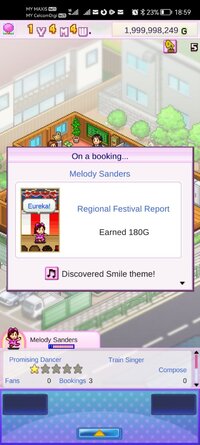
*MOD Features*
Unlock all content
Unlimited coins
Credit to: ?
Free Download:
! Hidden Content !
You must be registered and either click Like under this post or leave a comment before you can see the hidden links.
You may need to refresh the page after clicking Like. If you’re still having trouble revealing the hidden links, please
read this.
Did you know? VIP Members can see all links instantly, no unlocking required.
Interested? Get VIP here.
Interested? Get VIP here.
______________________________________
If credits are unknown or incorrect and you are the modder you are free to message @G-Bo and the credits will be corrected asap!
What you need to know about Shared-MODs
*How to install (click the spoilers to read)*
Signed APKs do work on all Android devices (rooted + non-rooted).
Signed APKs are in the most cases the only provided files by the mod publisher as they work for everyone.
1.) Remove the original game/app.
2.) Download the MOD APK.
3.) Install the downloaded MOD APK.
4.) Enjoy.
Regarding login methods, please note that logging in with Google will not be possible when using signed MODs. Facebook login (if available) is possible, but it requires you to remove the Facebook application from your device. Other game-specific login methods (if available), such as email, transfer code or guest login usually work fine.
Notes:
- If you used our MOD APK before and just want to update, you can install the new MOD APK on top of the old without removing the game/app first.
- In-App purchases are not possible on signed APKs as they require Google services similar to the Google login process.
Signed APKs are in the most cases the only provided files by the mod publisher as they work for everyone.
1.) Remove the original game/app.
2.) Download the MOD APK.
3.) Install the downloaded MOD APK.
4.) Enjoy.
Regarding login methods, please note that logging in with Google will not be possible when using signed MODs. Facebook login (if available) is possible, but it requires you to remove the Facebook application from your device. Other game-specific login methods (if available), such as email, transfer code or guest login usually work fine.
Notes:
- If you used our MOD APK before and just want to update, you can install the new MOD APK on top of the old without removing the game/app first.
- In-App purchases are not possible on signed APKs as they require Google services similar to the Google login process.
Unsigned APKs do only work on rooted and patched devices/environments.
These are not always provided by the mod publisher as they do only work under certain circumstances.
1.) Your device must be rooted.
2.) Your device must be patched to ignore app signatures. This can be done with the help of tools such as Luckypatcher or Xposed.
Once you fill that requirements the process is the same as with signed APKs with the difference that you can overwrite the original game/app with the MOD APK without removing it first.
1.) Download the unsigned MOD APK.
2.) Install the unsigned MOD APK.
3.) Enjoy.
Note:
For the case the unsigned APK does fail to install: Your device patch is not done correctly!
Login methods and In-App purchases on unsigned MODs function the same as in the original game. Logging in with Google works without issues. Keeping the Facebook application installed is also no problem.
You are rooted and want to know how to patch your device? Please check this for more information:
[Videotutorial] How To Login With Google+ Or Facebook App On Modded Games
These are not always provided by the mod publisher as they do only work under certain circumstances.
1.) Your device must be rooted.
2.) Your device must be patched to ignore app signatures. This can be done with the help of tools such as Luckypatcher or Xposed.
Once you fill that requirements the process is the same as with signed APKs with the difference that you can overwrite the original game/app with the MOD APK without removing it first.
1.) Download the unsigned MOD APK.
2.) Install the unsigned MOD APK.
3.) Enjoy.
Note:
For the case the unsigned APK does fail to install: Your device patch is not done correctly!
Login methods and In-App purchases on unsigned MODs function the same as in the original game. Logging in with Google works without issues. Keeping the Facebook application installed is also no problem.
You are rooted and want to know how to patch your device? Please check this for more information:
[Videotutorial] How To Login With Google+ Or Facebook App On Modded Games
OBB files are not required by every game/app. If necessary, the mod publisher will usually provide them and tell you that they are needed.
1.) Download the OBB file/files.
2.) Download the MOD APK.
3.) Move the OBB files with the help of a filemanager to Android/obb/<packagecode> on your device.
4.) Install the downloaded MOD APK.
5.) Enjoy.
The OBB files are either provided as ".obb" files or as ".zip" files. ZIP files do require to be extracted first.
Still facing issues? Please check here for more details:
How to install OBB files [as detailed as possible]
1.) Download the OBB file/files.
2.) Download the MOD APK.
3.) Move the OBB files with the help of a filemanager to Android/obb/<packagecode> on your device.
4.) Install the downloaded MOD APK.
5.) Enjoy.
The OBB files are either provided as ".obb" files or as ".zip" files. ZIP files do require to be extracted first.
Still facing issues? Please check here for more details:
How to install OBB files [as detailed as possible]
Tutorials:
How to sign up and download on Platinmods.com
List of useful tutorials about how to use this website and its content