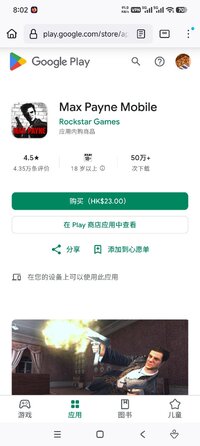
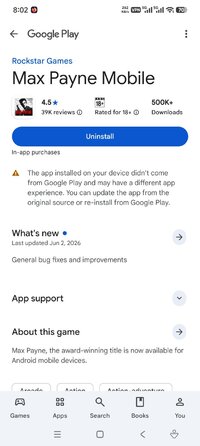
Playstore Link:

Max Payne Mobile - Apps on Google Play
Max Payne, the award-winning title is now available for Android mobile devices.
Game Name: Max Payne Mobile
Game Version: 2.1.131
Needs OBB: No
Needs Root: No
Max Payne, the award-winning title is now available for Android mobile devices.
A fugitive undercover cop framed for murder, hunted by cops and the mob, Max is a man with his back against the wall, fighting a battle he cannot hope to win. Max Payne is a relentless story-driven game about a man on the edge, fighting to clear his name while struggling to uncover the truth about his slain family amongst a myriad of plot-twists.
The groundbreaking original cinematic action-shooter, Max Payne introduced the concept of Bullet Time® in videogames. Through its stylish slow-motion gunplay combined with a dark and twisted story, Max Payne redefined the action-shooter genre.
Max Payne Mobile for Android has been fully optimized for the NVIDIA® Tegra® 3 quad-core mobile processor with additional antistrophic texture filtering and enhanced lighting effects providing one of the most visually immersive Max Payne Mobile experiences available.
Features:
• Max Payne's signature slow motion gunplay, Bullet Time®
• Stunningly sharp, HD quality resolution and textures
• Gameplay tailored for touch screen devices
• Highly customizable controls
• Multiple aiming modes
• Compatible with the GameStop Wireless Game Controller and select USB gamepads
• Integrated with Immersion Haptic Vibration Feedback
• Tailor your visual experience with adjustable graphic settings
• Unlock cheats, track your stats and more with full Rockstar Games Social Club integration
Max Payne Mobile is now available on:
Android Phones: Motorola Razr, Razr Maxx, Motorola Atrix, Motorola Photon, Motorola Droid Bionic, HTC Rezound, HTC One X, HTC One S, HTC Evo 3D, HTC Sensation, HTC Droid Incredible 2, Samsung Galaxy Nexus, Samsung Nexus S, Samsung Galaxy Note, Samsung S2, Samsung Galaxy R, Sony Xperia Play, Sony Xperia S, Sony Walkman Z Series Media Player
Android Tablets: Acer Iconia, Asus Eee Pad Transformer, Asus Eee Pad Transformer Prime, LG Optimus Pad, Medion Lifetab, Motorola Xoom, Samsung Galaxy Tab 8.9 / 10.1, Sony Tablet S, Sony Tablet P, Toshiba Thrive, HTC Flyer, HTC Jetstream
For those using the "Skip to Level" cheat, we recommend that you have weapons in your inventory; as you will start a new level with your current weapon set.
Languages Supported: English, French, Italian, German, Spanish, Russian and Japanese.
Please ensure you have at least 1.33 GB of free space before installing Max Payne Mobile.
Find out more about Max Payne 3: Max Payne 3 - Rockstar Games
Mobile Version developed by War Drum Studios
www.wardrumstudios.com
Find out more:
www.rockstargames.com
See videos:
www.youtube.com/rockstargames
Follow us:
www.facebook.com/rockstargames
www.twitter.com/rockstargames
A fugitive undercover cop framed for murder, hunted by cops and the mob, Max is a man with his back against the wall, fighting a battle he cannot hope to win. Max Payne is a relentless story-driven game about a man on the edge, fighting to clear his name while struggling to uncover the truth about his slain family amongst a myriad of plot-twists.
The groundbreaking original cinematic action-shooter, Max Payne introduced the concept of Bullet Time® in videogames. Through its stylish slow-motion gunplay combined with a dark and twisted story, Max Payne redefined the action-shooter genre.
Max Payne Mobile for Android has been fully optimized for the NVIDIA® Tegra® 3 quad-core mobile processor with additional antistrophic texture filtering and enhanced lighting effects providing one of the most visually immersive Max Payne Mobile experiences available.
Features:
• Max Payne's signature slow motion gunplay, Bullet Time®
• Stunningly sharp, HD quality resolution and textures
• Gameplay tailored for touch screen devices
• Highly customizable controls
• Multiple aiming modes
• Compatible with the GameStop Wireless Game Controller and select USB gamepads
• Integrated with Immersion Haptic Vibration Feedback
• Tailor your visual experience with adjustable graphic settings
• Unlock cheats, track your stats and more with full Rockstar Games Social Club integration
Max Payne Mobile is now available on:
Android Phones: Motorola Razr, Razr Maxx, Motorola Atrix, Motorola Photon, Motorola Droid Bionic, HTC Rezound, HTC One X, HTC One S, HTC Evo 3D, HTC Sensation, HTC Droid Incredible 2, Samsung Galaxy Nexus, Samsung Nexus S, Samsung Galaxy Note, Samsung S2, Samsung Galaxy R, Sony Xperia Play, Sony Xperia S, Sony Walkman Z Series Media Player
Android Tablets: Acer Iconia, Asus Eee Pad Transformer, Asus Eee Pad Transformer Prime, LG Optimus Pad, Medion Lifetab, Motorola Xoom, Samsung Galaxy Tab 8.9 / 10.1, Sony Tablet S, Sony Tablet P, Toshiba Thrive, HTC Flyer, HTC Jetstream
For those using the "Skip to Level" cheat, we recommend that you have weapons in your inventory; as you will start a new level with your current weapon set.
Languages Supported: English, French, Italian, German, Spanish, Russian and Japanese.
Please ensure you have at least 1.33 GB of free space before installing Max Payne Mobile.
Find out more about Max Payne 3: Max Payne 3 - Rockstar Games
Mobile Version developed by War Drum Studios
www.wardrumstudios.com
Find out more:
www.rockstargames.com
See videos:
www.youtube.com/rockstargames
Follow us:
www.facebook.com/rockstargames
www.twitter.com/rockstargames
*MOD Features*
Unlock full game
Credit to: ?
Free Download:
! Hidden Content !
You must be registered and either click Like under this post or leave a comment before you can see the hidden links.
You may need to refresh the page after clicking Like. If you’re still having trouble revealing the hidden links, please
read this.
Did you know? VIP Members can see all links instantly, no unlocking required.
Interested? Get VIP here.
Interested? Get VIP here.
______________________________________
If credits are unknown or incorrect and you are the modder you are free to message @G-Bo and the credits will be corrected asap!
What you need to know about Shared-MODs
*How to install (click the spoilers to read)*
Signed APKs do work on all Android devices (rooted + non-rooted).
Signed APKs are in the most cases the only provided files by the mod publisher as they work for everyone.
1.) Remove the original game/app.
2.) Download the MOD APK.
3.) Install the downloaded MOD APK.
4.) Enjoy.
Regarding login methods, please note that logging in with Google will not be possible when using signed MODs. Facebook login (if available) is possible, but it requires you to remove the Facebook application from your device. Other game-specific login methods (if available), such as email, transfer code or guest login usually work fine.
Notes:
- If you used our MOD APK before and just want to update, you can install the new MOD APK on top of the old without removing the game/app first.
- In-App purchases are not possible on signed APKs as they require Google services similar to the Google login process.
Signed APKs are in the most cases the only provided files by the mod publisher as they work for everyone.
1.) Remove the original game/app.
2.) Download the MOD APK.
3.) Install the downloaded MOD APK.
4.) Enjoy.
Regarding login methods, please note that logging in with Google will not be possible when using signed MODs. Facebook login (if available) is possible, but it requires you to remove the Facebook application from your device. Other game-specific login methods (if available), such as email, transfer code or guest login usually work fine.
Notes:
- If you used our MOD APK before and just want to update, you can install the new MOD APK on top of the old without removing the game/app first.
- In-App purchases are not possible on signed APKs as they require Google services similar to the Google login process.
Unsigned APKs do only work on rooted and patched devices/environments.
These are not always provided by the mod publisher as they do only work under certain circumstances.
1.) Your device must be rooted.
2.) Your device must be patched to ignore app signatures. This can be done with the help of tools such as Luckypatcher or Xposed.
Once you fill that requirements the process is the same as with signed APKs with the difference that you can overwrite the original game/app with the MOD APK without removing it first.
1.) Download the unsigned MOD APK.
2.) Install the unsigned MOD APK.
3.) Enjoy.
Note:
For the case the unsigned APK does fail to install: Your device patch is not done correctly!
Login methods and In-App purchases on unsigned MODs function the same as in the original game. Logging in with Google works without issues. Keeping the Facebook application installed is also no problem.
You are rooted and want to know how to patch your device? Please check this for more information:
[Videotutorial] How To Login With Google+ Or Facebook App On Modded Games
These are not always provided by the mod publisher as they do only work under certain circumstances.
1.) Your device must be rooted.
2.) Your device must be patched to ignore app signatures. This can be done with the help of tools such as Luckypatcher or Xposed.
Once you fill that requirements the process is the same as with signed APKs with the difference that you can overwrite the original game/app with the MOD APK without removing it first.
1.) Download the unsigned MOD APK.
2.) Install the unsigned MOD APK.
3.) Enjoy.
Note:
For the case the unsigned APK does fail to install: Your device patch is not done correctly!
Login methods and In-App purchases on unsigned MODs function the same as in the original game. Logging in with Google works without issues. Keeping the Facebook application installed is also no problem.
You are rooted and want to know how to patch your device? Please check this for more information:
[Videotutorial] How To Login With Google+ Or Facebook App On Modded Games
OBB files are not required by every game/app. If necessary, the mod publisher will usually provide them and tell you that they are needed.
1.) Download the OBB file/files.
2.) Download the MOD APK.
3.) Move the OBB files with the help of a filemanager to Android/obb/<packagecode> on your device.
4.) Install the downloaded MOD APK.
5.) Enjoy.
The OBB files are either provided as ".obb" files or as ".zip" files. ZIP files do require to be extracted first.
Still facing issues? Please check here for more details:
How to install OBB files [as detailed as possible]
1.) Download the OBB file/files.
2.) Download the MOD APK.
3.) Move the OBB files with the help of a filemanager to Android/obb/<packagecode> on your device.
4.) Install the downloaded MOD APK.
5.) Enjoy.
The OBB files are either provided as ".obb" files or as ".zip" files. ZIP files do require to be extracted first.
Still facing issues? Please check here for more details:
How to install OBB files [as detailed as possible]
Tutorials:
How to sign up and download on Platinmods.com
List of useful tutorials about how to use this website and its content