Playstore Link:

Miner Inc - Apps on Google Play
Mine, craft, and build! Create production lines and manage a bustling town.
Game Name: Miner Inc
Game Version: 0.0.1
Needs OBB: No
Needs Root: No
Ready to turn raw rocks into a fortune? Welcome to Miner Inc, the ultimate industrial simulation game! 

Start from humble beginnings with a single mine and work your way up to becoming a global tycoon. In Miner Inc, you aren't just digging for ore; you are engineering a massive, automated empire.
 Mine & Collect It all starts with the earth. Dig deep to discover rare ores and valuable resources. From simple coal to precious gems, every resource is the first step toward your fortune.
 Craft & Manufacture Raw ore is just the beginning! Unlock and upgrade powerful machines to process your materials. Crush, smelt, and mold your resources into high-value products. Create complex production lines that turn simple stones into advanced electronics and machinery.
 Manage & Automate Why do the heavy lifting yourself? Hire skilled workers and managers to keep your factory running 24/7. Upgrade your conveyor belts and machinery to maximize efficiency. Sell your products for Gold and reinvest it to expand your operations!
 Build Your Town Expand beyond the factory floor! Unlock the Town feature to build beautiful houses and create a thriving community.
Construct Homes: Build various types of housing to attract new residents.
Recruit Tenants: Invite unique characters to live in your town.
Unlock Buffs: Your tenants are more than just neighbors—they provide powerful buffs to your production lines! From faster mining speeds to higher selling prices, the right tenants are the key to maximizing profits.
 Key Features:
Deep Simulation: Manage resources, energy, and production flows.
Infinite Upgrades: Level up your machines to craft faster and better.
Idle Tycoon Gameplay: Your empire grows even when you aren't tapping.
Strategic Town Building: Match tenants to your factory needs for massive bonuses.
Production Chains: Create multiple intricate lines to produce top-tier items.
Do you have what it takes to manage the ultimate mining corporation? Put on your hard hat and start building your legacy!
Download Miner Inc today and start your industrial revolution!

Start from humble beginnings with a single mine and work your way up to becoming a global tycoon. In Miner Inc, you aren't just digging for ore; you are engineering a massive, automated empire.
Mine & Collect It all starts with the earth. Dig deep to discover rare ores and valuable resources. From simple coal to precious gems, every resource is the first step toward your fortune. Craft & Manufacture Raw ore is just the beginning! Unlock and upgrade powerful machines to process your materials. Crush, smelt, and mold your resources into high-value products. Create complex production lines that turn simple stones into advanced electronics and machinery. Manage & Automate Why do the heavy lifting yourself? Hire skilled workers and managers to keep your factory running 24/7. Upgrade your conveyor belts and machinery to maximize efficiency. Sell your products for Gold and reinvest it to expand your operations! Build Your Town Expand beyond the factory floor! Unlock the Town feature to build beautiful houses and create a thriving community.Construct Homes: Build various types of housing to attract new residents.
Recruit Tenants: Invite unique characters to live in your town.
Unlock Buffs: Your tenants are more than just neighbors—they provide powerful buffs to your production lines! From faster mining speeds to higher selling prices, the right tenants are the key to maximizing profits.
Key Features:Deep Simulation: Manage resources, energy, and production flows.
Infinite Upgrades: Level up your machines to craft faster and better.
Idle Tycoon Gameplay: Your empire grows even when you aren't tapping.
Strategic Town Building: Match tenants to your factory needs for massive bonuses.
Production Chains: Create multiple intricate lines to produce top-tier items.
Do you have what it takes to manage the ultimate mining corporation? Put on your hard hat and start building your legacy!
Download Miner Inc today and start your industrial revolution!
*MOD Features*
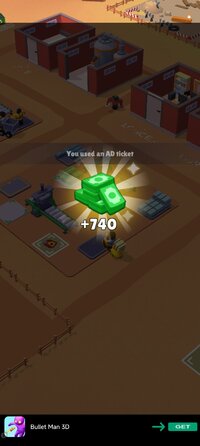
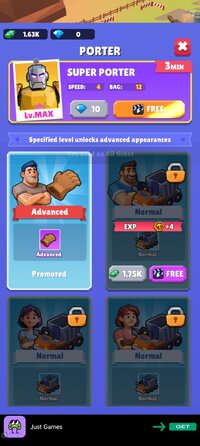
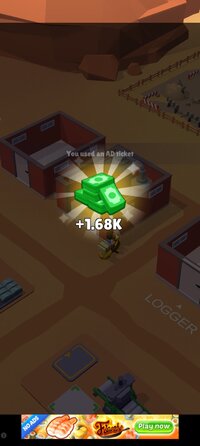
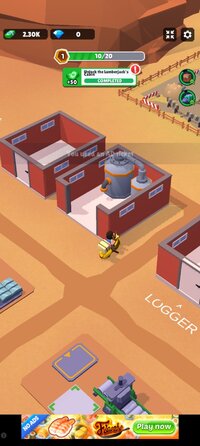
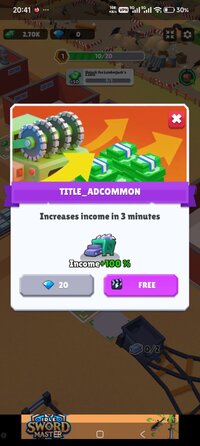
Earn rewards without ads and enjoy free in-app purchases.
Free Download:
! Hidden Content !
You must be registered and either click Like under this post or leave a comment before you can see the hidden links.
You may need to refresh the page after clicking Like. If you’re still having trouble revealing the hidden links, please
read this.
Did you know? VIP Members can see all links instantly, no unlocking required.
Interested? Get VIP here.
Interested? Get VIP here.
______________________________________
If credits are unknown or incorrect and you are the modder you are free to message @G-Bo and the credits will be corrected asap!
What you need to know about Shared-MODs
*How to install (click the spoilers to read)*
Signed APKs do work on all Android devices (rooted + non-rooted).
Signed APKs are in the most cases the only provided files by the mod publisher as they work for everyone.
1.) Remove the original game/app.
2.) Download the MOD APK.
3.) Install the downloaded MOD APK.
4.) Enjoy.
Regarding login methods, please note that logging in with Google will not be possible when using signed MODs. Facebook login (if available) is possible, but it requires you to remove the Facebook application from your device. Other game-specific login methods (if available), such as email, transfer code or guest login usually work fine.
Notes:
- If you used our MOD APK before and just want to update, you can install the new MOD APK on top of the old without removing the game/app first.
- In-App purchases are not possible on signed APKs as they require Google services similar to the Google login process.
Signed APKs are in the most cases the only provided files by the mod publisher as they work for everyone.
1.) Remove the original game/app.
2.) Download the MOD APK.
3.) Install the downloaded MOD APK.
4.) Enjoy.
Regarding login methods, please note that logging in with Google will not be possible when using signed MODs. Facebook login (if available) is possible, but it requires you to remove the Facebook application from your device. Other game-specific login methods (if available), such as email, transfer code or guest login usually work fine.
Notes:
- If you used our MOD APK before and just want to update, you can install the new MOD APK on top of the old without removing the game/app first.
- In-App purchases are not possible on signed APKs as they require Google services similar to the Google login process.
Unsigned APKs do only work on rooted and patched devices/environments.
These are not always provided by the mod publisher as they do only work under certain circumstances.
1.) Your device must be rooted.
2.) Your device must be patched to ignore app signatures. This can be done with the help of tools such as Luckypatcher or Xposed.
Once you fill that requirements the process is the same as with signed APKs with the difference that you can overwrite the original game/app with the MOD APK without removing it first.
1.) Download the unsigned MOD APK.
2.) Install the unsigned MOD APK.
3.) Enjoy.
Note:
For the case the unsigned APK does fail to install: Your device patch is not done correctly!
Login methods and In-App purchases on unsigned MODs function the same as in the original game. Logging in with Google works without issues. Keeping the Facebook application installed is also no problem.
You are rooted and want to know how to patch your device? Please check this for more information:
[Videotutorial] How To Login With Google+ Or Facebook App On Modded Games
These are not always provided by the mod publisher as they do only work under certain circumstances.
1.) Your device must be rooted.
2.) Your device must be patched to ignore app signatures. This can be done with the help of tools such as Luckypatcher or Xposed.
Once you fill that requirements the process is the same as with signed APKs with the difference that you can overwrite the original game/app with the MOD APK without removing it first.
1.) Download the unsigned MOD APK.
2.) Install the unsigned MOD APK.
3.) Enjoy.
Note:
For the case the unsigned APK does fail to install: Your device patch is not done correctly!
Login methods and In-App purchases on unsigned MODs function the same as in the original game. Logging in with Google works without issues. Keeping the Facebook application installed is also no problem.
You are rooted and want to know how to patch your device? Please check this for more information:
[Videotutorial] How To Login With Google+ Or Facebook App On Modded Games
OBB files are not required by every game/app. If necessary, the mod publisher will usually provide them and tell you that they are needed.
1.) Download the OBB file/files.
2.) Download the MOD APK.
3.) Move the OBB files with the help of a filemanager to Android/obb/<packagecode> on your device.
4.) Install the downloaded MOD APK.
5.) Enjoy.
The OBB files are either provided as ".obb" files or as ".zip" files. ZIP files do require to be extracted first.
Still facing issues? Please check here for more details:
How to install OBB files [as detailed as possible]
1.) Download the OBB file/files.
2.) Download the MOD APK.
3.) Move the OBB files with the help of a filemanager to Android/obb/<packagecode> on your device.
4.) Install the downloaded MOD APK.
5.) Enjoy.
The OBB files are either provided as ".obb" files or as ".zip" files. ZIP files do require to be extracted first.
Still facing issues? Please check here for more details:
How to install OBB files [as detailed as possible]
Tutorials:
How to sign up and download on Platinmods.com
List of useful tutorials about how to use this website and its content