Playstore Link:
Game Name: ONE PUNCH MAN: WORLD (EU)
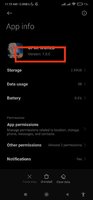
Game Version: 1.2.0
Needs OBB: No
Needs Root: No
Make sure all needed permissions are enabled.
Pre-register now for 3D Action Game One Punch Man: World and claim Disclosure Privilege, Exclusive Namecard set, random SR Character and Impression Arm, and more!
One Punch Man: World is an 3D action game that recreates the world of the globally popular anime series One-Punch Man and offers a hardcore action experience for all players.
The game will be available cross-platform with language support in English, French, German, and Spanish.
■Encounter the Iconic Heroes
Play as beloved heroes such as Genos, Mumen Rider, Silverfang… and the protagonist Saitama? He will also be playable in an unexpected way!
■Experience the Stories
In an action game way! Feel the heroes' every punch and kick on your palms, and join the legendary battles yourself! And what if we switch sides, and have a perspective of the villains, like breaking out as Carnage Kabuto?
■Enjoy the Fight
Parry the enemy's attacks, complete different combos, accumulate power, unleash ultimate skills, and finish bosses as you like! This hardcore 3D action game will give you a sense of battle like never before!
■Enforce Justice
Complete the tasks assigned by the Hero Association, defend the city with fellow heroes, and become stronger!
■Explore the World
Experience a hero' s everyday life, indulge in games at the Arcade Center or join forces with Saitama during a discount frenzy at the supermarket!
Follow us for more info:
Official Website:
eu.onepunchmanworld.com/
Facebook:
facebook.com/onepunchmanworldEUMENA
Discord:
discord.com/invite/PHAZ37gkdd
Twitter:
twitter.com/onepunchmanw_eu
Terms of Service:
eu.onepunchmanworld.com/terms.html
Privacy Policy:
eu.onepunchmanworld.com/privacy.html
One Punch Man: World is an 3D action game that recreates the world of the globally popular anime series One-Punch Man and offers a hardcore action experience for all players.
The game will be available cross-platform with language support in English, French, German, and Spanish.
■Encounter the Iconic Heroes
Play as beloved heroes such as Genos, Mumen Rider, Silverfang… and the protagonist Saitama? He will also be playable in an unexpected way!
■Experience the Stories
In an action game way! Feel the heroes' every punch and kick on your palms, and join the legendary battles yourself! And what if we switch sides, and have a perspective of the villains, like breaking out as Carnage Kabuto?
■Enjoy the Fight
Parry the enemy's attacks, complete different combos, accumulate power, unleash ultimate skills, and finish bosses as you like! This hardcore 3D action game will give you a sense of battle like never before!
■Enforce Justice
Complete the tasks assigned by the Hero Association, defend the city with fellow heroes, and become stronger!
■Explore the World
Experience a hero' s everyday life, indulge in games at the Arcade Center or join forces with Saitama during a discount frenzy at the supermarket!
Follow us for more info:
Official Website:
eu.onepunchmanworld.com/
Facebook:
facebook.com/onepunchmanworldEUMENA
Discord:
discord.com/invite/PHAZ37gkdd
Twitter:
twitter.com/onepunchmanw_eu
Terms of Service:
eu.onepunchmanworld.com/terms.html
Privacy Policy:
eu.onepunchmanworld.com/privacy.html
*MOD Features*
Mod Menu
>Damage Multiplier
>Defense Multiplier
>God Mode
NOTE:
This game has country restriction. It has 3 different regio mods: Global, SEA and EU. Choose the right one for you from my other posts. If you still stuck at loading, you need to use VPN with a supported country.
*Video Preview*
Stay away from harmful malicious mods that fill your device with UNWANTED ADS! I always provide quality service with no such malicious tricks to earn money. We want you happy, that's our goal. You can be sure to download quality on platinmods.com.
*How to install (click the spoilers to read)*
Signed APKs do work on all Android devices (rooted + non-rooted).
Signed APKs are in the most cases the only provided files by the mod publisher as they work for everyone.
1.) Remove the original game/app.
2.) Download the MOD APK.
3.) Install the downloaded MOD APK.
4.) Enjoy.
Regarding login methods, please note that logging in with Google will not be possible when using signed MODs. Facebook login (if available) is possible, but it requires you to remove the Facebook application from your device. Other game-specific login methods (if available), such as email, transfer code or guest login usually work fine.
Notes:
- If you used our MOD APK before and just want to update, you can install the new MOD APK on top of the old without removing the game/app first.
- In-App purchases are not possible on signed APKs as they require Google services similar to the Google login process.
Signed APKs are in the most cases the only provided files by the mod publisher as they work for everyone.
1.) Remove the original game/app.
2.) Download the MOD APK.
3.) Install the downloaded MOD APK.
4.) Enjoy.
Regarding login methods, please note that logging in with Google will not be possible when using signed MODs. Facebook login (if available) is possible, but it requires you to remove the Facebook application from your device. Other game-specific login methods (if available), such as email, transfer code or guest login usually work fine.
Notes:
- If you used our MOD APK before and just want to update, you can install the new MOD APK on top of the old without removing the game/app first.
- In-App purchases are not possible on signed APKs as they require Google services similar to the Google login process.
Unsigned APKs do only work on rooted and patched devices/environments.
These are not always provided by the mod publisher as they do only work under certain circumstances.
1.) Your device must be rooted.
2.) Your device must be patched to ignore app signatures. This can be done with the help of tools such as Luckypatcher or Xposed.
Once you fill that requirements the process is the same as with signed APKs with the difference that you can overwrite the original game/app with the MOD APK without removing it first.
1.) Download the unsigned MOD APK.
2.) Install the unsigned MOD APK.
3.) Enjoy.
Note:
For the case the unsigned APK does fail to install: Your device patch is not done correctly!
Login methods and In-App purchases on unsigned MODs function the same as in the original game. Logging in with Google works without issues. Keeping the Facebook application installed is also no problem.
You are rooted and want to know how to patch your device? Please check this for more information:
[Videotutorial] How To Login With Google+ Or Facebook App On Modded Games
These are not always provided by the mod publisher as they do only work under certain circumstances.
1.) Your device must be rooted.
2.) Your device must be patched to ignore app signatures. This can be done with the help of tools such as Luckypatcher or Xposed.
Once you fill that requirements the process is the same as with signed APKs with the difference that you can overwrite the original game/app with the MOD APK without removing it first.
1.) Download the unsigned MOD APK.
2.) Install the unsigned MOD APK.
3.) Enjoy.
Note:
For the case the unsigned APK does fail to install: Your device patch is not done correctly!
Login methods and In-App purchases on unsigned MODs function the same as in the original game. Logging in with Google works without issues. Keeping the Facebook application installed is also no problem.
You are rooted and want to know how to patch your device? Please check this for more information:
[Videotutorial] How To Login With Google+ Or Facebook App On Modded Games
OBB files are not required by every game/app. If necessary, the mod publisher will usually provide them and tell you that they are needed.
1.) Download the OBB file/files.
2.) Download the MOD APK.
3.) Move the OBB files with the help of a filemanager to Android/obb/<packagecode> on your device.
4.) Install the downloaded MOD APK.
5.) Enjoy.
The OBB files are either provided as ".obb" files or as ".zip" files. ZIP files do require to be extracted first.
Still facing issues? Please check here for more details:
How to install OBB files [as detailed as possible]
1.) Download the OBB file/files.
2.) Download the MOD APK.
3.) Move the OBB files with the help of a filemanager to Android/obb/<packagecode> on your device.
4.) Install the downloaded MOD APK.
5.) Enjoy.
The OBB files are either provided as ".obb" files or as ".zip" files. ZIP files do require to be extracted first.
Still facing issues? Please check here for more details:
How to install OBB files [as detailed as possible]
Free Download:
! Hidden Content !
You must be registered and either click Like under this post or leave a comment before you can see the hidden links.
You may need to refresh the page after clicking Like. If you’re still having trouble revealing the hidden links, please
read this.
Did you know? VIP Members can see all links instantly, no unlocking required.
Interested? Get VIP here.
Interested? Get VIP here.
Tutorials:
How to sign up and download on Platinmods.com
List of useful tutorials about how to use this website and its content
Last edited by a moderator: