Playstore Link:

Outpost Stand: Alien Rush - Apps on Google Play
One-Life Challenge, Ultimate Survival! Strategy, Base Building, and Breakthrough
Game Name: Outpost Stand: Alien Rush
Game Version: 1.5.0
Needs OBB: No
Needs Root: No
Humanity has established an outpost on an unknown planet, seeking to uncover the mysteries of the universe. However, the invasion of the Zerg has shattered the planet’s tranquility. Swarming from all directions, they aim to destroy humanity’s last hope. As the commander of the base, you must take on the responsibility of defending your home, leading survivors to repel the Zerg’s relentless attacks, and finding a way to survive against all odds!
【Game Features】
【3D Battlefield: Full-Spectrum Defense】:
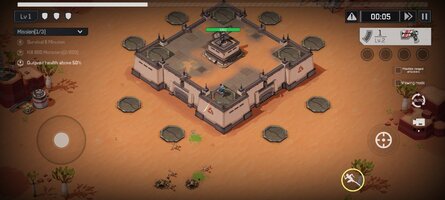
The Zerg attack from all sides, with your base at the heart of the battlefield. You must skillfully maneuver your character and carve a path through endless waves of enemies. Survival pressure intensifies with every step, testing your reflexes and combat strategies like never before.
【Endless Enemy Waves: Satisfying Combat】:
Face the overwhelming onslaught of the Zerg and experience unparalleled "hack-and-slash" satisfaction. Each attack clears out hordes of enemies, igniting your fighting spirit and showcasing the ultimate power of your arsenal.
【One-Life Challenge: On the Edge of Survival】:
You only have one life! Every mistake could mean the end of the battle. No revives, no retries—just one chance to experience the urgency of life-or-death survival.
【Base Building & Strategic Upgrades】:
As the battle progresses, unlock turrets, fortifications, and other defensive structures to bolster your base. Strategically combine defenses and create your own tactics to withstand increasingly powerful Zerg assaults.
【Exploration Mode: Survive Against All Odds】:
Venture into unknown territories alone, scavenging resources while fighting to survive. Confront harsher environments and deadlier enemies—can you carve a path to victory in the face of despair?
【Random Skills: Infinite Combinations】:
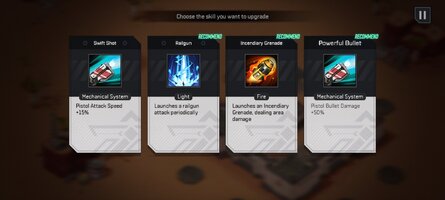
Battlefields drop random skills, allowing you to mix and match freely to craft your unique combat style. Whether it’s area damage, control abilities, or enhancement buffs, every choice will shape the outcome of the fight.
【Stunning Graphics: Immersive Experience】:
Immerse yourself in breathtaking 3D visuals, realistic Zerg designs, and explosive sound effects. Every cannon blast and Zerg shriek will keep your adrenaline pumping as you dive into the heart of battle.
【Multiple Difficulty Levels: Push Your Limits】:
Choose from a variety of difficulty settings, catering to both beginners and veterans. As the difficulty rises, the Zerg’s numbers and strength escalate—are you ready to challenge your limits?
【Single-Handed Play: Easy & Accessible】:
Simple one-handed controls make gameplay easy to pick up and enjoy anytime, anywhere. Whether you're a casual gamer or a hardcore survivalist, you'll find fun and excitement tailored to your style.
【Game Features】
【3D Battlefield: Full-Spectrum Defense】:
The Zerg attack from all sides, with your base at the heart of the battlefield. You must skillfully maneuver your character and carve a path through endless waves of enemies. Survival pressure intensifies with every step, testing your reflexes and combat strategies like never before.
【Endless Enemy Waves: Satisfying Combat】:
Face the overwhelming onslaught of the Zerg and experience unparalleled "hack-and-slash" satisfaction. Each attack clears out hordes of enemies, igniting your fighting spirit and showcasing the ultimate power of your arsenal.
【One-Life Challenge: On the Edge of Survival】:
You only have one life! Every mistake could mean the end of the battle. No revives, no retries—just one chance to experience the urgency of life-or-death survival.
【Base Building & Strategic Upgrades】:
As the battle progresses, unlock turrets, fortifications, and other defensive structures to bolster your base. Strategically combine defenses and create your own tactics to withstand increasingly powerful Zerg assaults.
【Exploration Mode: Survive Against All Odds】:
Venture into unknown territories alone, scavenging resources while fighting to survive. Confront harsher environments and deadlier enemies—can you carve a path to victory in the face of despair?
【Random Skills: Infinite Combinations】:
Battlefields drop random skills, allowing you to mix and match freely to craft your unique combat style. Whether it’s area damage, control abilities, or enhancement buffs, every choice will shape the outcome of the fight.
【Stunning Graphics: Immersive Experience】:
Immerse yourself in breathtaking 3D visuals, realistic Zerg designs, and explosive sound effects. Every cannon blast and Zerg shriek will keep your adrenaline pumping as you dive into the heart of battle.
【Multiple Difficulty Levels: Push Your Limits】:
Choose from a variety of difficulty settings, catering to both beginners and veterans. As the difficulty rises, the Zerg’s numbers and strength escalate—are you ready to challenge your limits?
【Single-Handed Play: Easy & Accessible】:
Simple one-handed controls make gameplay easy to pick up and enjoy anytime, anywhere. Whether you're a casual gamer or a hardcore survivalist, you'll find fun and excitement tailored to your style.
*MOD Features*
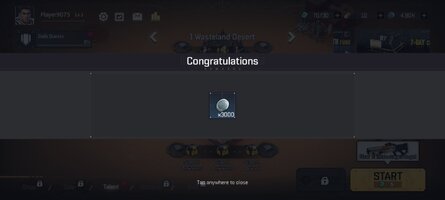
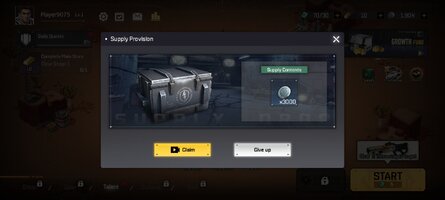
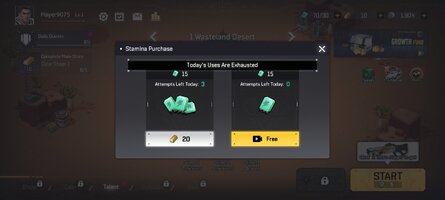
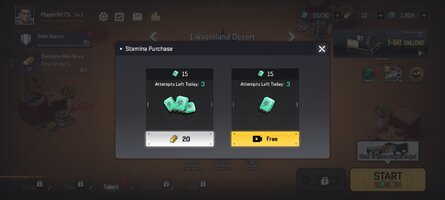
Get rewards without ads
Free Download:
______________________________________
If credits are unknown or incorrect and you are the modder you are free to message @G-Bo and the credits will be corrected asap!
What you need to know about Shared-MODs
*How to install (click the spoilers to read)*
Signed APKs do work on all Android devices (rooted + non-rooted).
Signed APKs are in the most cases the only provided files by the mod publisher as they work for everyone.
1.) Remove the original game/app.
2.) Download the MOD APK.
3.) Install the downloaded MOD APK.
4.) Enjoy.
Regarding login methods, please note that logging in with Google will not be possible when using signed MODs. Facebook login (if available) is possible, but it requires you to remove the Facebook application from your device. Other game-specific login methods (if available), such as email, transfer code or guest login usually work fine.
Notes:
- If you used our MOD APK before and just want to update, you can install the new MOD APK on top of the old without removing the game/app first.
- In-App purchases are not possible on signed APKs as they require Google services similar to the Google login process.
Signed APKs are in the most cases the only provided files by the mod publisher as they work for everyone.
1.) Remove the original game/app.
2.) Download the MOD APK.
3.) Install the downloaded MOD APK.
4.) Enjoy.
Regarding login methods, please note that logging in with Google will not be possible when using signed MODs. Facebook login (if available) is possible, but it requires you to remove the Facebook application from your device. Other game-specific login methods (if available), such as email, transfer code or guest login usually work fine.
Notes:
- If you used our MOD APK before and just want to update, you can install the new MOD APK on top of the old without removing the game/app first.
- In-App purchases are not possible on signed APKs as they require Google services similar to the Google login process.
Unsigned APKs do only work on rooted and patched devices/environments.
These are not always provided by the mod publisher as they do only work under certain circumstances.
1.) Your device must be rooted.
2.) Your device must be patched to ignore app signatures. This can be done with the help of tools such as Luckypatcher or Xposed.
Once you fill that requirements the process is the same as with signed APKs with the difference that you can overwrite the original game/app with the MOD APK without removing it first.
1.) Download the unsigned MOD APK.
2.) Install the unsigned MOD APK.
3.) Enjoy.
Note:
For the case the unsigned APK does fail to install: Your device patch is not done correctly!
Login methods and In-App purchases on unsigned MODs function the same as in the original game. Logging in with Google works without issues. Keeping the Facebook application installed is also no problem.
You are rooted and want to know how to patch your device? Please check this for more information:
[Videotutorial] How To Login With Google+ Or Facebook App On Modded Games
These are not always provided by the mod publisher as they do only work under certain circumstances.
1.) Your device must be rooted.
2.) Your device must be patched to ignore app signatures. This can be done with the help of tools such as Luckypatcher or Xposed.
Once you fill that requirements the process is the same as with signed APKs with the difference that you can overwrite the original game/app with the MOD APK without removing it first.
1.) Download the unsigned MOD APK.
2.) Install the unsigned MOD APK.
3.) Enjoy.
Note:
For the case the unsigned APK does fail to install: Your device patch is not done correctly!
Login methods and In-App purchases on unsigned MODs function the same as in the original game. Logging in with Google works without issues. Keeping the Facebook application installed is also no problem.
You are rooted and want to know how to patch your device? Please check this for more information:
[Videotutorial] How To Login With Google+ Or Facebook App On Modded Games
OBB files are not required by every game/app. If necessary, the mod publisher will usually provide them and tell you that they are needed.
1.) Download the OBB file/files.
2.) Download the MOD APK.
3.) Move the OBB files with the help of a filemanager to Android/obb/<packagecode> on your device.
4.) Install the downloaded MOD APK.
5.) Enjoy.
The OBB files are either provided as ".obb" files or as ".zip" files. ZIP files do require to be extracted first.
Still facing issues? Please check here for more details:
How to install OBB files [as detailed as possible]
1.) Download the OBB file/files.
2.) Download the MOD APK.
3.) Move the OBB files with the help of a filemanager to Android/obb/<packagecode> on your device.
4.) Install the downloaded MOD APK.
5.) Enjoy.
The OBB files are either provided as ".obb" files or as ".zip" files. ZIP files do require to be extracted first.
Still facing issues? Please check here for more details:
How to install OBB files [as detailed as possible]
Tutorials:
How to sign up and download on Platinmods.com
List of useful tutorials about how to use this website and its content