Playstore Link:
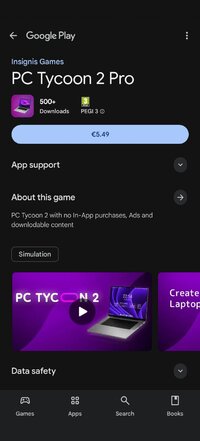
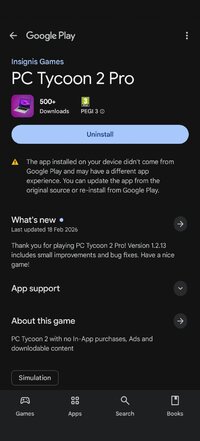
PC Tycoon 2 Pro - Apps on Google Play
PC Tycoon 2 with no In-App purchases, Ads and downlodable content
Game Name: PC Tycoon 2 Pro
Game Version: 1.2.13
Needs OBB: No
Needs Root: No
!!! This version doesn't have unique features and you don't have to buy it, if you have sandbox in basic PC Tycoon 2 version !!!
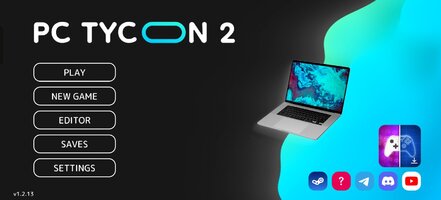
PC Tycoon 2 Pro is a premium version of PC Tycoon 2, which has no in-app purchases, downloadable content and unnecessary plugins
PC Tycoon 2 is a brand new version of PC Tycoon. In the game you have to manage your computer company and develop your PC components: processors, video cards, motherboards, RAM, disks. You can create your own laptop, monitor, or develop an operating system that you can test. You will also be able to build a PC, as in PC Creator 2 or PC building simulator. Research new technologies, improve your office and your factory, hire the best employees, invest in marketing, or save money and buy one of the computer giants!
PC Tycoon 2 gives you almost complete freedom of action. Create components for your computer from scratch by selecting the desired characteristics and design. The game has a lot of features that are not found in other games of this genre, such as PC Creator 2 or Devices Tycoon: detailed statistics of your company and products, intelligent algorithms for evaluating products and behavior of companies, a computer simulator, interactive operating systems created by the player that you can test. You can become a PC Builder. You can create a gaming, office or server PC.
PC Tycoon 2 is a company management simulator and a PC or laptop building simulator. The variety of game mechanics makes the game very exciting.
Also in the game there are:
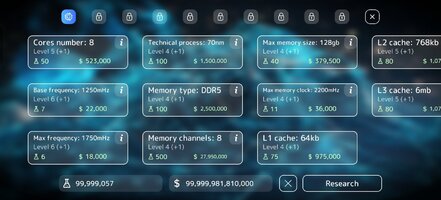
* 3000+ technologies for research
* Challenging mode for fans of economic strategies
* Smart behavior of competitors, automatic development and release of products
* The ability to run the OS on your gaming PC
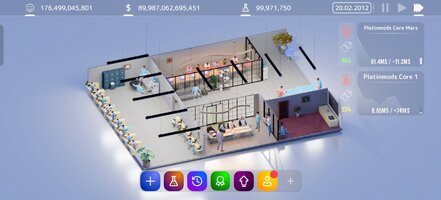
* 10 levels of office improvement with beautiful 3D models
* Many ways to invest your money, including buying companies, marketing, paid employee search
Many more new features are planned to be added in future updates, such as:
* PC Assembly
* Animations of employees in the office
* Office skins
* Many new component designs
* Season passes with exclusive rewards
* Cloud synchronization
Computer tycoon 2 is a business simulator game that is worth your attention and is a serious player among economic strategies.
You can always ask your question, suggest an idea, communicate with developers and other players and become part of the game community by logging into discord or telegram:
 discord.gg
Have a nice game!
PC Tycoon 2 Pro is a premium version of PC Tycoon 2, which has no in-app purchases, downloadable content and unnecessary plugins
PC Tycoon 2 is a brand new version of PC Tycoon. In the game you have to manage your computer company and develop your PC components: processors, video cards, motherboards, RAM, disks. You can create your own laptop, monitor, or develop an operating system that you can test. You will also be able to build a PC, as in PC Creator 2 or PC building simulator. Research new technologies, improve your office and your factory, hire the best employees, invest in marketing, or save money and buy one of the computer giants!
PC Tycoon 2 gives you almost complete freedom of action. Create components for your computer from scratch by selecting the desired characteristics and design. The game has a lot of features that are not found in other games of this genre, such as PC Creator 2 or Devices Tycoon: detailed statistics of your company and products, intelligent algorithms for evaluating products and behavior of companies, a computer simulator, interactive operating systems created by the player that you can test. You can become a PC Builder. You can create a gaming, office or server PC.
PC Tycoon 2 is a company management simulator and a PC or laptop building simulator. The variety of game mechanics makes the game very exciting.
Also in the game there are:
* 3000+ technologies for research
* Challenging mode for fans of economic strategies
* Smart behavior of competitors, automatic development and release of products
* The ability to run the OS on your gaming PC
* 10 levels of office improvement with beautiful 3D models
* Many ways to invest your money, including buying companies, marketing, paid employee search
Many more new features are planned to be added in future updates, such as:
* PC Assembly
* Animations of employees in the office
* Office skins
* Many new component designs
* Season passes with exclusive rewards
* Cloud synchronization
Computer tycoon 2 is a business simulator game that is worth your attention and is a serious player among economic strategies.
You can always ask your question, suggest an idea, communicate with developers and other players and become part of the game community by logging into discord or telegram:
Присоединяйтесь к сообществу «Insignis Games» на сервере Discord!
Ознакомьтесь с сообществом «Insignis Games» в Discord. Весело проводите время с участниками сообщества, которых уже 2462 чел., и пользуйтесь бесплатным голосовым и текстовым чатом.
https://****/insignis_g
Have a nice game!
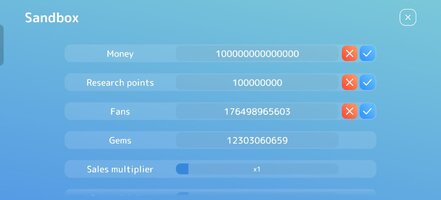
*MOD Features*
Unlock full game
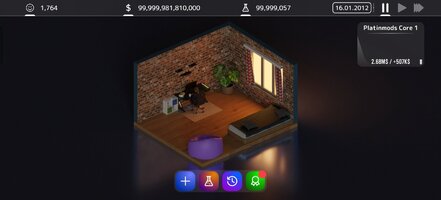
If you click on the section where the amount of money is displayed in the game, a menu will open where you can edit all currency units.
Credit to: ?
Free Download:
! Hidden Content !
You must be registered and either click Like under this post or leave a comment before you can see the hidden links.
You may need to refresh the page after clicking Like. If you’re still having trouble revealing the hidden links, please
read this.
Did you know? VIP Members can see all links instantly, no unlocking required.
Interested? Get VIP here.
Interested? Get VIP here.
______________________________________
If credits are unknown or incorrect and you are the modder you are free to message @G-Bo and the credits will be corrected asap!
What you need to know about Shared-MODs
*How to install (click the spoilers to read)*
Signed APKs do work on all Android devices (rooted + non-rooted).
Signed APKs are in the most cases the only provided files by the mod publisher as they work for everyone.
1.) Remove the original game/app.
2.) Download the MOD APK.
3.) Install the downloaded MOD APK.
4.) Enjoy.
Regarding login methods, please note that logging in with Google will not be possible when using signed MODs. Facebook login (if available) is possible, but it requires you to remove the Facebook application from your device. Other game-specific login methods (if available), such as email, transfer code or guest login usually work fine.
Notes:
- If you used our MOD APK before and just want to update, you can install the new MOD APK on top of the old without removing the game/app first.
- In-App purchases are not possible on signed APKs as they require Google services similar to the Google login process.
Signed APKs are in the most cases the only provided files by the mod publisher as they work for everyone.
1.) Remove the original game/app.
2.) Download the MOD APK.
3.) Install the downloaded MOD APK.
4.) Enjoy.
Regarding login methods, please note that logging in with Google will not be possible when using signed MODs. Facebook login (if available) is possible, but it requires you to remove the Facebook application from your device. Other game-specific login methods (if available), such as email, transfer code or guest login usually work fine.
Notes:
- If you used our MOD APK before and just want to update, you can install the new MOD APK on top of the old without removing the game/app first.
- In-App purchases are not possible on signed APKs as they require Google services similar to the Google login process.
Unsigned APKs do only work on rooted and patched devices/environments.
These are not always provided by the mod publisher as they do only work under certain circumstances.
1.) Your device must be rooted.
2.) Your device must be patched to ignore app signatures. This can be done with the help of tools such as Luckypatcher or Xposed.
Once you fill that requirements the process is the same as with signed APKs with the difference that you can overwrite the original game/app with the MOD APK without removing it first.
1.) Download the unsigned MOD APK.
2.) Install the unsigned MOD APK.
3.) Enjoy.
Note:
For the case the unsigned APK does fail to install: Your device patch is not done correctly!
Login methods and In-App purchases on unsigned MODs function the same as in the original game. Logging in with Google works without issues. Keeping the Facebook application installed is also no problem.
You are rooted and want to know how to patch your device? Please check this for more information:
[Videotutorial] How To Login With Google+ Or Facebook App On Modded Games
These are not always provided by the mod publisher as they do only work under certain circumstances.
1.) Your device must be rooted.
2.) Your device must be patched to ignore app signatures. This can be done with the help of tools such as Luckypatcher or Xposed.
Once you fill that requirements the process is the same as with signed APKs with the difference that you can overwrite the original game/app with the MOD APK without removing it first.
1.) Download the unsigned MOD APK.
2.) Install the unsigned MOD APK.
3.) Enjoy.
Note:
For the case the unsigned APK does fail to install: Your device patch is not done correctly!
Login methods and In-App purchases on unsigned MODs function the same as in the original game. Logging in with Google works without issues. Keeping the Facebook application installed is also no problem.
You are rooted and want to know how to patch your device? Please check this for more information:
[Videotutorial] How To Login With Google+ Or Facebook App On Modded Games
OBB files are not required by every game/app. If necessary, the mod publisher will usually provide them and tell you that they are needed.
1.) Download the OBB file/files.
2.) Download the MOD APK.
3.) Move the OBB files with the help of a filemanager to Android/obb/<packagecode> on your device.
4.) Install the downloaded MOD APK.
5.) Enjoy.
The OBB files are either provided as ".obb" files or as ".zip" files. ZIP files do require to be extracted first.
Still facing issues? Please check here for more details:
How to install OBB files [as detailed as possible]
1.) Download the OBB file/files.
2.) Download the MOD APK.
3.) Move the OBB files with the help of a filemanager to Android/obb/<packagecode> on your device.
4.) Install the downloaded MOD APK.
5.) Enjoy.
The OBB files are either provided as ".obb" files or as ".zip" files. ZIP files do require to be extracted first.
Still facing issues? Please check here for more details:
How to install OBB files [as detailed as possible]
Tutorials:
How to sign up and download on Platinmods.com
List of useful tutorials about how to use this website and its content