

Playstore Link:
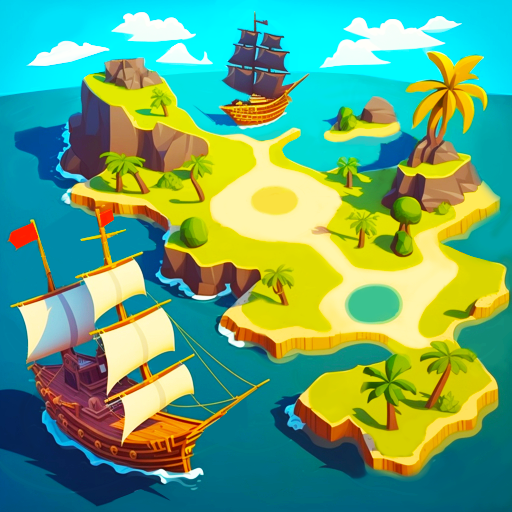
Pirate Life - Boss of the Sea - Apps on Google Play
Build own flotilla from small ship. Fight for treasure and own islands
Game Name: Pirate Life - Boss of the Sea
Game Version: 2.13.0
Needs OBB: No
Needs Root: No
 TREASURE HUNTERS, AT THE READY
Avast matey, it’s time to board your pirate ship, hoist the sails, and head out in search of treasure! Prepare for battle and pirate wars as you build your ill-gotten empire piece by piece – starting with convincing another ship to join you on your quest. From there you can sail the seven seas and indulge in as much gold and as many skirmishes as your little pirate heart wants.
 BOUNTY AWAITS
I am a pirate and I chop, chop the tree – It might not be glamorous, but you’ll want to make the time to chop trees on every island you conquer, to fill your hold with valuable resources. As you sail around the open sea, you’ll have the chance to land on various islands where you can fight a variety of enemies, complete quests, and dig up treasure to acquire gold. With a full hold and pistol at the ready no one will dare infringe on your right to bear arms!
 Sword or Gun? – Speaking of arms, as you expand your territory and move up through the levels, you’ll also be able to upgrade your personal weapons, moving from swords and pistols to more lethal weapons. It’s not just your weapons that can be upgraded: build a workshop and take care of your ship too! Choose which sections to max out, such as health, speed, or cargo, and make your ship the most dangerous and well-armored anyone this side of the ocean has ever seen.
 Bosses a plenty – We’ve got you and your crew covered here when it comes to action adventures – fight slime minions, nasty slime bosses, krakens, and more. Whether you’re ashore or at sea, anchored in a cove or riding the waves, there will be plenty of action and cannon balls. Just don’t forget to restore your health before your next battle, or you risk a free one-way trip to the Ocean floor.
 Land Ho – In addition to decking out your ship, you and your crew will capture ports and towns to call your own. Once under your control you can build all manner of buildings, such as workshops, trading stores, and more while on land. Partake in land-based quests like exploring dungeons too while you’re at it, then head back out to sea with your flotilla in tow.
 FORTUNE FAVORS THE BOLD
So what are you waiting for – download Pirate Life today to become a pirate king and plunge into a Caribbean adventure! Raise the old skull and crossbones to let the world know your intentions and then set out to plunder your way across both land and sea as you create the pirate empire of your dreams. You’ll never want for fun and battle in this fast-paced adventure game that will keep you entertained for hours on end.
Privacy Policy: say.games/privacy-policy
Terms of Use: say.games/terms-of-use
*MOD Features*
MOD MENU
✶ God Mode
✶ Unlimited Gold*
✶ Unlimited Diamonds*
✶ Unlimited Barrels*
*never decrease when you spent, need enough first
Stay away from harmful malicious mods that fill your device with UNWANTED ADS! I always provide quality service with no such malicious tricks to earn money. We want you happy, that's our goal. You can be sure to download quality on platinmods.com.
*How to install (click the spoilers to read)*
Signed APKs do work on all Android devices (rooted + non-rooted).
Signed APKs are in the most cases the only provided files by the mod publisher as they work for everyone.
1.) Remove the original game/app.
2.) Download the MOD APK.
3.) Install the downloaded MOD APK.
4.) Enjoy.
Regarding login methods, please note that logging in with Google will not be possible when using signed MODs. Facebook login (if available) is possible, but it requires you to remove the Facebook application from your device. Other game-specific login methods (if available), such as email, transfer code or guest login usually work fine.
Notes:
- If you used our MOD APK before and just want to update, you can install the new MOD APK on top of the old without removing the game/app first.
- In-App purchases are not possible on signed APKs as they require Google services similar to the Google login process.
Signed APKs are in the most cases the only provided files by the mod publisher as they work for everyone.
1.) Remove the original game/app.
2.) Download the MOD APK.
3.) Install the downloaded MOD APK.
4.) Enjoy.
Regarding login methods, please note that logging in with Google will not be possible when using signed MODs. Facebook login (if available) is possible, but it requires you to remove the Facebook application from your device. Other game-specific login methods (if available), such as email, transfer code or guest login usually work fine.
Notes:
- If you used our MOD APK before and just want to update, you can install the new MOD APK on top of the old without removing the game/app first.
- In-App purchases are not possible on signed APKs as they require Google services similar to the Google login process.
Unsigned APKs do only work on rooted and patched devices/environments.
These are not always provided by the mod publisher as they do only work under certain circumstances.
1.) Your device must be rooted.
2.) Your device must be patched to ignore app signatures. This can be done with the help of tools such as Luckypatcher or Xposed.
Once you fill that requirements the process is the same as with signed APKs with the difference that you can overwrite the original game/app with the MOD APK without removing it first.
1.) Download the unsigned MOD APK.
2.) Install the unsigned MOD APK.
3.) Enjoy.
Note:
For the case the unsigned APK does fail to install: Your device patch is not done correctly!
Login methods and In-App purchases on unsigned MODs function the same as in the original game. Logging in with Google works without issues. Keeping the Facebook application installed is also no problem.
You are rooted and want to know how to patch your device? Please check this for more information:
[Videotutorial] How To Login With Google+ Or Facebook App On Modded Games
These are not always provided by the mod publisher as they do only work under certain circumstances.
1.) Your device must be rooted.
2.) Your device must be patched to ignore app signatures. This can be done with the help of tools such as Luckypatcher or Xposed.
Once you fill that requirements the process is the same as with signed APKs with the difference that you can overwrite the original game/app with the MOD APK without removing it first.
1.) Download the unsigned MOD APK.
2.) Install the unsigned MOD APK.
3.) Enjoy.
Note:
For the case the unsigned APK does fail to install: Your device patch is not done correctly!
Login methods and In-App purchases on unsigned MODs function the same as in the original game. Logging in with Google works without issues. Keeping the Facebook application installed is also no problem.
You are rooted and want to know how to patch your device? Please check this for more information:
[Videotutorial] How To Login With Google+ Or Facebook App On Modded Games
OBB files are not required by every game/app. If necessary, the mod publisher will usually provide them and tell you that they are needed.
1.) Download the OBB file/files.
2.) Download the MOD APK.
3.) Move the OBB files with the help of a filemanager to Android/obb/<packagecode> on your device.
4.) Install the downloaded MOD APK.
5.) Enjoy.
The OBB files are either provided as ".obb" files or as ".zip" files. ZIP files do require to be extracted first.
Still facing issues? Please check here for more details:
How to install OBB files [as detailed as possible]
1.) Download the OBB file/files.
2.) Download the MOD APK.
3.) Move the OBB files with the help of a filemanager to Android/obb/<packagecode> on your device.
4.) Install the downloaded MOD APK.
5.) Enjoy.
The OBB files are either provided as ".obb" files or as ".zip" files. ZIP files do require to be extracted first.
Still facing issues? Please check here for more details:
How to install OBB files [as detailed as possible]
Free Download:
! Hidden Content !
You must be registered and either click Like under this post or leave a comment before you can see the hidden links.
You may need to refresh the page after clicking Like. If you’re still having trouble revealing the hidden links, please
read this.
Did you know? VIP Members can see all links instantly, no unlocking required.
Interested? Get VIP here.
Interested? Get VIP here.
Tutorials:
How to sign up and download on Platinmods.com
List of useful tutorials about how to use this website and its content
Last edited by a moderator:


