Playstore Link:

Planet Defense: Space TD - Apps on Google Play
Protect your planet in an epic cosmic battle!
Game Name: Planet Defense: Space TD
Game Version: 0.1.63
Needs OBB: No
Needs Root: No
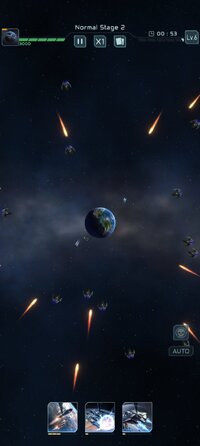
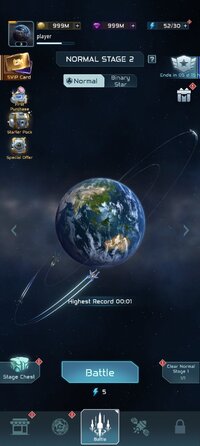
Planet Defense is a roguelike tower defense game about protecting your planet.
From CyberJoy Games, Planet Defense blends quick sessions with real strategic depth. Waves of alien attackers test how you build, upgrade, and reposition sentinels across the map. Randomized perks make each run feel different, pushing you to adapt and refine your approach. If short, replayable battles sound appealing, download Planet Defense and try to hold the line. Here are the highlights players will notice right away.
Rated 13+ in IGRS, this game suits teens and above. Before starting, check storage space and keep a stable network to avoid interruptions. Once installed, jump into a quick run and experiment with different sentinels and upgrades to learn what works for you.
From CyberJoy Games, Planet Defense blends quick sessions with real strategic depth. Waves of alien attackers test how you build, upgrade, and reposition sentinels across the map. Randomized perks make each run feel different, pushing you to adapt and refine your approach. If short, replayable battles sound appealing, download Planet Defense and try to hold the line. Here are the highlights players will notice right away.
- Roguelike runs with randomized upgrades, challenges, and evolving difficulty each time.
- Unlock varied sentinels with unique abilities, then combine synergies for stronger defenses.
- Procedurally generated maps keep layouts fresh and surprising across repeated attempts.
- Intuitive controls support quick placement and upgrades during intense, fast paced waves.
- Rich sci-fi visuals and atmospheric audio heighten tension in key moments.
- Multiple difficulty modes let newcomers learn while rewarding risk-taking veterans.
Roguelike Progression
Runs are shaped by randomized upgrades and challenges, so no defense plan lasts forever. Planet Defense keeps introducing new perks and enemy pressure, nudging you to pivot as waves evolve. You might lean into range boosts early, then switch to area damage when swarms grow, keeping each wave fresh and the risk and reward decisions meaningful.Strategic Sentinel Combos
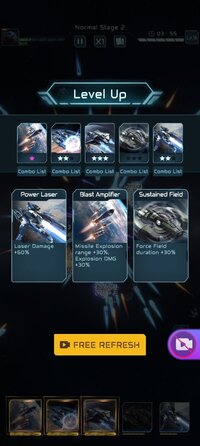
Unlockable sentinels have distinct roles, and careful placement creates strong synergies. Planet Defense latest version emphasizes mixing complementary abilities to manage crowded lanes and tough waves. As pressure escalates, repositioning a few units or timing an upgrade can swing a tight battle, rewarding players who plan ahead but react quickly.Download and Install Planet Defense
You can download the latest Planet Defense APK from APKPure. Depending on your connection, the file usually finishes in a few minutes. After it arrives, Android may show a security prompt; confirm to continue and follow the on-screen steps. The first launch may take a moment while assets are prepared.Rated 13+ in IGRS, this game suits teens and above. Before starting, check storage space and keep a stable network to avoid interruptions. Once installed, jump into a quick run and experiment with different sentinels and upgrades to learn what works for you.
*MOD Features*
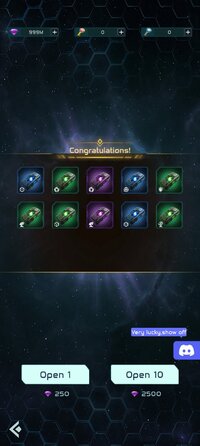
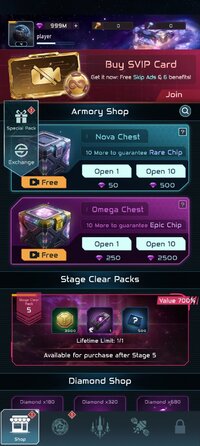
Large amounts of currency
Free Download:
! Hidden Content !
You must be registered and either click Like under this post or leave a comment before you can see the hidden links.
You may need to refresh the page after clicking Like. If you’re still having trouble revealing the hidden links, please
read this.
Did you know? VIP Members can see all links instantly, no unlocking required.
Interested? Get VIP here.
Interested? Get VIP here.
______________________________________
If credits are unknown or incorrect and you are the modder you are free to message @G-Bo and the credits will be corrected asap!
What you need to know about Shared-MODs
*How to install (click the spoilers to read)*
Signed APKs do work on all Android devices (rooted + non-rooted).
Signed APKs are in the most cases the only provided files by the mod publisher as they work for everyone.
1.) Remove the original game/app.
2.) Download the MOD APK.
3.) Install the downloaded MOD APK.
4.) Enjoy.
Regarding login methods, please note that logging in with Google will not be possible when using signed MODs. Facebook login (if available) is possible, but it requires you to remove the Facebook application from your device. Other game-specific login methods (if available), such as email, transfer code or guest login usually work fine.
Notes:
- If you used our MOD APK before and just want to update, you can install the new MOD APK on top of the old without removing the game/app first.
- In-App purchases are not possible on signed APKs as they require Google services similar to the Google login process.
Signed APKs are in the most cases the only provided files by the mod publisher as they work for everyone.
1.) Remove the original game/app.
2.) Download the MOD APK.
3.) Install the downloaded MOD APK.
4.) Enjoy.
Regarding login methods, please note that logging in with Google will not be possible when using signed MODs. Facebook login (if available) is possible, but it requires you to remove the Facebook application from your device. Other game-specific login methods (if available), such as email, transfer code or guest login usually work fine.
Notes:
- If you used our MOD APK before and just want to update, you can install the new MOD APK on top of the old without removing the game/app first.
- In-App purchases are not possible on signed APKs as they require Google services similar to the Google login process.
Unsigned APKs do only work on rooted and patched devices/environments.
These are not always provided by the mod publisher as they do only work under certain circumstances.
1.) Your device must be rooted.
2.) Your device must be patched to ignore app signatures. This can be done with the help of tools such as Luckypatcher or Xposed.
Once you fill that requirements the process is the same as with signed APKs with the difference that you can overwrite the original game/app with the MOD APK without removing it first.
1.) Download the unsigned MOD APK.
2.) Install the unsigned MOD APK.
3.) Enjoy.
Note:
For the case the unsigned APK does fail to install: Your device patch is not done correctly!
Login methods and In-App purchases on unsigned MODs function the same as in the original game. Logging in with Google works without issues. Keeping the Facebook application installed is also no problem.
You are rooted and want to know how to patch your device? Please check this for more information:
[Videotutorial] How To Login With Google+ Or Facebook App On Modded Games
These are not always provided by the mod publisher as they do only work under certain circumstances.
1.) Your device must be rooted.
2.) Your device must be patched to ignore app signatures. This can be done with the help of tools such as Luckypatcher or Xposed.
Once you fill that requirements the process is the same as with signed APKs with the difference that you can overwrite the original game/app with the MOD APK without removing it first.
1.) Download the unsigned MOD APK.
2.) Install the unsigned MOD APK.
3.) Enjoy.
Note:
For the case the unsigned APK does fail to install: Your device patch is not done correctly!
Login methods and In-App purchases on unsigned MODs function the same as in the original game. Logging in with Google works without issues. Keeping the Facebook application installed is also no problem.
You are rooted and want to know how to patch your device? Please check this for more information:
[Videotutorial] How To Login With Google+ Or Facebook App On Modded Games
OBB files are not required by every game/app. If necessary, the mod publisher will usually provide them and tell you that they are needed.
1.) Download the OBB file/files.
2.) Download the MOD APK.
3.) Move the OBB files with the help of a filemanager to Android/obb/<packagecode> on your device.
4.) Install the downloaded MOD APK.
5.) Enjoy.
The OBB files are either provided as ".obb" files or as ".zip" files. ZIP files do require to be extracted first.
Still facing issues? Please check here for more details:
How to install OBB files [as detailed as possible]
1.) Download the OBB file/files.
2.) Download the MOD APK.
3.) Move the OBB files with the help of a filemanager to Android/obb/<packagecode> on your device.
4.) Install the downloaded MOD APK.
5.) Enjoy.
The OBB files are either provided as ".obb" files or as ".zip" files. ZIP files do require to be extracted first.
Still facing issues? Please check here for more details:
How to install OBB files [as detailed as possible]
Tutorials:
How to sign up and download on Platinmods.com
List of useful tutorials about how to use this website and its content