bro hunt
Awesome Active Platinian
Playstore Link:
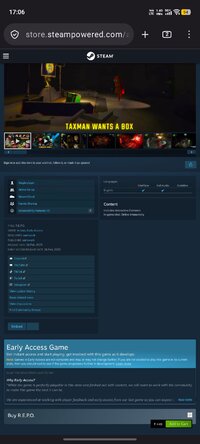
Game Name: R.E.P.O
Game Version: v0.4.4.3
Needs OBB: No
Needs Root: No
*MOD Features*
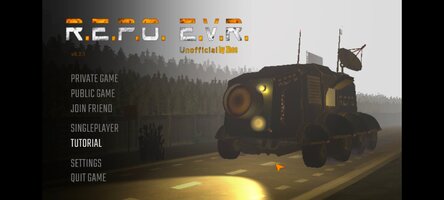
1. Unofficial Android Port
Notes:
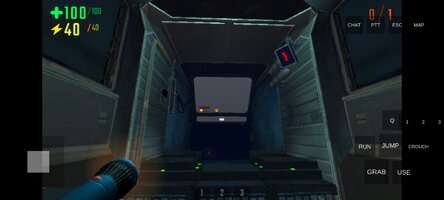
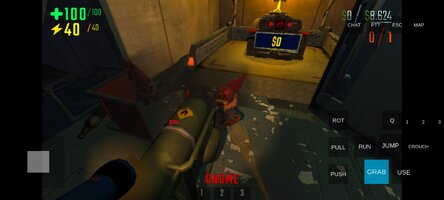
CRITICAL BUG WARNING: During gameplay, DO NOT press the "CHAT" button located next to the PTT button. Doing so will softlock your game!
To play with friends, one player must host the game, and the other(s) must join using an invite code.
For the HOST:
For the HOST:
- In the main menu, select PRIVATE GAME or PUBLIC GAME.
- When asked "Are you this friend?" (who should host), select HAHA YES! :).
- Choose your preferred Region (e.g., RU, EUROPE, USA EAST, etc.).
- Select NEW GAME (or a saved game) and confirm by pressing YES! to start the lobby.
- Once inside the lobby, press the INVITE button. The invite code will automatically be copied to your device's clipboard.
- Send this code to your friend (via Discord, Telegram, WhatsApp, etc.).
- In the main menu, select JOIN FRIEND.
- Paste the invite code you received from the host into the text box.
- Important:DO NOT press the "OK" button on your phone's keyboard. Instead, press the CONFIRM button directly inside the game menu.
- Wait for the loading screen, and you will appear in the lobby with the host.
To talk to other players in-game, you need to grant permissions and configure the in-game settings.
Close or minimize the game. Go to your phone's system Settings.
Navigate to Apps and search for REPOPort.
Go to Permissions, select Microphone, and choose Allow only while using the app.
Step 1: Android System Settings
Close or minimize the game. Go to your phone's system Settings.
Navigate to Apps and search for REPOPort.
Go to Permissions, select Microphone, and choose Allow only while using the app.
Step 2: In-Game Settings
- Open the game and go to the Lobby.
- Press SETTINGS, then select AUDIO.
- Scroll down to the MICROPHONE option and change the input from "NONE" to "Android audio in... (ANDROID AUDIO INPUT)".
- If OFF: Your microphone will be active all the time.
- If ON: You will need to press and hold the dedicated PTT button (located at the top right of the screen during gameplay) to speak.
Credit to: ?
Free Download:
! Hidden Content !
You must be registered and either click Like under this post or leave a comment before you can see the hidden links.
You may need to refresh the page after clicking Like. If you’re still having trouble revealing the hidden links, please
read this.
Did you know? VIP Members can see all links instantly, no unlocking required.
Interested? Get VIP here.
Interested? Get VIP here.
______________________________________
If credits are unknown or incorrect and you are the modder you are free to message @G-Bo and the credits will be corrected asap!
What you need to know about Shared-MODs
*How to install (click the spoilers to read)*
Signed APKs do work on all Android devices (rooted + non-rooted).
Signed APKs are in the most cases the only provided files by the mod publisher as they work for everyone.
1.) Remove the original game/app.
2.) Download the MOD APK.
3.) Install the downloaded MOD APK.
4.) Enjoy.
Regarding login methods, please note that logging in with Google will not be possible when using signed MODs. Facebook login (if available) is possible, but it requires you to remove the Facebook application from your device. Other game-specific login methods (if available), such as email, transfer code or guest login usually work fine.
Notes:
- If you used our MOD APK before and just want to update, you can install the new MOD APK on top of the old without removing the game/app first.
- In-App purchases are not possible on signed APKs as they require Google services similar to the Google login process.
Signed APKs are in the most cases the only provided files by the mod publisher as they work for everyone.
1.) Remove the original game/app.
2.) Download the MOD APK.
3.) Install the downloaded MOD APK.
4.) Enjoy.
Regarding login methods, please note that logging in with Google will not be possible when using signed MODs. Facebook login (if available) is possible, but it requires you to remove the Facebook application from your device. Other game-specific login methods (if available), such as email, transfer code or guest login usually work fine.
Notes:
- If you used our MOD APK before and just want to update, you can install the new MOD APK on top of the old without removing the game/app first.
- In-App purchases are not possible on signed APKs as they require Google services similar to the Google login process.
Unsigned APKs do only work on rooted and patched devices/environments.
These are not always provided by the mod publisher as they do only work under certain circumstances.
1.) Your device must be rooted.
2.) Your device must be patched to ignore app signatures. This can be done with the help of tools such as Luckypatcher or Xposed.
Once you fill that requirements the process is the same as with signed APKs with the difference that you can overwrite the original game/app with the MOD APK without removing it first.
1.) Download the unsigned MOD APK.
2.) Install the unsigned MOD APK.
3.) Enjoy.
Note:
For the case the unsigned APK does fail to install: Your device patch is not done correctly!
Login methods and In-App purchases on unsigned MODs function the same as in the original game. Logging in with Google works without issues. Keeping the Facebook application installed is also no problem.
You are rooted and want to know how to patch your device? Please check this for more information:
[Videotutorial] How To Login With Google+ Or Facebook App On Modded Games
These are not always provided by the mod publisher as they do only work under certain circumstances.
1.) Your device must be rooted.
2.) Your device must be patched to ignore app signatures. This can be done with the help of tools such as Luckypatcher or Xposed.
Once you fill that requirements the process is the same as with signed APKs with the difference that you can overwrite the original game/app with the MOD APK without removing it first.
1.) Download the unsigned MOD APK.
2.) Install the unsigned MOD APK.
3.) Enjoy.
Note:
For the case the unsigned APK does fail to install: Your device patch is not done correctly!
Login methods and In-App purchases on unsigned MODs function the same as in the original game. Logging in with Google works without issues. Keeping the Facebook application installed is also no problem.
You are rooted and want to know how to patch your device? Please check this for more information:
[Videotutorial] How To Login With Google+ Or Facebook App On Modded Games
OBB files are not required by every game/app. If necessary, the mod publisher will usually provide them and tell you that they are needed.
1.) Download the OBB file/files.
2.) Download the MOD APK.
3.) Move the OBB files with the help of a filemanager to Android/obb/<packagecode> on your device.
4.) Install the downloaded MOD APK.
5.) Enjoy.
The OBB files are either provided as ".obb" files or as ".zip" files. ZIP files do require to be extracted first.
Still facing issues? Please check here for more details:
How to install OBB files [as detailed as possible]
1.) Download the OBB file/files.
2.) Download the MOD APK.
3.) Move the OBB files with the help of a filemanager to Android/obb/<packagecode> on your device.
4.) Install the downloaded MOD APK.
5.) Enjoy.
The OBB files are either provided as ".obb" files or as ".zip" files. ZIP files do require to be extracted first.
Still facing issues? Please check here for more details:
How to install OBB files [as detailed as possible]
Tutorials:
How to sign up and download on Platinmods.com
List of useful tutorials about how to use this website and its content
Last edited by a moderator: