Playstore Link:

Game Name: Rush Defense2
Game Version: 4
Needs OBB: No
Needs Root: No
Welcome to Rush Defense 2!
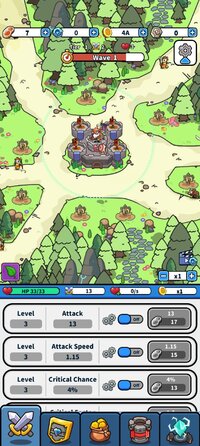
This enhanced sequel continues the classic survival experience where monsters swarm from all directions. While maintaining the original gameplay, Rush Defense 2 introduces the new Hero Star-Up system, allowing even deeper character progression.
Defeat monsters to earn meat, which you can use to upgrade your character’s various attributes. In this version, the Star-Up system lets your hero break past previous limits and grow even stronger.
Explore new combat maps such as coasts, deserts, rainforests, and frozen plains. Each map features unique terrain and enemies, requiring you to adjust your strategy to overcome challenges.
The powerful skill cards return:
Death Ray – Charge up a devastating beam to sweep enemies
Battle Dash – Speed up the game by 5x for rapid mowing
Crazy Gambler – Each wave may boost or reduce your damage, testing your luck
A variety of enhancement items and equipment further increase your combat strength. With star-up progression, attribute upgrades, and gear combinations, you can create your own unique and powerful combat style.
Compete with players around the world through real-time rankings. We will also launch regular competitive events to bring you more challenges and rewards.
Store Notice:
To maintain a fair gameplay environment, server connection is required to prevent cheating. Please follow the rules and avoid modifying the game to prevent penalties.
Enter the new world of Rush Defense 2 now—enhance and star-up your hero and become the unstoppable defender of your territory!
This enhanced sequel continues the classic survival experience where monsters swarm from all directions. While maintaining the original gameplay, Rush Defense 2 introduces the new Hero Star-Up system, allowing even deeper character progression.
Defeat monsters to earn meat, which you can use to upgrade your character’s various attributes. In this version, the Star-Up system lets your hero break past previous limits and grow even stronger.
Explore new combat maps such as coasts, deserts, rainforests, and frozen plains. Each map features unique terrain and enemies, requiring you to adjust your strategy to overcome challenges.
The powerful skill cards return:
Death Ray – Charge up a devastating beam to sweep enemies
Battle Dash – Speed up the game by 5x for rapid mowing
Crazy Gambler – Each wave may boost or reduce your damage, testing your luck
A variety of enhancement items and equipment further increase your combat strength. With star-up progression, attribute upgrades, and gear combinations, you can create your own unique and powerful combat style.
Compete with players around the world through real-time rankings. We will also launch regular competitive events to bring you more challenges and rewards.
Store Notice:
To maintain a fair gameplay environment, server connection is required to prevent cheating. Please follow the rules and avoid modifying the game to prevent penalties.
Enter the new world of Rush Defense 2 now—enhance and star-up your hero and become the unstoppable defender of your territory!
*MOD Features*
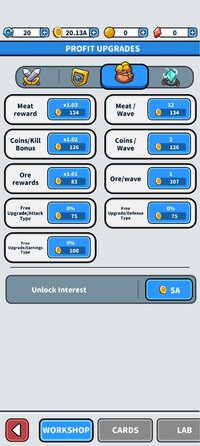
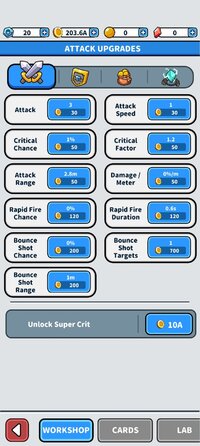
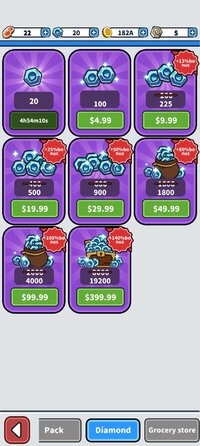
Get rewards without ads, earn 1000 coins.
Free Download:
______________________________________
If credits are unknown or incorrect and you are the modder you are free to message @G-Bo and the credits will be corrected asap!
What you need to know about Shared-MODs
*How to install (click the spoilers to read)*
Signed APKs do work on all Android devices (rooted + non-rooted).
Signed APKs are in the most cases the only provided files by the mod publisher as they work for everyone.
1.) Remove the original game/app.
2.) Download the MOD APK.
3.) Install the downloaded MOD APK.
4.) Enjoy.
Regarding login methods, please note that logging in with Google will not be possible when using signed MODs. Facebook login (if available) is possible, but it requires you to remove the Facebook application from your device. Other game-specific login methods (if available), such as email, transfer code or guest login usually work fine.
Notes:
- If you used our MOD APK before and just want to update, you can install the new MOD APK on top of the old without removing the game/app first.
- In-App purchases are not possible on signed APKs as they require Google services similar to the Google login process.
Signed APKs are in the most cases the only provided files by the mod publisher as they work for everyone.
1.) Remove the original game/app.
2.) Download the MOD APK.
3.) Install the downloaded MOD APK.
4.) Enjoy.
Regarding login methods, please note that logging in with Google will not be possible when using signed MODs. Facebook login (if available) is possible, but it requires you to remove the Facebook application from your device. Other game-specific login methods (if available), such as email, transfer code or guest login usually work fine.
Notes:
- If you used our MOD APK before and just want to update, you can install the new MOD APK on top of the old without removing the game/app first.
- In-App purchases are not possible on signed APKs as they require Google services similar to the Google login process.
Unsigned APKs do only work on rooted and patched devices/environments.
These are not always provided by the mod publisher as they do only work under certain circumstances.
1.) Your device must be rooted.
2.) Your device must be patched to ignore app signatures. This can be done with the help of tools such as Luckypatcher or Xposed.
Once you fill that requirements the process is the same as with signed APKs with the difference that you can overwrite the original game/app with the MOD APK without removing it first.
1.) Download the unsigned MOD APK.
2.) Install the unsigned MOD APK.
3.) Enjoy.
Note:
For the case the unsigned APK does fail to install: Your device patch is not done correctly!
Login methods and In-App purchases on unsigned MODs function the same as in the original game. Logging in with Google works without issues. Keeping the Facebook application installed is also no problem.
You are rooted and want to know how to patch your device? Please check this for more information:
[Videotutorial] How To Login With Google+ Or Facebook App On Modded Games
These are not always provided by the mod publisher as they do only work under certain circumstances.
1.) Your device must be rooted.
2.) Your device must be patched to ignore app signatures. This can be done with the help of tools such as Luckypatcher or Xposed.
Once you fill that requirements the process is the same as with signed APKs with the difference that you can overwrite the original game/app with the MOD APK without removing it first.
1.) Download the unsigned MOD APK.
2.) Install the unsigned MOD APK.
3.) Enjoy.
Note:
For the case the unsigned APK does fail to install: Your device patch is not done correctly!
Login methods and In-App purchases on unsigned MODs function the same as in the original game. Logging in with Google works without issues. Keeping the Facebook application installed is also no problem.
You are rooted and want to know how to patch your device? Please check this for more information:
[Videotutorial] How To Login With Google+ Or Facebook App On Modded Games
OBB files are not required by every game/app. If necessary, the mod publisher will usually provide them and tell you that they are needed.
1.) Download the OBB file/files.
2.) Download the MOD APK.
3.) Move the OBB files with the help of a filemanager to Android/obb/<packagecode> on your device.
4.) Install the downloaded MOD APK.
5.) Enjoy.
The OBB files are either provided as ".obb" files or as ".zip" files. ZIP files do require to be extracted first.
Still facing issues? Please check here for more details:
How to install OBB files [as detailed as possible]
1.) Download the OBB file/files.
2.) Download the MOD APK.
3.) Move the OBB files with the help of a filemanager to Android/obb/<packagecode> on your device.
4.) Install the downloaded MOD APK.
5.) Enjoy.
The OBB files are either provided as ".obb" files or as ".zip" files. ZIP files do require to be extracted first.
Still facing issues? Please check here for more details:
How to install OBB files [as detailed as possible]
Tutorials:
How to sign up and download on Platinmods.com
List of useful tutorials about how to use this website and its content