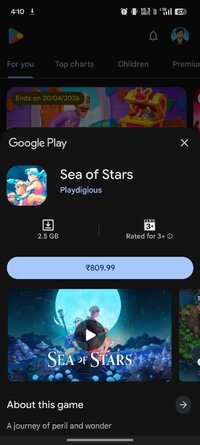
Playstore Link:

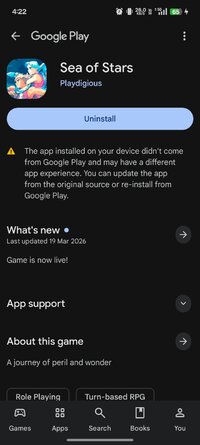
Game Name: Sea of Stars
Game Version: 1.1.59877
Needs OBB: No
Needs Root: No
*Sea of Stars is now live! Save up to -10%!*
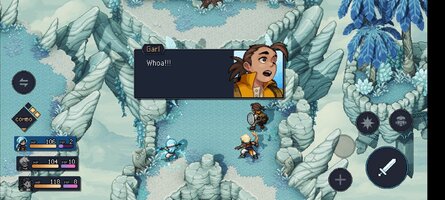
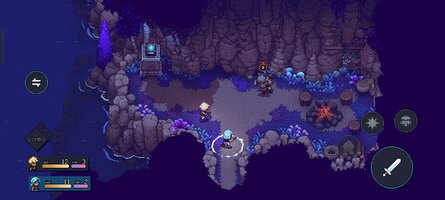
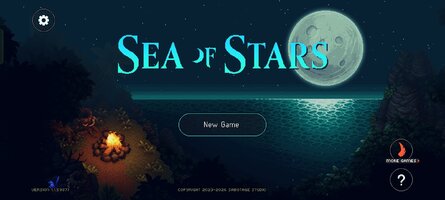
Promising the Sabotage touch in every system, Sea of Stars aims to modernize the classic RPG formula in terms of turn-based combat, storytelling, exploration and interactions with the environment, while still offering a hearty slice of nostalgia and good old, simple fun.
It tells the story of two Children of the Solstice who will combine the powers of the sun and moon to perform Eclipse Magic, the only force capable of fending off the monstrous creations of the evil alchemist known as The Fleshmancer.
Traverse seamlessly through the world with a navigation system that breaks free from the classic bound-to-the-grid tileset movement and fight enemies in an immersive take on the genre; no random encounters, no transitions to separate battlefields, and no grinding.
FEATURES
- Engaging turn-based combat: Along with timed hits, combat features combo attacks, boosting, and a strategic "locks" system, all in an immersive take on the genre; no random encounters, no transitions to separate battlefields, and no grinding.
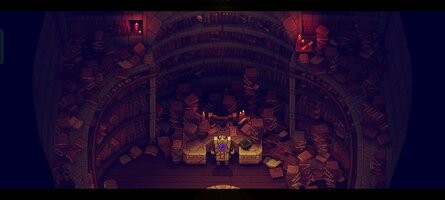
- Full-on dynamic lighting: Our custom-made render pipeline allows the creation of a breathtaking world coming to life by pushing the limits of 2D pixel-art games.
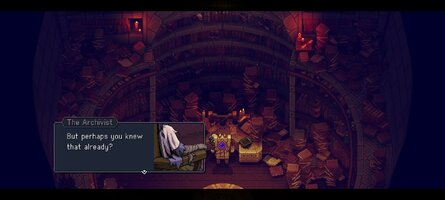
- A story-rich adventure: Sometimes epic, sometimes silly, and other times emotional, Sea of Stars does its RPG duty of exploring classic themes of adventure and friendship, while also being chock-full of the unexpected twists and events you’d expect from a Sabotage production.
- A world you can touch: Sailing, cooking, fishing, stopping by a tavern to listen to a song or play the infamous tabletop game known as "Wheels"... every system has been designed to deliver an experience that pays respect to retro classics, while rethinking in some areas to offer a smooth and modernized experience.
CAREFULLY REDESIGNED FOR MOBILE
- Revamped interface – exclusive mobile UI with complete touch control
- Google Play Games achievements
- Cloud Save – Share your progress between Android devices
- Compatible with controllers
Promising the Sabotage touch in every system, Sea of Stars aims to modernize the classic RPG formula in terms of turn-based combat, storytelling, exploration and interactions with the environment, while still offering a hearty slice of nostalgia and good old, simple fun.
It tells the story of two Children of the Solstice who will combine the powers of the sun and moon to perform Eclipse Magic, the only force capable of fending off the monstrous creations of the evil alchemist known as The Fleshmancer.
Traverse seamlessly through the world with a navigation system that breaks free from the classic bound-to-the-grid tileset movement and fight enemies in an immersive take on the genre; no random encounters, no transitions to separate battlefields, and no grinding.
FEATURES
- Engaging turn-based combat: Along with timed hits, combat features combo attacks, boosting, and a strategic "locks" system, all in an immersive take on the genre; no random encounters, no transitions to separate battlefields, and no grinding.
- Full-on dynamic lighting: Our custom-made render pipeline allows the creation of a breathtaking world coming to life by pushing the limits of 2D pixel-art games.
- A story-rich adventure: Sometimes epic, sometimes silly, and other times emotional, Sea of Stars does its RPG duty of exploring classic themes of adventure and friendship, while also being chock-full of the unexpected twists and events you’d expect from a Sabotage production.
- A world you can touch: Sailing, cooking, fishing, stopping by a tavern to listen to a song or play the infamous tabletop game known as "Wheels"... every system has been designed to deliver an experience that pays respect to retro classics, while rethinking in some areas to offer a smooth and modernized experience.
CAREFULLY REDESIGNED FOR MOBILE
- Revamped interface – exclusive mobile UI with complete touch control
- Google Play Games achievements
- Cloud Save – Share your progress between Android devices
- Compatible with controllers
*MOD Features*
Unlock full content
Credit to: ?
Free Download:
! Hidden Content !
You must be registered and either click Like under this post or leave a comment before you can see the hidden links.
You may need to refresh the page after clicking Like. If you’re still having trouble revealing the hidden links, please
read this.
Did you know? VIP Members can see all links instantly, no unlocking required.
Interested? Get VIP here.
Interested? Get VIP here.
______________________________________
If credits are unknown or incorrect and you are the modder you are free to message @G-Bo and the credits will be corrected asap!
What you need to know about Shared-MODs
*How to install (click the spoilers to read)*
Signed APKs do work on all Android devices (rooted + non-rooted).
Signed APKs are in the most cases the only provided files by the mod publisher as they work for everyone.
1.) Remove the original game/app.
2.) Download the MOD APK.
3.) Install the downloaded MOD APK.
4.) Enjoy.
Regarding login methods, please note that logging in with Google will not be possible when using signed MODs. Facebook login (if available) is possible, but it requires you to remove the Facebook application from your device. Other game-specific login methods (if available), such as email, transfer code or guest login usually work fine.
Notes:
- If you used our MOD APK before and just want to update, you can install the new MOD APK on top of the old without removing the game/app first.
- In-App purchases are not possible on signed APKs as they require Google services similar to the Google login process.
Signed APKs are in the most cases the only provided files by the mod publisher as they work for everyone.
1.) Remove the original game/app.
2.) Download the MOD APK.
3.) Install the downloaded MOD APK.
4.) Enjoy.
Regarding login methods, please note that logging in with Google will not be possible when using signed MODs. Facebook login (if available) is possible, but it requires you to remove the Facebook application from your device. Other game-specific login methods (if available), such as email, transfer code or guest login usually work fine.
Notes:
- If you used our MOD APK before and just want to update, you can install the new MOD APK on top of the old without removing the game/app first.
- In-App purchases are not possible on signed APKs as they require Google services similar to the Google login process.
Unsigned APKs do only work on rooted and patched devices/environments.
These are not always provided by the mod publisher as they do only work under certain circumstances.
1.) Your device must be rooted.
2.) Your device must be patched to ignore app signatures. This can be done with the help of tools such as Luckypatcher or Xposed.
Once you fill that requirements the process is the same as with signed APKs with the difference that you can overwrite the original game/app with the MOD APK without removing it first.
1.) Download the unsigned MOD APK.
2.) Install the unsigned MOD APK.
3.) Enjoy.
Note:
For the case the unsigned APK does fail to install: Your device patch is not done correctly!
Login methods and In-App purchases on unsigned MODs function the same as in the original game. Logging in with Google works without issues. Keeping the Facebook application installed is also no problem.
You are rooted and want to know how to patch your device? Please check this for more information:
[Videotutorial] How To Login With Google+ Or Facebook App On Modded Games
These are not always provided by the mod publisher as they do only work under certain circumstances.
1.) Your device must be rooted.
2.) Your device must be patched to ignore app signatures. This can be done with the help of tools such as Luckypatcher or Xposed.
Once you fill that requirements the process is the same as with signed APKs with the difference that you can overwrite the original game/app with the MOD APK without removing it first.
1.) Download the unsigned MOD APK.
2.) Install the unsigned MOD APK.
3.) Enjoy.
Note:
For the case the unsigned APK does fail to install: Your device patch is not done correctly!
Login methods and In-App purchases on unsigned MODs function the same as in the original game. Logging in with Google works without issues. Keeping the Facebook application installed is also no problem.
You are rooted and want to know how to patch your device? Please check this for more information:
[Videotutorial] How To Login With Google+ Or Facebook App On Modded Games
OBB files are not required by every game/app. If necessary, the mod publisher will usually provide them and tell you that they are needed.
1.) Download the OBB file/files.
2.) Download the MOD APK.
3.) Move the OBB files with the help of a filemanager to Android/obb/<packagecode> on your device.
4.) Install the downloaded MOD APK.
5.) Enjoy.
The OBB files are either provided as ".obb" files or as ".zip" files. ZIP files do require to be extracted first.
Still facing issues? Please check here for more details:
How to install OBB files [as detailed as possible]
1.) Download the OBB file/files.
2.) Download the MOD APK.
3.) Move the OBB files with the help of a filemanager to Android/obb/<packagecode> on your device.
4.) Install the downloaded MOD APK.
5.) Enjoy.
The OBB files are either provided as ".obb" files or as ".zip" files. ZIP files do require to be extracted first.
Still facing issues? Please check here for more details:
How to install OBB files [as detailed as possible]
Tutorials:
How to sign up and download on Platinmods.com
List of useful tutorials about how to use this website and its content



 What he said