Playstore Link:

Sorting Queen - Apps on Google Play
Join Yuri, Sorting Queen, in HelloTown! Sort items in a fun puzzle adventure! 🩷
Game Name: Sorting Queen
Game Version: 1.75
Needs OBB: No
Needs Root: No
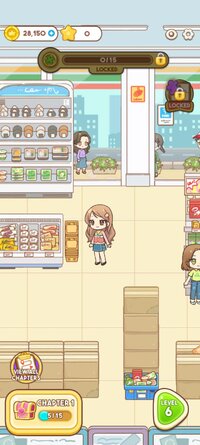
Sorting Queen is a delightful Sort Puzzle game set in the vibrant HelloTown. Our heroine, Yuri, may not have big dreams, but her genius sorting skills work wonders. From chaotic convenience store shelves to bakery flour disasters and fruit shop banana snakes, Yuri’s witty banter and clever organization solve every problem, skyrocketing sales! Dive into colorful episodes in each chapter and let Yuri’s quirky charm guide you to transform HelloTown’s shops into sparkling successes! 
 How to Play
Tackle addictive puzzles to organize HelloTown’s shops and solve shop owners’ woes!
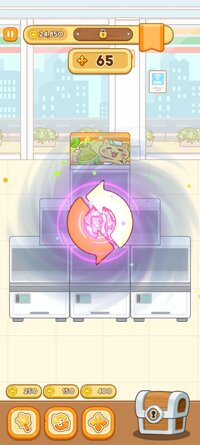
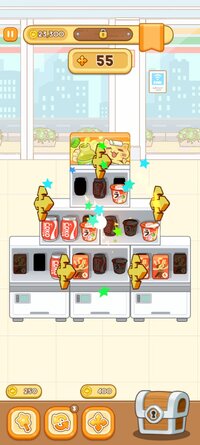
- Sorting Puzzles: Move items from one box to another to make 3-match sets!
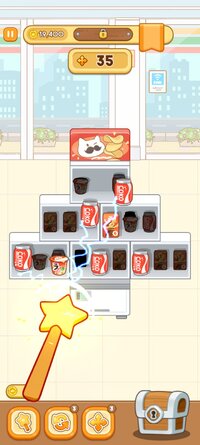
- Magic Items: Use Yuri’s “Magic Items” to conquer tricky puzzles with flair.
- Shop Makeovers: Yuri’s sorting brings a special touch. Create beautiful shops and earn hefty bonuses!
Game Features
- Yuri’s Charming Story: Enjoy laugh-filled episodes solving HelloTown’s unique problems and earn rewards.
- Varied Puzzle Levels: From beginners to pros, hundreds of stages offer endless fun.
- Stunning Shop Makeovers: Experience dramatic before-and-after transformations for ultimate satisfaction! Customize shops with gorgeous visuals.
- Card Collection: Collect cards through various event rewards and become a card collection master!
- Vibrant Graphics: Colorful designs delight the eyes and heart in this relaxing game.
Sorting Queen is the perfect puzzle game to relieve stress and lift your mood. Join Yuri to lead HelloTown’s shops to success and become a sorting master! Play a chapter daily for relaxation or compete with friends. Download now and unleash your sorting magic!
Keywords: Sorting Queen, Sort Puzzle, Sorting Game, HelloTown, Shop Organization, Puzzle Adventure, Hello Town, 3 Match
Reach us at help@spcomes. com for any inquiries regarding the game.
How to PlayTackle addictive puzzles to organize HelloTown’s shops and solve shop owners’ woes!
- Sorting Puzzles: Move items from one box to another to make 3-match sets!
- Magic Items: Use Yuri’s “Magic Items” to conquer tricky puzzles with flair.
- Shop Makeovers: Yuri’s sorting brings a special touch. Create beautiful shops and earn hefty bonuses!
Game Features- Yuri’s Charming Story: Enjoy laugh-filled episodes solving HelloTown’s unique problems and earn rewards.
- Varied Puzzle Levels: From beginners to pros, hundreds of stages offer endless fun.
- Stunning Shop Makeovers: Experience dramatic before-and-after transformations for ultimate satisfaction! Customize shops with gorgeous visuals.
- Card Collection: Collect cards through various event rewards and become a card collection master!
- Vibrant Graphics: Colorful designs delight the eyes and heart in this relaxing game.
Sorting Queen is the perfect puzzle game to relieve stress and lift your mood. Join Yuri to lead HelloTown’s shops to success and become a sorting master! Play a chapter daily for relaxation or compete with friends. Download now and unleash your sorting magic!
Keywords: Sorting Queen, Sort Puzzle, Sorting Game, HelloTown, Shop Organization, Puzzle Adventure, Hello Town, 3 Match
Reach us at help@spcomes. com for any inquiries regarding the game.
*MOD Features*
Gold coin usage increased
Free Download:
______________________________________
If credits are unknown or incorrect and you are the modder you are free to message @G-Bo and the credits will be corrected asap!
What you need to know about Shared-MODs
*How to install (click the spoilers to read)*
Signed APKs do work on all Android devices (rooted + non-rooted).
Signed APKs are in the most cases the only provided files by the mod publisher as they work for everyone.
1.) Remove the original game/app.
2.) Download the MOD APK.
3.) Install the downloaded MOD APK.
4.) Enjoy.
Regarding login methods, please note that logging in with Google will not be possible when using signed MODs. Facebook login (if available) is possible, but it requires you to remove the Facebook application from your device. Other game-specific login methods (if available), such as email, transfer code or guest login usually work fine.
Notes:
- If you used our MOD APK before and just want to update, you can install the new MOD APK on top of the old without removing the game/app first.
- In-App purchases are not possible on signed APKs as they require Google services similar to the Google login process.
Signed APKs are in the most cases the only provided files by the mod publisher as they work for everyone.
1.) Remove the original game/app.
2.) Download the MOD APK.
3.) Install the downloaded MOD APK.
4.) Enjoy.
Regarding login methods, please note that logging in with Google will not be possible when using signed MODs. Facebook login (if available) is possible, but it requires you to remove the Facebook application from your device. Other game-specific login methods (if available), such as email, transfer code or guest login usually work fine.
Notes:
- If you used our MOD APK before and just want to update, you can install the new MOD APK on top of the old without removing the game/app first.
- In-App purchases are not possible on signed APKs as they require Google services similar to the Google login process.
Unsigned APKs do only work on rooted and patched devices/environments.
These are not always provided by the mod publisher as they do only work under certain circumstances.
1.) Your device must be rooted.
2.) Your device must be patched to ignore app signatures. This can be done with the help of tools such as Luckypatcher or Xposed.
Once you fill that requirements the process is the same as with signed APKs with the difference that you can overwrite the original game/app with the MOD APK without removing it first.
1.) Download the unsigned MOD APK.
2.) Install the unsigned MOD APK.
3.) Enjoy.
Note:
For the case the unsigned APK does fail to install: Your device patch is not done correctly!
Login methods and In-App purchases on unsigned MODs function the same as in the original game. Logging in with Google works without issues. Keeping the Facebook application installed is also no problem.
You are rooted and want to know how to patch your device? Please check this for more information:
[Videotutorial] How To Login With Google+ Or Facebook App On Modded Games
These are not always provided by the mod publisher as they do only work under certain circumstances.
1.) Your device must be rooted.
2.) Your device must be patched to ignore app signatures. This can be done with the help of tools such as Luckypatcher or Xposed.
Once you fill that requirements the process is the same as with signed APKs with the difference that you can overwrite the original game/app with the MOD APK without removing it first.
1.) Download the unsigned MOD APK.
2.) Install the unsigned MOD APK.
3.) Enjoy.
Note:
For the case the unsigned APK does fail to install: Your device patch is not done correctly!
Login methods and In-App purchases on unsigned MODs function the same as in the original game. Logging in with Google works without issues. Keeping the Facebook application installed is also no problem.
You are rooted and want to know how to patch your device? Please check this for more information:
[Videotutorial] How To Login With Google+ Or Facebook App On Modded Games
OBB files are not required by every game/app. If necessary, the mod publisher will usually provide them and tell you that they are needed.
1.) Download the OBB file/files.
2.) Download the MOD APK.
3.) Move the OBB files with the help of a filemanager to Android/obb/<packagecode> on your device.
4.) Install the downloaded MOD APK.
5.) Enjoy.
The OBB files are either provided as ".obb" files or as ".zip" files. ZIP files do require to be extracted first.
Still facing issues? Please check here for more details:
How to install OBB files [as detailed as possible]
1.) Download the OBB file/files.
2.) Download the MOD APK.
3.) Move the OBB files with the help of a filemanager to Android/obb/<packagecode> on your device.
4.) Install the downloaded MOD APK.
5.) Enjoy.
The OBB files are either provided as ".obb" files or as ".zip" files. ZIP files do require to be extracted first.
Still facing issues? Please check here for more details:
How to install OBB files [as detailed as possible]
Tutorials:
How to sign up and download on Platinmods.com
List of useful tutorials about how to use this website and its content