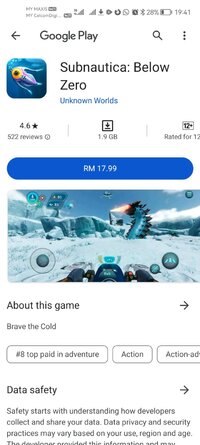
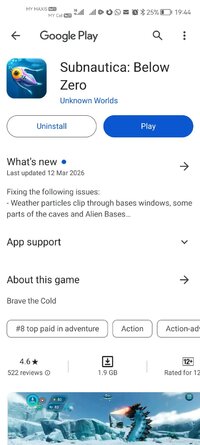
Playstore Link:

Game Name: Subnautica: Below Zero
Game Version: 1.22.54991
Needs OBB: No
Needs Root: No
Get it at a special 10% off launch price!
*Please make sure your device is supported before purchasing Below Zero!*
Below Zero is the next chapter of Subnautica, the underwater survival open world set on an alien ocean planet.
Submerge yourself in an all-new, sub-zero expedition in an arctic region of Planet 4546B. After crash landing planetside, set out into frigid waters to investigate what happened to your sister...
Discover new biomes, creatures, challenges and story! Below Zero expands the Subnautica universe, diving deeper into the adventure and mysteries introduced in the original game.
UNCOVER THE TRUTH - Who were the aliens who came here before? Why were they on this planet? What really happened to your sister? And will exposing the truth give some closure to your loss?
SURVIVE THE COLD - The freezing temperatures of this arctic region pose a new challenge. Craft a toasty cold suit, sip on piping hot coffee, and warm up next to Thermal Lilies to stave off the chill.
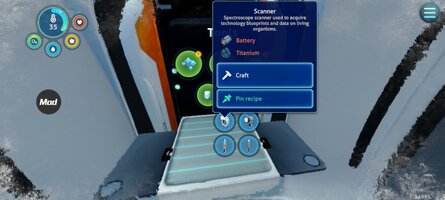
CRAFT YOUR WAY - Survive the harsh climate by constructing extensive habitats, scavenging for resources, and crafting equipment. Blast across the snowy tundra on a Snowfox hoverbike. Cruise through enchanting and perilous biomes in your modular Seatruck.
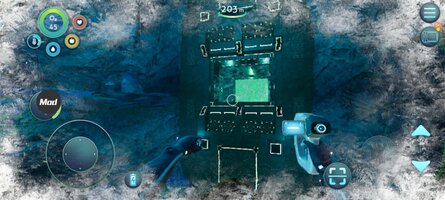
EXPLORE THE PLANET - Swim beneath the blue-lit, arching expanses of Twisty Bridges, be mesmerized by the Crystal Caverns, venture into the icy caves of Glacial Basin or maneuver between erupting Thermal Vents to discover ancient alien artifacts.
MEET NEW CREATURES - Something undiscovered lurks around every corner. Swim through the giant Titan Holefish, encounter the haunting Shadow Leviathan, and visit the adorable Pengwings. Keep your wits about you. Not all creatures in this strange world are friendly.
REIMAGINED AND OPTIMIZED FOR MOBILE
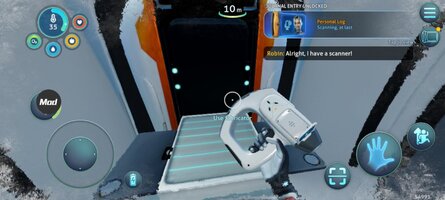
- Revamped interface – exclusive mobile UI with complete touch control
- Google Play Games achievements
- Cloud Save – Share your progress between Android devices
Continue your Subnautica adventure with Below Zero, now available in Unknown World's mobile catalog!
*Please make sure your device is supported before purchasing Below Zero!*
Below Zero is the next chapter of Subnautica, the underwater survival open world set on an alien ocean planet.
Submerge yourself in an all-new, sub-zero expedition in an arctic region of Planet 4546B. After crash landing planetside, set out into frigid waters to investigate what happened to your sister...
Discover new biomes, creatures, challenges and story! Below Zero expands the Subnautica universe, diving deeper into the adventure and mysteries introduced in the original game.
UNCOVER THE TRUTH - Who were the aliens who came here before? Why were they on this planet? What really happened to your sister? And will exposing the truth give some closure to your loss?
SURVIVE THE COLD - The freezing temperatures of this arctic region pose a new challenge. Craft a toasty cold suit, sip on piping hot coffee, and warm up next to Thermal Lilies to stave off the chill.
CRAFT YOUR WAY - Survive the harsh climate by constructing extensive habitats, scavenging for resources, and crafting equipment. Blast across the snowy tundra on a Snowfox hoverbike. Cruise through enchanting and perilous biomes in your modular Seatruck.
EXPLORE THE PLANET - Swim beneath the blue-lit, arching expanses of Twisty Bridges, be mesmerized by the Crystal Caverns, venture into the icy caves of Glacial Basin or maneuver between erupting Thermal Vents to discover ancient alien artifacts.
MEET NEW CREATURES - Something undiscovered lurks around every corner. Swim through the giant Titan Holefish, encounter the haunting Shadow Leviathan, and visit the adorable Pengwings. Keep your wits about you. Not all creatures in this strange world are friendly.
REIMAGINED AND OPTIMIZED FOR MOBILE
- Revamped interface – exclusive mobile UI with complete touch control
- Google Play Games achievements
- Cloud Save – Share your progress between Android devices
Continue your Subnautica adventure with Below Zero, now available in Unknown World's mobile catalog!
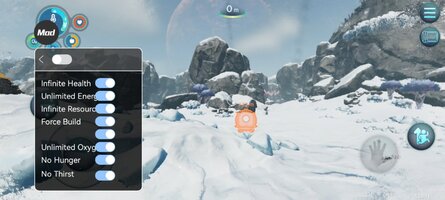
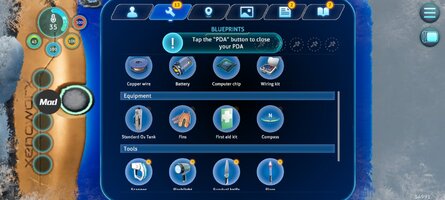
*MOD Features*
Mod Menu
1. God Mode
2. Unlimited Energy
3. Unlimited Resources
4.Force Build
5. Body Temperature Does Not Decrease
6. Unlimited Oxygen
7. Hunger Does Not Decrease
8. Thirst Does Not Decrease
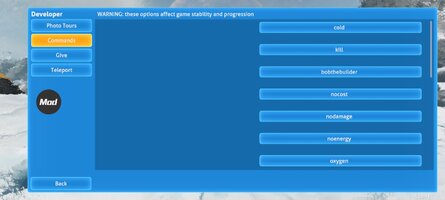
9. Enable Developer Mode
10. Time Control
Note:
The game has a built-in developer mode and command codes. After entering the game, tap the three-line icon in the upper right corner. You will then see it in the lower right corner.
Credit to: ?
Free Download:
! Hidden Content !
You must be registered and either click Like under this post or leave a comment before you can see the hidden links.
You may need to refresh the page after clicking Like. If you’re still having trouble revealing the hidden links, please
read this.
Did you know? VIP Members can see all links instantly, no unlocking required.
Interested? Get VIP here.
Interested? Get VIP here.
______________________________________
If credits are unknown or incorrect and you are the modder you are free to message @G-Bo and the credits will be corrected asap!
What you need to know about Shared-MODs
*How to install (click the spoilers to read)*
Signed APKs do work on all Android devices (rooted + non-rooted).
Signed APKs are in the most cases the only provided files by the mod publisher as they work for everyone.
1.) Remove the original game/app.
2.) Download the MOD APK.
3.) Install the downloaded MOD APK.
4.) Enjoy.
Regarding login methods, please note that logging in with Google will not be possible when using signed MODs. Facebook login (if available) is possible, but it requires you to remove the Facebook application from your device. Other game-specific login methods (if available), such as email, transfer code or guest login usually work fine.
Notes:
- If you used our MOD APK before and just want to update, you can install the new MOD APK on top of the old without removing the game/app first.
- In-App purchases are not possible on signed APKs as they require Google services similar to the Google login process.
Signed APKs are in the most cases the only provided files by the mod publisher as they work for everyone.
1.) Remove the original game/app.
2.) Download the MOD APK.
3.) Install the downloaded MOD APK.
4.) Enjoy.
Regarding login methods, please note that logging in with Google will not be possible when using signed MODs. Facebook login (if available) is possible, but it requires you to remove the Facebook application from your device. Other game-specific login methods (if available), such as email, transfer code or guest login usually work fine.
Notes:
- If you used our MOD APK before and just want to update, you can install the new MOD APK on top of the old without removing the game/app first.
- In-App purchases are not possible on signed APKs as they require Google services similar to the Google login process.
Unsigned APKs do only work on rooted and patched devices/environments.
These are not always provided by the mod publisher as they do only work under certain circumstances.
1.) Your device must be rooted.
2.) Your device must be patched to ignore app signatures. This can be done with the help of tools such as Luckypatcher or Xposed.
Once you fill that requirements the process is the same as with signed APKs with the difference that you can overwrite the original game/app with the MOD APK without removing it first.
1.) Download the unsigned MOD APK.
2.) Install the unsigned MOD APK.
3.) Enjoy.
Note:
For the case the unsigned APK does fail to install: Your device patch is not done correctly!
Login methods and In-App purchases on unsigned MODs function the same as in the original game. Logging in with Google works without issues. Keeping the Facebook application installed is also no problem.
You are rooted and want to know how to patch your device? Please check this for more information:
[Videotutorial] How To Login With Google+ Or Facebook App On Modded Games
These are not always provided by the mod publisher as they do only work under certain circumstances.
1.) Your device must be rooted.
2.) Your device must be patched to ignore app signatures. This can be done with the help of tools such as Luckypatcher or Xposed.
Once you fill that requirements the process is the same as with signed APKs with the difference that you can overwrite the original game/app with the MOD APK without removing it first.
1.) Download the unsigned MOD APK.
2.) Install the unsigned MOD APK.
3.) Enjoy.
Note:
For the case the unsigned APK does fail to install: Your device patch is not done correctly!
Login methods and In-App purchases on unsigned MODs function the same as in the original game. Logging in with Google works without issues. Keeping the Facebook application installed is also no problem.
You are rooted and want to know how to patch your device? Please check this for more information:
[Videotutorial] How To Login With Google+ Or Facebook App On Modded Games
OBB files are not required by every game/app. If necessary, the mod publisher will usually provide them and tell you that they are needed.
1.) Download the OBB file/files.
2.) Download the MOD APK.
3.) Move the OBB files with the help of a filemanager to Android/obb/<packagecode> on your device.
4.) Install the downloaded MOD APK.
5.) Enjoy.
The OBB files are either provided as ".obb" files or as ".zip" files. ZIP files do require to be extracted first.
Still facing issues? Please check here for more details:
How to install OBB files [as detailed as possible]
1.) Download the OBB file/files.
2.) Download the MOD APK.
3.) Move the OBB files with the help of a filemanager to Android/obb/<packagecode> on your device.
4.) Install the downloaded MOD APK.
5.) Enjoy.
The OBB files are either provided as ".obb" files or as ".zip" files. ZIP files do require to be extracted first.
Still facing issues? Please check here for more details:
How to install OBB files [as detailed as possible]
Tutorials:
How to sign up and download on Platinmods.com
List of useful tutorials about how to use this website and its content