AnshikaG
Just Crazy
Playstore Link:

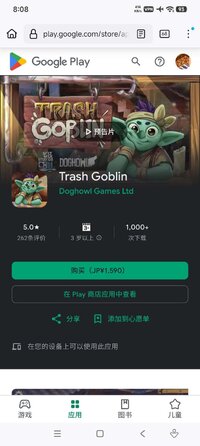
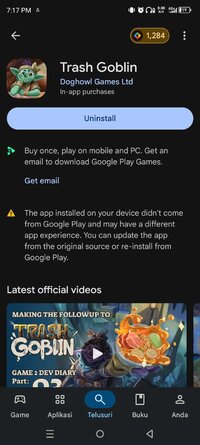
Trash Goblin - Apps on Google Play
Uncover, clean & upcycle curious trinkets in a cosy shop. No pressure, ever.
Game Name: Trash Goblin
Game Version: v1.4.2
Needs OBB: No
Needs Root: No
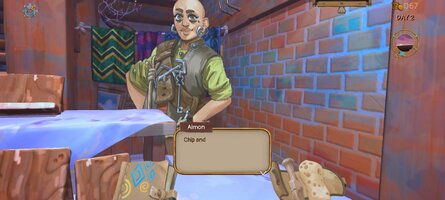
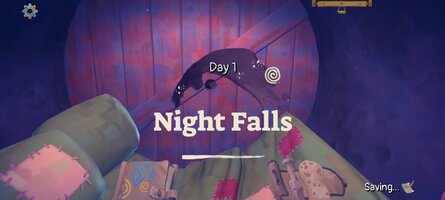
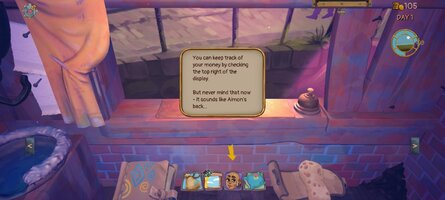
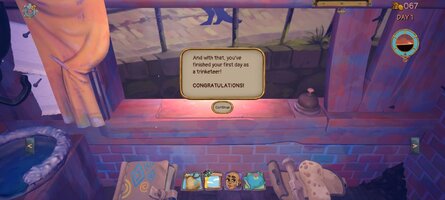
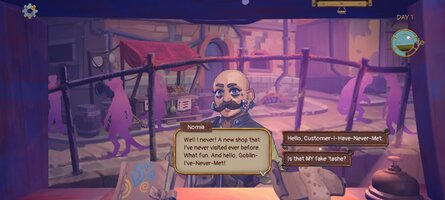
Trash Goblin is a wholesome and cosy shopkeeping game where you uncover and clean trinkets for sale! Customise them by upcycling and more to meet the eccentric requests of your endless colourful customers. Spend your savings to upgrade your shop, buy new and better tools, and customise your space! There is no pressure, no risk, no right way to play - it is not a simulator, it's just good vibes and nice customers to serve.
DISCOVER PECULIAR TRINKETS
Unearth knick-knacks of all kinds by chipping away at the dirt and cruft they're embedded inside, wrestling with different types of dirt that yield in different ways.
RESTORE FORGOTTEN CURIOS TO GLORY
Scrub all these strange items up nice and clean with your sponge to get them ready for sale!
UPCYCLE INTO IMAGINATIVE NEW FORMS!
Customise these curios by combining Trinkets together, turning them into strange and wonderful new items!
SELL TO A PARADE OF COLOURFUL CUSTOMERS
A wide range of intriguing, odd and charming customers will frequent your store, some with interesting stories to tell, others after a particular object, some just browsing...
UPGRADE YOUR WORKSHOP
Spend your savings to expand your tool set, and unlock more space to work in. Buy a display mat to tempt customers with specific wares, or a soak tub to clean up overnight, an honesty box for getting rid of unwanted trinkets, and more!
TREAT YOURSELF
Customise your space, decorate your shelves however you like, get some nice plants, change up the wallpaper and bedclothes; make it your own!
MAXIMUM CHILL, ZERO PRESSURE
There's a gentle limit to how much you can do in a given day but customers will return, you can potter as much as you like, and there are no fail states.
DISCOVER PECULIAR TRINKETS
Unearth knick-knacks of all kinds by chipping away at the dirt and cruft they're embedded inside, wrestling with different types of dirt that yield in different ways.
RESTORE FORGOTTEN CURIOS TO GLORY
Scrub all these strange items up nice and clean with your sponge to get them ready for sale!
UPCYCLE INTO IMAGINATIVE NEW FORMS!
Customise these curios by combining Trinkets together, turning them into strange and wonderful new items!
SELL TO A PARADE OF COLOURFUL CUSTOMERS
A wide range of intriguing, odd and charming customers will frequent your store, some with interesting stories to tell, others after a particular object, some just browsing...
UPGRADE YOUR WORKSHOP
Spend your savings to expand your tool set, and unlock more space to work in. Buy a display mat to tempt customers with specific wares, or a soak tub to clean up overnight, an honesty box for getting rid of unwanted trinkets, and more!
TREAT YOURSELF
Customise your space, decorate your shelves however you like, get some nice plants, change up the wallpaper and bedclothes; make it your own!
MAXIMUM CHILL, ZERO PRESSURE
There's a gentle limit to how much you can do in a given day but customers will return, you can potter as much as you like, and there are no fail states.
*MOD Features*
Unlocked Full
Credit to: ?
Free Download:
! Hidden Content !
You must be registered and either click Like under this post or leave a comment before you can see the hidden links.
You may need to refresh the page after clicking Like. If you’re still having trouble revealing the hidden links, please
read this.
Did you know? VIP Members can see all links instantly, no unlocking required.
Interested? Get VIP here.
Interested? Get VIP here.
If credits are unknown or incorrect and you are the modder you are free to message @G-Bo and the credits will be corrected asap!
What you need to know about Shared-MODs
*How to install (click the spoilers to read)*
Signed APKs do work on all Android devices (rooted + non-rooted).
Signed APKs are in the most cases the only provided files by the mod publisher as they work for everyone.
1.) Remove the original game/app.
2.) Download the MOD APK.
3.) Install the downloaded MOD APK.
4.) Enjoy.
Regarding login methods, please note that logging in with Google will not be possible when using signed MODs. Facebook login (if available) is possible, but it requires you to remove the Facebook application from your device. Other game-specific login methods (if available), such as email, transfer code or guest login usually work fine.
Notes:
- If you used our MOD APK before and just want to update, you can install the new MOD APK on top of the old without removing the game/app first.
- In-App purchases are not possible on signed APKs as they require Google services similar to the Google login process.
Signed APKs are in the most cases the only provided files by the mod publisher as they work for everyone.
1.) Remove the original game/app.
2.) Download the MOD APK.
3.) Install the downloaded MOD APK.
4.) Enjoy.
Regarding login methods, please note that logging in with Google will not be possible when using signed MODs. Facebook login (if available) is possible, but it requires you to remove the Facebook application from your device. Other game-specific login methods (if available), such as email, transfer code or guest login usually work fine.
Notes:
- If you used our MOD APK before and just want to update, you can install the new MOD APK on top of the old without removing the game/app first.
- In-App purchases are not possible on signed APKs as they require Google services similar to the Google login process.
Unsigned APKs do only work on rooted and patched devices/environments.
These are not always provided by the mod publisher as they do only work under certain circumstances.
1.) Your device must be rooted.
2.) Your device must be patched to ignore app signatures. This can be done with the help of tools such as Luckypatcher or Xposed.
Once you fill that requirements the process is the same as with signed APKs with the difference that you can overwrite the original game/app with the MOD APK without removing it first.
1.) Download the unsigned MOD APK.
2.) Install the unsigned MOD APK.
3.) Enjoy.
Note:
For the case the unsigned APK does fail to install: Your device patch is not done correctly!
Login methods and In-App purchases on unsigned MODs function the same as in the original game. Logging in with Google works without issues. Keeping the Facebook application installed is also no problem.
You are rooted and want to know how to patch your device? Please check this for more information:
[Videotutorial] How To Login With Google+ Or Facebook App On Modded Games
These are not always provided by the mod publisher as they do only work under certain circumstances.
1.) Your device must be rooted.
2.) Your device must be patched to ignore app signatures. This can be done with the help of tools such as Luckypatcher or Xposed.
Once you fill that requirements the process is the same as with signed APKs with the difference that you can overwrite the original game/app with the MOD APK without removing it first.
1.) Download the unsigned MOD APK.
2.) Install the unsigned MOD APK.
3.) Enjoy.
Note:
For the case the unsigned APK does fail to install: Your device patch is not done correctly!
Login methods and In-App purchases on unsigned MODs function the same as in the original game. Logging in with Google works without issues. Keeping the Facebook application installed is also no problem.
You are rooted and want to know how to patch your device? Please check this for more information:
[Videotutorial] How To Login With Google+ Or Facebook App On Modded Games
OBB files are not required by every game/app. If necessary, the mod publisher will usually provide them and tell you that they are needed.
1.) Download the OBB file/files.
2.) Download the MOD APK.
3.) Move the OBB files with the help of a filemanager to Android/obb/<packagecode> on your device.
4.) Install the downloaded MOD APK.
5.) Enjoy.
The OBB files are either provided as ".obb" files or as ".zip" files. ZIP files do require to be extracted first.
Still facing issues? Please check here for more details:
How to install OBB files [as detailed as possible]
1.) Download the OBB file/files.
2.) Download the MOD APK.
3.) Move the OBB files with the help of a filemanager to Android/obb/<packagecode> on your device.
4.) Install the downloaded MOD APK.
5.) Enjoy.
The OBB files are either provided as ".obb" files or as ".zip" files. ZIP files do require to be extracted first.
Still facing issues? Please check here for more details:
How to install OBB files [as detailed as possible]
Tutorials:
How to sign up and download on Platinmods.com
List of useful tutorials about how to use this website and its content