Playstore Link:

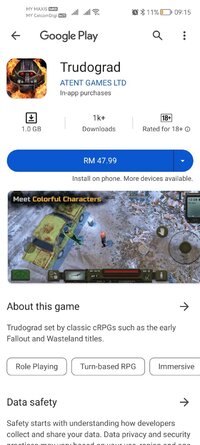
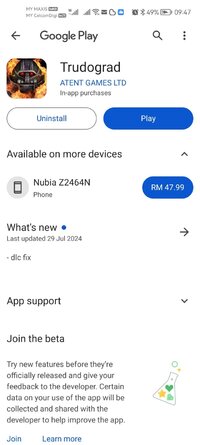
Trudograd - Apps on Google Play
Trudograd set by classic cRPGs such as the early Fallout and Wasteland titles.
Game Name: Trudograd
Game Version: 1.0.76
Needs OBB: No
Needs Root: No
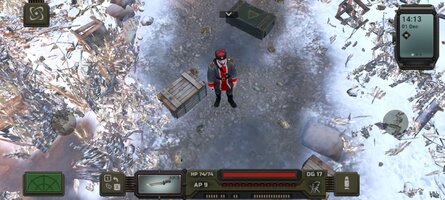
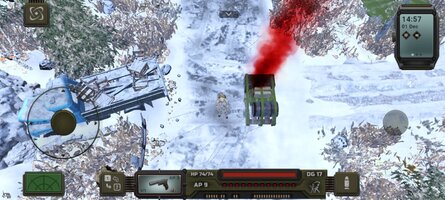
Trudograd is a stand-alone story expansion to ATOM RPG - a turn-based roleplaying game set in post-apocalyptic Soviet Union. It is inspired by classic cRPG titles of the past, such as early Fallout, Wasteland and Baldur’s Gate series.
22 years ago the USSR and the Western Bloc destroyed each other in a nuclear inferno. Millions died instantly, society collapsed and technology was sent back into the Middle Ages. You are a member of ATOM – an organization tasked with protecting the post-apocalyptic remnants of humanity.
Two years ago you – a rookie agent of ATOM – were sent on a dangerous mission into the Soviet Wastes. As a result, you uncovered certain information about a new threat that can potentially destroy the struggling remnants of humanity.
In ATOM RPG: Trudograd your goal is to travel to a giant post-apocalyptic metropolis that withstood the tests of nuclear obliteration and social collapse. There you must find what is thought to be humanity’s last hope in fending off the menace from outer space!
Trudograd features:
• Start a new game with a new character OR continue playing as your ATOM RPG character - for this you must make a save file after beating ATOM RPG’s last boss and upload it into Trudograd via a helpful menu;
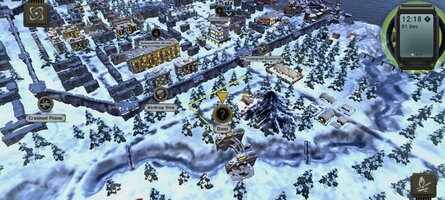
• Explore a vast open world, containing 40+ hours of gameplay and 45+ populated locations, from a snowy post apocalyptic megapolis and its outskirts to secret Soviet military bunkers, a large pirate tanker in the frozen sea and a mysterious island, among many more;
• Visit 30+ combat-only locations where you will get to fight tens of foe varieties from mercenaries to merciless mutants;
• Meet 300+ characters, each with a unique portrait and branching dialogue;
• Complete 200+ quests, most with multiple solutions and outcomes;
• Try out our fully voiced visual text quests with branching plots and unique hand made artwork;
• Arm yourself with 100+ models of distinct weaponry with 75+ weapon mods for further customization;
• Protect yourself using any of the 3 unique powered Soviet-style exoskeleton armor suits, with 20+ ways to customize and modify them for any playstyle;
And the fun doesn’t even end there!
We really hope you will enjoy ATOM RPG: Trudograd!
Technical Support: You can contact the developers at [email protected]
22 years ago the USSR and the Western Bloc destroyed each other in a nuclear inferno. Millions died instantly, society collapsed and technology was sent back into the Middle Ages. You are a member of ATOM – an organization tasked with protecting the post-apocalyptic remnants of humanity.
Two years ago you – a rookie agent of ATOM – were sent on a dangerous mission into the Soviet Wastes. As a result, you uncovered certain information about a new threat that can potentially destroy the struggling remnants of humanity.
In ATOM RPG: Trudograd your goal is to travel to a giant post-apocalyptic metropolis that withstood the tests of nuclear obliteration and social collapse. There you must find what is thought to be humanity’s last hope in fending off the menace from outer space!
Trudograd features:
• Start a new game with a new character OR continue playing as your ATOM RPG character - for this you must make a save file after beating ATOM RPG’s last boss and upload it into Trudograd via a helpful menu;
• Explore a vast open world, containing 40+ hours of gameplay and 45+ populated locations, from a snowy post apocalyptic megapolis and its outskirts to secret Soviet military bunkers, a large pirate tanker in the frozen sea and a mysterious island, among many more;
• Visit 30+ combat-only locations where you will get to fight tens of foe varieties from mercenaries to merciless mutants;
• Meet 300+ characters, each with a unique portrait and branching dialogue;
• Complete 200+ quests, most with multiple solutions and outcomes;
• Try out our fully voiced visual text quests with branching plots and unique hand made artwork;
• Arm yourself with 100+ models of distinct weaponry with 75+ weapon mods for further customization;
• Protect yourself using any of the 3 unique powered Soviet-style exoskeleton armor suits, with 20+ ways to customize and modify them for any playstyle;
And the fun doesn’t even end there!
We really hope you will enjoy ATOM RPG: Trudograd!
Technical Support: You can contact the developers at [email protected]
*MOD Features*
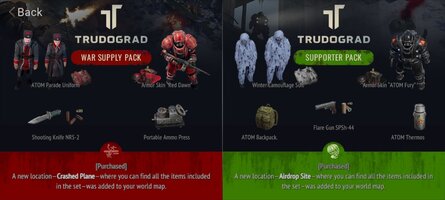
Unlocked All DLC
Credit to: ?
Free Download:
! Hidden Content !
You must be registered and either click Like under this post or leave a comment before you can see the hidden links.
You may need to refresh the page after clicking Like. If you’re still having trouble revealing the hidden links, please
read this.
Did you know? VIP Members can see all links instantly, no unlocking required.
Interested? Get VIP here.
Interested? Get VIP here.
______________________________________
If credits are unknown or incorrect and you are the modder you are free to message @G-Bo and the credits will be corrected asap!
What you need to know about Shared-MODs
*How to install (click the spoilers to read)*
Signed APKs do work on all Android devices (rooted + non-rooted).
Signed APKs are in the most cases the only provided files by the mod publisher as they work for everyone.
1.) Remove the original game/app.
2.) Download the MOD APK.
3.) Install the downloaded MOD APK.
4.) Enjoy.
Regarding login methods, please note that logging in with Google will not be possible when using signed MODs. Facebook login (if available) is possible, but it requires you to remove the Facebook application from your device. Other game-specific login methods (if available), such as email, transfer code or guest login usually work fine.
Notes:
- If you used our MOD APK before and just want to update, you can install the new MOD APK on top of the old without removing the game/app first.
- In-App purchases are not possible on signed APKs as they require Google services similar to the Google login process.
Signed APKs are in the most cases the only provided files by the mod publisher as they work for everyone.
1.) Remove the original game/app.
2.) Download the MOD APK.
3.) Install the downloaded MOD APK.
4.) Enjoy.
Regarding login methods, please note that logging in with Google will not be possible when using signed MODs. Facebook login (if available) is possible, but it requires you to remove the Facebook application from your device. Other game-specific login methods (if available), such as email, transfer code or guest login usually work fine.
Notes:
- If you used our MOD APK before and just want to update, you can install the new MOD APK on top of the old without removing the game/app first.
- In-App purchases are not possible on signed APKs as they require Google services similar to the Google login process.
Unsigned APKs do only work on rooted and patched devices/environments.
These are not always provided by the mod publisher as they do only work under certain circumstances.
1.) Your device must be rooted.
2.) Your device must be patched to ignore app signatures. This can be done with the help of tools such as Luckypatcher or Xposed.
Once you fill that requirements the process is the same as with signed APKs with the difference that you can overwrite the original game/app with the MOD APK without removing it first.
1.) Download the unsigned MOD APK.
2.) Install the unsigned MOD APK.
3.) Enjoy.
Note:
For the case the unsigned APK does fail to install: Your device patch is not done correctly!
Login methods and In-App purchases on unsigned MODs function the same as in the original game. Logging in with Google works without issues. Keeping the Facebook application installed is also no problem.
You are rooted and want to know how to patch your device? Please check this for more information:
[Videotutorial] How To Login With Google+ Or Facebook App On Modded Games
These are not always provided by the mod publisher as they do only work under certain circumstances.
1.) Your device must be rooted.
2.) Your device must be patched to ignore app signatures. This can be done with the help of tools such as Luckypatcher or Xposed.
Once you fill that requirements the process is the same as with signed APKs with the difference that you can overwrite the original game/app with the MOD APK without removing it first.
1.) Download the unsigned MOD APK.
2.) Install the unsigned MOD APK.
3.) Enjoy.
Note:
For the case the unsigned APK does fail to install: Your device patch is not done correctly!
Login methods and In-App purchases on unsigned MODs function the same as in the original game. Logging in with Google works without issues. Keeping the Facebook application installed is also no problem.
You are rooted and want to know how to patch your device? Please check this for more information:
[Videotutorial] How To Login With Google+ Or Facebook App On Modded Games
OBB files are not required by every game/app. If necessary, the mod publisher will usually provide them and tell you that they are needed.
1.) Download the OBB file/files.
2.) Download the MOD APK.
3.) Move the OBB files with the help of a filemanager to Android/obb/<packagecode> on your device.
4.) Install the downloaded MOD APK.
5.) Enjoy.
The OBB files are either provided as ".obb" files or as ".zip" files. ZIP files do require to be extracted first.
Still facing issues? Please check here for more details:
How to install OBB files [as detailed as possible]
1.) Download the OBB file/files.
2.) Download the MOD APK.
3.) Move the OBB files with the help of a filemanager to Android/obb/<packagecode> on your device.
4.) Install the downloaded MOD APK.
5.) Enjoy.
The OBB files are either provided as ".obb" files or as ".zip" files. ZIP files do require to be extracted first.
Still facing issues? Please check here for more details:
How to install OBB files [as detailed as possible]
Tutorials:
How to sign up and download on Platinmods.com
List of useful tutorials about how to use this website and its content