Playstore Link:

Under My Roof: Love Stories - Apps on Google Play
Manage your apartment, date stunning tenants, and find true love!
Game Name: Under My Roof: Love Stories
Game Version: 1.2.0511
Needs OBB: No
Needs Root: No
 Your Dream Starts Here!
  From Rookie Landlord to Urban Tycoon: Write Your Own Legend! Step into the shoes of an aspiring landlord starting with a single modest apartment. Through savvy management and strategic investment, upgrade your facilities and optimize the environment to build your dream community. Master your finances, expand your business footprint, and achieve a double breakthrough in wealth and status amidst the city's tides.
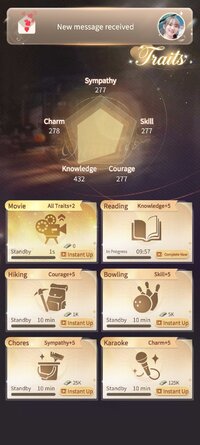
With a deep growth system and diverse mission challenges, you’ll sharpen your Knowledge, Charisma, and Fitness. Break your limits to unlock advanced business strategies and life possibilities. As your success and capabilities soar, you’ll become the brightest star in the city. A peak career and sincere romance are yours to command!
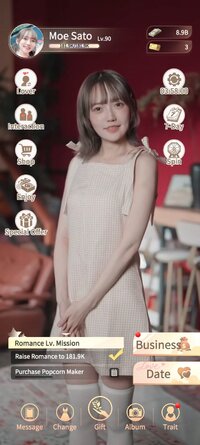
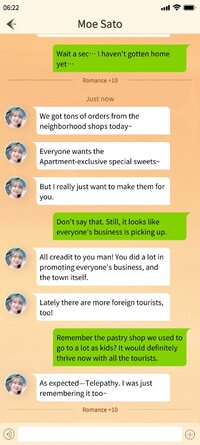
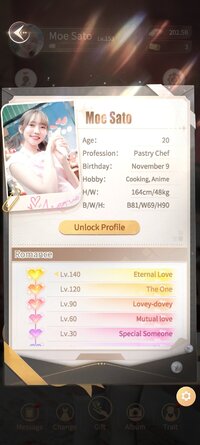
 Immersive Apartment Life Encounter beautiful female tenants with distinct personalities and engage in heartwarming interactions. Deepen your bonds through chats, phone calls, and daily encounters. Every choice you make shapes the relationship, unlocking unique plot branches and exclusive stories. Experience a natural, evolving journey of trust and heart-pounding moments.
 Style & Glamour: Unlock Every Side of Her Unlock a vast wardrobe of styles for your characters: elegant evening gowns, cozy loungewear, and playful themed outfits. Each look not only showcases her unique charm but also triggers exclusive storylines and interactive content, ensuring every transformation feels fresh and exciting.
 Collect Precious Memories Unlock exclusive photos and sentimental content as the story progresses. Document every milestone and build your personal growth archive, witnessing the synchronized evolution of your career and your heart.
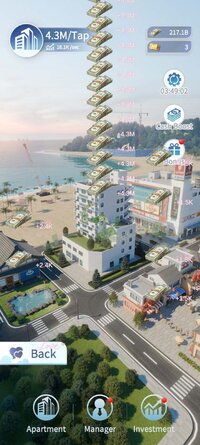
 Expand Your Business Empire From a weathered building to a high-end luxury district—scale your assets through renovations, rent management, and commercial investments. Plan your resources wisely, dominate the market, and establish your very own urban business empire.
 Download Now: Start Your Elite Life & Sweet Romance! A brand-new experience where career, growth, and love intertwine awaits you. Your story begins today... and she is waiting for you.
Community:
Facebook: 大家さんとの恋愛契約
X (Twitter): https://x.com/ooyasann_game
*MOD Features*
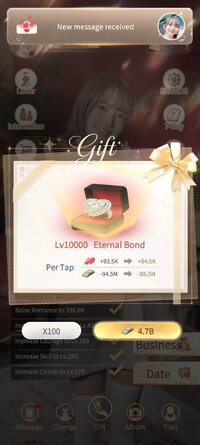
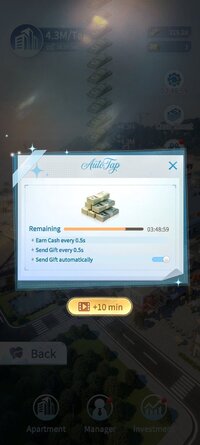
Unlimited Currency
Unlock No Ads
Note: The game requires an internet connection.
Credit to: ?
Free Download:
! Hidden Content !
You must be registered and either click Like under this post or leave a comment before you can see the hidden links.
You may need to refresh the page after clicking Like. If you’re still having trouble revealing the hidden links, please
read this.
Did you know? VIP Members can see all links instantly, no unlocking required.
Interested? Get VIP here.
Interested? Get VIP here.
______________________________________
If credits are unknown or incorrect and you are the modder you are free to message @G-Bo and the credits will be corrected asap!
What you need to know about Shared-MODs
*How to install (click the spoilers to read)*
Signed APKs do work on all Android devices (rooted + non-rooted).
Signed APKs are in the most cases the only provided files by the mod publisher as they work for everyone.
1.) Remove the original game/app.
2.) Download the MOD APK.
3.) Install the downloaded MOD APK.
4.) Enjoy.
Regarding login methods, please note that logging in with Google will not be possible when using signed MODs. Facebook login (if available) is possible, but it requires you to remove the Facebook application from your device. Other game-specific login methods (if available), such as email, transfer code or guest login usually work fine.
Notes:
- If you used our MOD APK before and just want to update, you can install the new MOD APK on top of the old without removing the game/app first.
- In-App purchases are not possible on signed APKs as they require Google services similar to the Google login process.
Signed APKs are in the most cases the only provided files by the mod publisher as they work for everyone.
1.) Remove the original game/app.
2.) Download the MOD APK.
3.) Install the downloaded MOD APK.
4.) Enjoy.
Regarding login methods, please note that logging in with Google will not be possible when using signed MODs. Facebook login (if available) is possible, but it requires you to remove the Facebook application from your device. Other game-specific login methods (if available), such as email, transfer code or guest login usually work fine.
Notes:
- If you used our MOD APK before and just want to update, you can install the new MOD APK on top of the old without removing the game/app first.
- In-App purchases are not possible on signed APKs as they require Google services similar to the Google login process.
Unsigned APKs do only work on rooted and patched devices/environments.
These are not always provided by the mod publisher as they do only work under certain circumstances.
1.) Your device must be rooted.
2.) Your device must be patched to ignore app signatures. This can be done with the help of tools such as Luckypatcher or Xposed.
Once you fill that requirements the process is the same as with signed APKs with the difference that you can overwrite the original game/app with the MOD APK without removing it first.
1.) Download the unsigned MOD APK.
2.) Install the unsigned MOD APK.
3.) Enjoy.
Note:
For the case the unsigned APK does fail to install: Your device patch is not done correctly!
Login methods and In-App purchases on unsigned MODs function the same as in the original game. Logging in with Google works without issues. Keeping the Facebook application installed is also no problem.
You are rooted and want to know how to patch your device? Please check this for more information:
[Videotutorial] How To Login With Google+ Or Facebook App On Modded Games
These are not always provided by the mod publisher as they do only work under certain circumstances.
1.) Your device must be rooted.
2.) Your device must be patched to ignore app signatures. This can be done with the help of tools such as Luckypatcher or Xposed.
Once you fill that requirements the process is the same as with signed APKs with the difference that you can overwrite the original game/app with the MOD APK without removing it first.
1.) Download the unsigned MOD APK.
2.) Install the unsigned MOD APK.
3.) Enjoy.
Note:
For the case the unsigned APK does fail to install: Your device patch is not done correctly!
Login methods and In-App purchases on unsigned MODs function the same as in the original game. Logging in with Google works without issues. Keeping the Facebook application installed is also no problem.
You are rooted and want to know how to patch your device? Please check this for more information:
[Videotutorial] How To Login With Google+ Or Facebook App On Modded Games
OBB files are not required by every game/app. If necessary, the mod publisher will usually provide them and tell you that they are needed.
1.) Download the OBB file/files.
2.) Download the MOD APK.
3.) Move the OBB files with the help of a filemanager to Android/obb/<packagecode> on your device.
4.) Install the downloaded MOD APK.
5.) Enjoy.
The OBB files are either provided as ".obb" files or as ".zip" files. ZIP files do require to be extracted first.
Still facing issues? Please check here for more details:
How to install OBB files [as detailed as possible]
1.) Download the OBB file/files.
2.) Download the MOD APK.
3.) Move the OBB files with the help of a filemanager to Android/obb/<packagecode> on your device.
4.) Install the downloaded MOD APK.
5.) Enjoy.
The OBB files are either provided as ".obb" files or as ".zip" files. ZIP files do require to be extracted first.
Still facing issues? Please check here for more details:
How to install OBB files [as detailed as possible]
Tutorials:
How to sign up and download on Platinmods.com
List of useful tutorials about how to use this website and its content