AnshikaG
Just Crazy
Playstore Link:

WinterCraft Survival Simulator - Apps on Google Play
Winter survival: build a house, craft, hunt and fish in a frozen forest
Game Name: WinterCraft Survival Simulator
Game Version: v1.2.0.2
Needs OBB: No
Needs Root: No
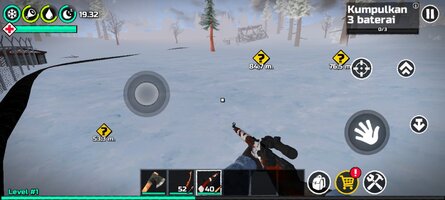
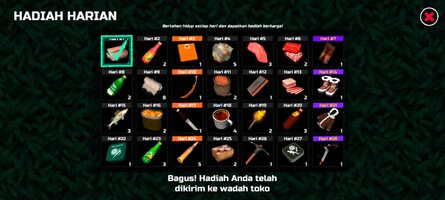
WinterCraft is a realistic first-person winter survival simulator set in a frozen wilderness. Face hunger, bitter cold, wild animals and dangerous weather as you gather resources, craft gear, hunt, fish, explore snowy locations and build your own house before the next blizzard hits.
Winter survival starts with the basics. Collect wood, stone, metal and other resources, then craft tools, weapons and essential items. Light campfires, cook meat and fish, manage your food supplies and keep an eye on the condition of your clothing. When a blizzard arrives, visibility drops, temperatures plunge and staying outside for too long can become deadly.
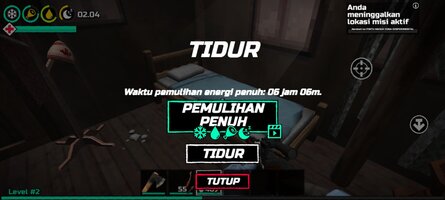
Build your own house in the winter forest. Choose where to settle and construct it piece by piece: floors, walls, a roof, a stove, a bed and a workbench. Add furniture and decorations, store your supplies and turn a simple shelter into a home base for future expeditions.
Tame a dog, choose its appearance and give it a name. Your loyal companion can find and bring back nearby resources, help you hunt and defend you from predators. Give it commands, keep it fed and explore the frozen world together.
Head out onto the ice for winter fishing. Craft a fishing rod and bait, find a fishing hut and catch different species of fish. Cook your catch over the fire or turn it into meals to restore your strength and prepare for the journey ahead.
WinterCraft also features a story campaign with around 40 quests. After receiving a letter from your father, a scientist who has gone missing, you set out to find him and uncover what happened to this frozen land. Explore eight distinct locations, including abandoned sites and a mine, discover hidden secrets and follow the story at your own pace — or put the quests aside and simply survive.
Unlock a snowmobile, find fuel and travel quickly across snowy terrain. Use its storage to carry supplies, reach distant places faster and return home with new resources and discoveries.
Build, craft, hunt, fish, explore and survive in the harsh winter wilderness. Find a loyal companion, uncover the mystery behind the endless winter and create your own survival story in WinterCraft.
Winter survival starts with the basics. Collect wood, stone, metal and other resources, then craft tools, weapons and essential items. Light campfires, cook meat and fish, manage your food supplies and keep an eye on the condition of your clothing. When a blizzard arrives, visibility drops, temperatures plunge and staying outside for too long can become deadly.
Build your own house in the winter forest. Choose where to settle and construct it piece by piece: floors, walls, a roof, a stove, a bed and a workbench. Add furniture and decorations, store your supplies and turn a simple shelter into a home base for future expeditions.
Tame a dog, choose its appearance and give it a name. Your loyal companion can find and bring back nearby resources, help you hunt and defend you from predators. Give it commands, keep it fed and explore the frozen world together.
Head out onto the ice for winter fishing. Craft a fishing rod and bait, find a fishing hut and catch different species of fish. Cook your catch over the fire or turn it into meals to restore your strength and prepare for the journey ahead.
WinterCraft also features a story campaign with around 40 quests. After receiving a letter from your father, a scientist who has gone missing, you set out to find him and uncover what happened to this frozen land. Explore eight distinct locations, including abandoned sites and a mine, discover hidden secrets and follow the story at your own pace — or put the quests aside and simply survive.
Unlock a snowmobile, find fuel and travel quickly across snowy terrain. Use its storage to carry supplies, reach distant places faster and return home with new resources and discoveries.
Build, craft, hunt, fish, explore and survive in the harsh winter wilderness. Find a loyal companion, uncover the mystery behind the endless winter and create your own survival story in WinterCraft.
*MOD Features*
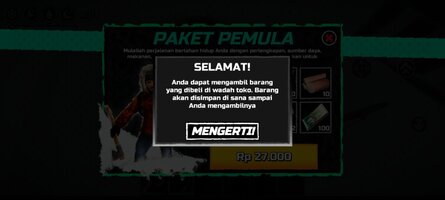
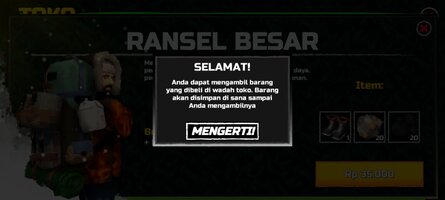
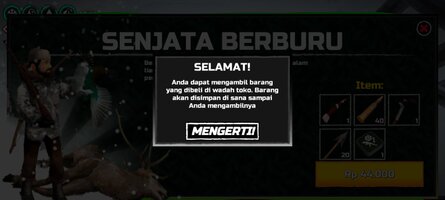
free in-app purchases
Credit to: ?
Free Download:
! Hidden Content !
You must be registered and either click Like under this post or leave a comment before you can see the hidden links.
You may need to refresh the page after clicking Like. If you’re still having trouble revealing the hidden links, please
read this.
Did you know? VIP Members can see all links instantly, no unlocking required.
Interested? Get VIP here.
Interested? Get VIP here.
If credits are unknown or incorrect and you are the modder you are free to message @G-Bo and the credits will be corrected asap!
What you need to know about Shared-MODs
*How to install (click the spoilers to read)*
Signed APKs do work on all Android devices (rooted + non-rooted).
Signed APKs are in the most cases the only provided files by the mod publisher as they work for everyone.
1.) Remove the original game/app.
2.) Download the MOD APK.
3.) Install the downloaded MOD APK.
4.) Enjoy.
Regarding login methods, please note that logging in with Google will not be possible when using signed MODs. Facebook login (if available) is possible, but it requires you to remove the Facebook application from your device. Other game-specific login methods (if available), such as email, transfer code or guest login usually work fine.
Notes:
- If you used our MOD APK before and just want to update, you can install the new MOD APK on top of the old without removing the game/app first.
- In-App purchases are not possible on signed APKs as they require Google services similar to the Google login process.
Signed APKs are in the most cases the only provided files by the mod publisher as they work for everyone.
1.) Remove the original game/app.
2.) Download the MOD APK.
3.) Install the downloaded MOD APK.
4.) Enjoy.
Regarding login methods, please note that logging in with Google will not be possible when using signed MODs. Facebook login (if available) is possible, but it requires you to remove the Facebook application from your device. Other game-specific login methods (if available), such as email, transfer code or guest login usually work fine.
Notes:
- If you used our MOD APK before and just want to update, you can install the new MOD APK on top of the old without removing the game/app first.
- In-App purchases are not possible on signed APKs as they require Google services similar to the Google login process.
Unsigned APKs do only work on rooted and patched devices/environments.
These are not always provided by the mod publisher as they do only work under certain circumstances.
1.) Your device must be rooted.
2.) Your device must be patched to ignore app signatures. This can be done with the help of tools such as Luckypatcher or Xposed.
Once you fill that requirements the process is the same as with signed APKs with the difference that you can overwrite the original game/app with the MOD APK without removing it first.
1.) Download the unsigned MOD APK.
2.) Install the unsigned MOD APK.
3.) Enjoy.
Note:
For the case the unsigned APK does fail to install: Your device patch is not done correctly!
Login methods and In-App purchases on unsigned MODs function the same as in the original game. Logging in with Google works without issues. Keeping the Facebook application installed is also no problem.
You are rooted and want to know how to patch your device? Please check this for more information:
[Videotutorial] How To Login With Google+ Or Facebook App On Modded Games
These are not always provided by the mod publisher as they do only work under certain circumstances.
1.) Your device must be rooted.
2.) Your device must be patched to ignore app signatures. This can be done with the help of tools such as Luckypatcher or Xposed.
Once you fill that requirements the process is the same as with signed APKs with the difference that you can overwrite the original game/app with the MOD APK without removing it first.
1.) Download the unsigned MOD APK.
2.) Install the unsigned MOD APK.
3.) Enjoy.
Note:
For the case the unsigned APK does fail to install: Your device patch is not done correctly!
Login methods and In-App purchases on unsigned MODs function the same as in the original game. Logging in with Google works without issues. Keeping the Facebook application installed is also no problem.
You are rooted and want to know how to patch your device? Please check this for more information:
[Videotutorial] How To Login With Google+ Or Facebook App On Modded Games
OBB files are not required by every game/app. If necessary, the mod publisher will usually provide them and tell you that they are needed.
1.) Download the OBB file/files.
2.) Download the MOD APK.
3.) Move the OBB files with the help of a filemanager to Android/obb/<packagecode> on your device.
4.) Install the downloaded MOD APK.
5.) Enjoy.
The OBB files are either provided as ".obb" files or as ".zip" files. ZIP files do require to be extracted first.
Still facing issues? Please check here for more details:
How to install OBB files [as detailed as possible]
1.) Download the OBB file/files.
2.) Download the MOD APK.
3.) Move the OBB files with the help of a filemanager to Android/obb/<packagecode> on your device.
4.) Install the downloaded MOD APK.
5.) Enjoy.
The OBB files are either provided as ".obb" files or as ".zip" files. ZIP files do require to be extracted first.
Still facing issues? Please check here for more details:
How to install OBB files [as detailed as possible]
Tutorials:
How to sign up and download on Platinmods.com
List of useful tutorials about how to use this website and its content
Last edited by a moderator: