Playstore Link:

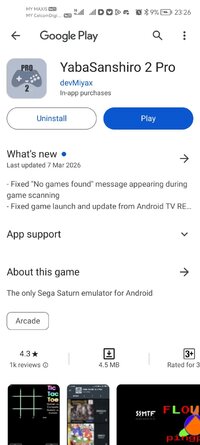
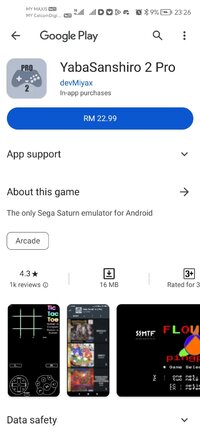
YabaSanshiro 2 Pro - Apps on Google Play
Play Sega Saturn games in HD with speed, huge backup space and cloud saves.
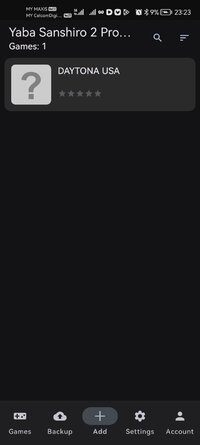
Game Name: YabaSanshiro 2 Pro
Game Version: v1.19.14-PRO
Needs OBB: No
Needs Root: No
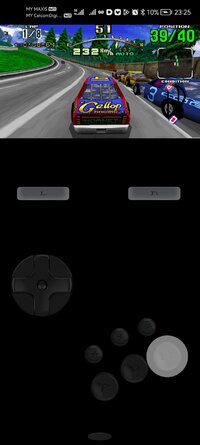
'Yaba Sanshiro' is implemented Sega Saturn's hardware with software, and you can play SEGA Saturn's game on Android devices.
For copyright protection, 'Yaba Sanshiro' does not include BIOS data and game. you can play your own game with these following instructions.
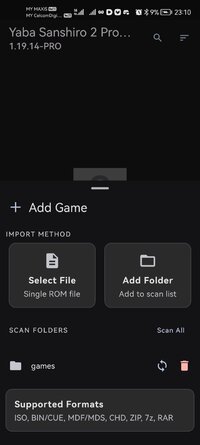
1. Create an ISO image file from game CD( using InfraRecorder or something )
2. Copy the file to /sdcard/yabause/games/( /sdcard/Android/data/org.devmiyax.yabasanshioro2.pro/files/yabause/games/ on Android 10 or above)
3. Start up 'Yaba Sanshiro'
4. Tap the game icon
Due to Scoped Storage specification. Android 10 or above devices
- Game file folder is changed from "/sdcard/yabause/games/" to "/sdcard/Android/data/org.devmiyax.yabasanshioro2.pro/files/yabause/games/"
- Game files, Save data, State data are removed when app is uninstalled
- Storage Access Framework is used when you select menu "Load Game"
In addition to the normal play, these functions are available.
- Higher resolution polygons using OpenGL ES 3.0.
- Extended internal backup memory from 32KB to 8MB.
- Copy backup data and state save data to your private cloud and share other devices
For copyright protection, 'Yaba Sanshiro' does not include BIOS data and game. you can play your own game with these following instructions.
1. Create an ISO image file from game CD( using InfraRecorder or something )
2. Copy the file to /sdcard/yabause/games/( /sdcard/Android/data/org.devmiyax.yabasanshioro2.pro/files/yabause/games/ on Android 10 or above)
3. Start up 'Yaba Sanshiro'
4. Tap the game icon
Due to Scoped Storage specification. Android 10 or above devices
- Game file folder is changed from "/sdcard/yabause/games/" to "/sdcard/Android/data/org.devmiyax.yabasanshioro2.pro/files/yabause/games/"
- Game files, Save data, State data are removed when app is uninstalled
- Storage Access Framework is used when you select menu "Load Game"
In addition to the normal play, these functions are available.
- Higher resolution polygons using OpenGL ES 3.0.
- Extended internal backup memory from 32KB to 8MB.
- Copy backup data and state save data to your private cloud and share other devices
*MOD Features*
● Pairip Protection Removed / Disabled.
● A Skip App Sign In Dialog.
● Ads Removed / Disabled.
● Ads Related Activity & Code Removed / Disabled.
● Ads Related Layouts Visibility Gone.
● Analytics / Crashlytics Removed / Disabled.
● Receivers, Services And Provider Removed / Disabled.
● Google Play Store Install Package Removed / Disabled.
● In-App Billing Service Removed / Disabled.
● Play Services, Transport, Firebase Properties Removed.
● All Unnecessary Garbage Folder & File Removed.
● Duplicate Dpi Item Remove Like:
- Bar Length, Drawable Size, Gap Between Bars.
● Splits0 File Removed (Resources & AndroidManifest).
● Splits0 Releated Unnecessary Meta-Data Remove Like:
- Stamp Source, Stamp Type Standalone Apk, Android Vending Splits, Android Vending Derived Apk.
● Removed Debug Information (Source, Line, Param, Prologue, Local).
Notes:
● If Load Game Failed.
● Create Folder For Path is "/storage/emulated/0/Android/media/org.devmiyax.yabasanshioro2.pro/games".[/b][/color]
Credit: @TryRoom
Free Download:
! Hidden Content !
You must be registered and either click Like under this post or leave a comment before you can see the hidden links.
You may need to refresh the page after clicking Like. If you’re still having trouble revealing the hidden links, please
read this.
Did you know? VIP Members can see all links instantly, no unlocking required.
Interested? Get VIP here.
Interested? Get VIP here.
______________________________________
If credits are unknown or incorrect and you are the modder you are free to message @G-Bo and the credits will be corrected asap!
What you need to know about Shared-MODs
*How to install (click the spoilers to read)*
Signed APKs do work on all Android devices (rooted + non-rooted).
Signed APKs are in the most cases the only provided files by the mod publisher as they work for everyone.
1.) Remove the original game/app.
2.) Download the MOD APK.
3.) Install the downloaded MOD APK.
4.) Enjoy.
Regarding login methods, please note that logging in with Google will not be possible when using signed MODs. Facebook login (if available) is possible, but it requires you to remove the Facebook application from your device. Other game-specific login methods (if available), such as email, transfer code or guest login usually work fine.
Notes:
- If you used our MOD APK before and just want to update, you can install the new MOD APK on top of the old without removing the game/app first.
- In-App purchases are not possible on signed APKs as they require Google services similar to the Google login process.
Signed APKs are in the most cases the only provided files by the mod publisher as they work for everyone.
1.) Remove the original game/app.
2.) Download the MOD APK.
3.) Install the downloaded MOD APK.
4.) Enjoy.
Regarding login methods, please note that logging in with Google will not be possible when using signed MODs. Facebook login (if available) is possible, but it requires you to remove the Facebook application from your device. Other game-specific login methods (if available), such as email, transfer code or guest login usually work fine.
Notes:
- If you used our MOD APK before and just want to update, you can install the new MOD APK on top of the old without removing the game/app first.
- In-App purchases are not possible on signed APKs as they require Google services similar to the Google login process.
Unsigned APKs do only work on rooted and patched devices/environments.
These are not always provided by the mod publisher as they do only work under certain circumstances.
1.) Your device must be rooted.
2.) Your device must be patched to ignore app signatures. This can be done with the help of tools such as Luckypatcher or Xposed.
Once you fill that requirements the process is the same as with signed APKs with the difference that you can overwrite the original game/app with the MOD APK without removing it first.
1.) Download the unsigned MOD APK.
2.) Install the unsigned MOD APK.
3.) Enjoy.
Note:
For the case the unsigned APK does fail to install: Your device patch is not done correctly!
Login methods and In-App purchases on unsigned MODs function the same as in the original game. Logging in with Google works without issues. Keeping the Facebook application installed is also no problem.
You are rooted and want to know how to patch your device? Please check this for more information:
[Videotutorial] How To Login With Google+ Or Facebook App On Modded Games
These are not always provided by the mod publisher as they do only work under certain circumstances.
1.) Your device must be rooted.
2.) Your device must be patched to ignore app signatures. This can be done with the help of tools such as Luckypatcher or Xposed.
Once you fill that requirements the process is the same as with signed APKs with the difference that you can overwrite the original game/app with the MOD APK without removing it first.
1.) Download the unsigned MOD APK.
2.) Install the unsigned MOD APK.
3.) Enjoy.
Note:
For the case the unsigned APK does fail to install: Your device patch is not done correctly!
Login methods and In-App purchases on unsigned MODs function the same as in the original game. Logging in with Google works without issues. Keeping the Facebook application installed is also no problem.
You are rooted and want to know how to patch your device? Please check this for more information:
[Videotutorial] How To Login With Google+ Or Facebook App On Modded Games
OBB files are not required by every game/app. If necessary, the mod publisher will usually provide them and tell you that they are needed.
1.) Download the OBB file/files.
2.) Download the MOD APK.
3.) Move the OBB files with the help of a filemanager to Android/obb/<packagecode> on your device.
4.) Install the downloaded MOD APK.
5.) Enjoy.
The OBB files are either provided as ".obb" files or as ".zip" files. ZIP files do require to be extracted first.
Still facing issues? Please check here for more details:
How to install OBB files [as detailed as possible]
1.) Download the OBB file/files.
2.) Download the MOD APK.
3.) Move the OBB files with the help of a filemanager to Android/obb/<packagecode> on your device.
4.) Install the downloaded MOD APK.
5.) Enjoy.
The OBB files are either provided as ".obb" files or as ".zip" files. ZIP files do require to be extracted first.
Still facing issues? Please check here for more details:
How to install OBB files [as detailed as possible]
Tutorials:
How to sign up and download on Platinmods.com
List of useful tutorials about how to use this website and its content
Last edited by a moderator: