Playstore Link:

Cooking City: Food Master - Apps on Google Play
Cook & manage restaurants! Be a master chef in this cooking fever game city!
Game Name: Cooking City: Food Master
Game Version: 0.1.222
Needs OBB: No
Needs Root: No
 Welcome to Cooking City – Your Ultimate Cooking Games Adventure!
Ready to master the kitchen and become a royal chef? Cooking City is the ultimate food games experience that combines the excitement of cooking fever with the charm of cozy games and relaxing games vibes! This addictive restaurant games sensation delivers everything you love about cooking games – and more!
 Build Your Restaurant Empire
Start with street food stalls and grow into a royal culinary master! Cook delicious dishes from around the world – flip burgers
 , make good pizza great pizza
  , brew good coffee great coffee
  , bake fresh roti
  , and create hundreds of satisfying recipes.
Travel through Cooking City and unlock restaurants in every corner of the globe. Each location brings unique challenges, authentic dishes, and the chance to perfect your cooking skills!
 What Makes Cooking City Special
 Addictive Gameplay
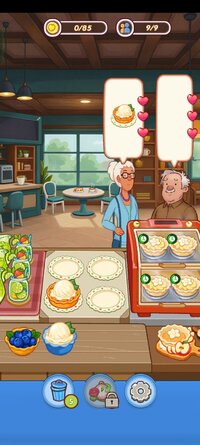
Experience the thrill of fast-paced restaurant games! You'll manage your kitchen, cook food quickly, and serve hungry customers. But unlike stressful cooking games, Cooking City balances challenge with relaxing games atmosphere – perfect for both hardcore fans and casual players seeking cozy games vibes!
1000+ Delicious LevelsProgress through hundreds of food games challenges! Each restaurant offers new dishes to master, from simple cookingdom basics to royal chef specialties. Whether you're cooking roti, perfecting your dish presentation, or racing against the clock in diner dash style missions – there's always something new!
Stunning Visuals & ASMR SoundsEnjoy beautiful hand-drawn graphics that make every food item pop! Immerse yourself in satisfying games mechanics with ASMR cooking sounds – sizzling pans, bubbling pots.
Master Global CuisinesCook authentic dishes from every culture! Make Indian roti, Italian pasta, Chinese noodles, Mexican tacos, and more. Each dish adds to your culinary mastery as you explore this vast cookingdom!
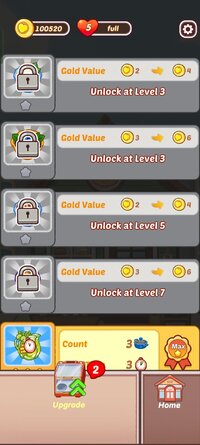
Upgrade Your KitchenInvest in better equipment and premium ingredients. Transform your kitchen from basic setup to a royal chef's paradise! Unlock new cooking techniques and expand your restaurant games empire.
Play Your WayLove the fast pace of cooking fever and diner dash? Check! Prefer the relaxing games vibe of toca kitchen? Got it! Want satisfying games with ASMR cooking? Perfect! Cooking City adapts to your taste and style.
 Perfect For Every Player
Master your craft, build your restaurant games empire, and become the ultimate chef in this addictive cooking adventure!
 Download Now!
Your kitchen awaits! Cook delicious food, master restaurant games challenges, and rise from street food vendor to royal chef. Whether you want cooking fever thrills or relaxing games comfort, Cooking City delivers!
Join millions enjoying the best cooking games experience! Tap """"Install"""" and start your culinary journey today!

*MOD Features*
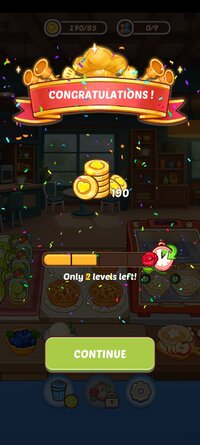
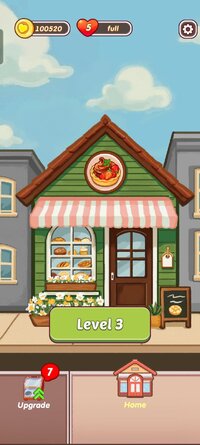
Large amounts of currency
Free Download:
! Hidden Content !
You must be registered and either click Like under this post or leave a comment before you can see the hidden links.
You may need to refresh the page after clicking Like. If you’re still having trouble revealing the hidden links, please
read this.
Did you know? VIP Members can see all links instantly, no unlocking required.
Interested? Get VIP here.
Interested? Get VIP here.
______________________________________
If credits are unknown or incorrect and you are the modder you are free to message @G-Bo and the credits will be corrected asap!
What you need to know about Shared-MODs
*How to install (click the spoilers to read)*
Signed APKs do work on all Android devices (rooted + non-rooted).
Signed APKs are in the most cases the only provided files by the mod publisher as they work for everyone.
1.) Remove the original game/app.
2.) Download the MOD APK.
3.) Install the downloaded MOD APK.
4.) Enjoy.
Regarding login methods, please note that logging in with Google will not be possible when using signed MODs. Facebook login (if available) is possible, but it requires you to remove the Facebook application from your device. Other game-specific login methods (if available), such as email, transfer code or guest login usually work fine.
Notes:
- If you used our MOD APK before and just want to update, you can install the new MOD APK on top of the old without removing the game/app first.
- In-App purchases are not possible on signed APKs as they require Google services similar to the Google login process.
Signed APKs are in the most cases the only provided files by the mod publisher as they work for everyone.
1.) Remove the original game/app.
2.) Download the MOD APK.
3.) Install the downloaded MOD APK.
4.) Enjoy.
Regarding login methods, please note that logging in with Google will not be possible when using signed MODs. Facebook login (if available) is possible, but it requires you to remove the Facebook application from your device. Other game-specific login methods (if available), such as email, transfer code or guest login usually work fine.
Notes:
- If you used our MOD APK before and just want to update, you can install the new MOD APK on top of the old without removing the game/app first.
- In-App purchases are not possible on signed APKs as they require Google services similar to the Google login process.
Unsigned APKs do only work on rooted and patched devices/environments.
These are not always provided by the mod publisher as they do only work under certain circumstances.
1.) Your device must be rooted.
2.) Your device must be patched to ignore app signatures. This can be done with the help of tools such as Luckypatcher or Xposed.
Once you fill that requirements the process is the same as with signed APKs with the difference that you can overwrite the original game/app with the MOD APK without removing it first.
1.) Download the unsigned MOD APK.
2.) Install the unsigned MOD APK.
3.) Enjoy.
Note:
For the case the unsigned APK does fail to install: Your device patch is not done correctly!
Login methods and In-App purchases on unsigned MODs function the same as in the original game. Logging in with Google works without issues. Keeping the Facebook application installed is also no problem.
You are rooted and want to know how to patch your device? Please check this for more information:
[Videotutorial] How To Login With Google+ Or Facebook App On Modded Games
These are not always provided by the mod publisher as they do only work under certain circumstances.
1.) Your device must be rooted.
2.) Your device must be patched to ignore app signatures. This can be done with the help of tools such as Luckypatcher or Xposed.
Once you fill that requirements the process is the same as with signed APKs with the difference that you can overwrite the original game/app with the MOD APK without removing it first.
1.) Download the unsigned MOD APK.
2.) Install the unsigned MOD APK.
3.) Enjoy.
Note:
For the case the unsigned APK does fail to install: Your device patch is not done correctly!
Login methods and In-App purchases on unsigned MODs function the same as in the original game. Logging in with Google works without issues. Keeping the Facebook application installed is also no problem.
You are rooted and want to know how to patch your device? Please check this for more information:
[Videotutorial] How To Login With Google+ Or Facebook App On Modded Games
OBB files are not required by every game/app. If necessary, the mod publisher will usually provide them and tell you that they are needed.
1.) Download the OBB file/files.
2.) Download the MOD APK.
3.) Move the OBB files with the help of a filemanager to Android/obb/<packagecode> on your device.
4.) Install the downloaded MOD APK.
5.) Enjoy.
The OBB files are either provided as ".obb" files or as ".zip" files. ZIP files do require to be extracted first.
Still facing issues? Please check here for more details:
How to install OBB files [as detailed as possible]
1.) Download the OBB file/files.
2.) Download the MOD APK.
3.) Move the OBB files with the help of a filemanager to Android/obb/<packagecode> on your device.
4.) Install the downloaded MOD APK.
5.) Enjoy.
The OBB files are either provided as ".obb" files or as ".zip" files. ZIP files do require to be extracted first.
Still facing issues? Please check here for more details:
How to install OBB files [as detailed as possible]
Tutorials:
How to sign up and download on Platinmods.com
List of useful tutorials about how to use this website and its content