Playstore Link:

Grand Theft Auto: San Andreas - Apps on Google Play
Rockstar Games brings its biggest release to mobile yet.
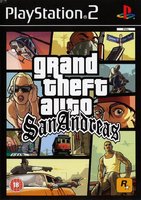
Game Name: Grand Theft Auto: San Andreas
Game Version: 2.11.311
Needs OBB: No
Needs Root: No
Five years ago, Carl Johnson escaped from the pressures of life in Los Santos, San Andreas, a city tearing itself apart with gang trouble, drugs and corruption. Where filmstars and millionaires do their best to avoid the dealers and gangbangers.
Now, it’s the early 90’s. Carl’s got to go home. His mother has been murdered, his family has fallen apart and his childhood friends are all heading towards disaster.
On his return to the neighborhood, a couple of corrupt cops frame him for homicide. CJ is forced on a journey that takes him across the entire state of San Andreas, to save his family and to take control of the streets.
Rockstar Games brings its biggest release to mobile yet with a vast open-world covering the state of San Andreas and its three major cities – Los Santos, San Fierro and Las Venturas – with enhanced visual fidelity and over 70 hours of gameplay.
Grand Theft Auto: San Andreas features:
• Remastered, high-resolution graphics built specifically for mobile including lighting enhancements, an enriched color palette and improved character models.
• Cloud save support for playing across all your mobile devices for Rockstar Social Club Members.
• Dual analog stick controls for full camera and movement control.
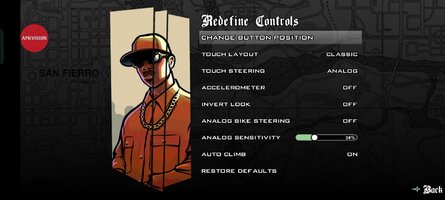
• Three different control schemes and customizable controls with contextual options to display buttons only when you need them.
• Compatible with the MoGa Wireless Game Controllers and select Bluetooth and USB gamepads.
• Integrated with Immersion tactile effects.
• Tailor your visual experience with adjustable graphic settings.
Languages Supported: English, French, Italian, German, Spanish, Russian and Japanese.
For optimal performance, we recommend re-booting your device after downloading and closing other applications when playing Grand Theft Auto: San Andreas.
For information about supported devices and compatibility, please see:
Mobile Version developed by War Drum Studios
www.wardrumstudios.com
Find out more:
www.rockstargames.com
See videos:
www.youtube.com/rockstargames
Follow us:
www.facebook.com/rockstargames
www.twitter.com/rockstargames
Now, it’s the early 90’s. Carl’s got to go home. His mother has been murdered, his family has fallen apart and his childhood friends are all heading towards disaster.
On his return to the neighborhood, a couple of corrupt cops frame him for homicide. CJ is forced on a journey that takes him across the entire state of San Andreas, to save his family and to take control of the streets.
Rockstar Games brings its biggest release to mobile yet with a vast open-world covering the state of San Andreas and its three major cities – Los Santos, San Fierro and Las Venturas – with enhanced visual fidelity and over 70 hours of gameplay.
Grand Theft Auto: San Andreas features:
• Remastered, high-resolution graphics built specifically for mobile including lighting enhancements, an enriched color palette and improved character models.
• Cloud save support for playing across all your mobile devices for Rockstar Social Club Members.
• Dual analog stick controls for full camera and movement control.
• Three different control schemes and customizable controls with contextual options to display buttons only when you need them.
• Compatible with the MoGa Wireless Game Controllers and select Bluetooth and USB gamepads.
• Integrated with Immersion tactile effects.
• Tailor your visual experience with adjustable graphic settings.
Languages Supported: English, French, Italian, German, Spanish, Russian and Japanese.
For optimal performance, we recommend re-booting your device after downloading and closing other applications when playing Grand Theft Auto: San Andreas.
For information about supported devices and compatibility, please see:
Mobile Version developed by War Drum Studios
www.wardrumstudios.com
Find out more:
www.rockstargames.com
See videos:
www.youtube.com/rockstargames
Follow us:
www.facebook.com/rockstargames
www.twitter.com/rockstargames
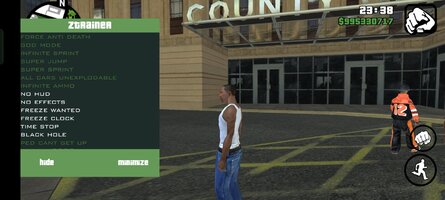
*MOD Features*
Mod Menu:
– God Mode
– Force Anti Death
– Infinite Sprint
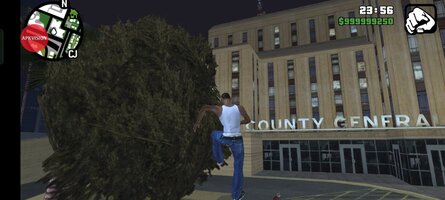
– Super Jump
– Super Sprint
– All Cars Unexplodable
– Infinite Ammo
– No HUD
– No Effects
– Freeze Wanted
– Freeze Clock
– Time Stop
– Black Hole
– Ped Can’t Get Up
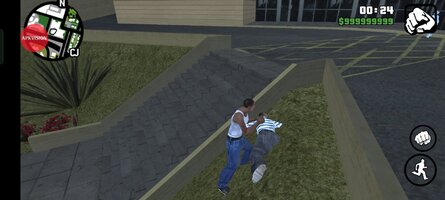
– Always 9999 Money
Credit to: ?
Free Download:
! Hidden Content !
You must be registered and either click Like under this post or leave a comment before you can see the hidden links.
You may need to refresh the page after clicking Like. If you’re still having trouble revealing the hidden links, please
read this.
Did you know? VIP Members can see all links instantly, no unlocking required.
Interested? Get VIP here.
Interested? Get VIP here.
______________________________________
If credits are unknown or incorrect and you are the modder you are free to message @G-Bo and the credits will be corrected asap!
What you need to know about Shared-MODs
*How to install (click the spoilers to read)*
Signed APKs do work on all Android devices (rooted + non-rooted).
Signed APKs are in the most cases the only provided files by the mod publisher as they work for everyone.
1.) Remove the original game/app.
2.) Download the MOD APK.
3.) Install the downloaded MOD APK.
4.) Enjoy.
Regarding login methods, please note that logging in with Google will not be possible when using signed MODs. Facebook login (if available) is possible, but it requires you to remove the Facebook application from your device. Other game-specific login methods (if available), such as email, transfer code or guest login usually work fine.
Notes:
- If you used our MOD APK before and just want to update, you can install the new MOD APK on top of the old without removing the game/app first.
- In-App purchases are not possible on signed APKs as they require Google services similar to the Google login process.
Signed APKs are in the most cases the only provided files by the mod publisher as they work for everyone.
1.) Remove the original game/app.
2.) Download the MOD APK.
3.) Install the downloaded MOD APK.
4.) Enjoy.
Regarding login methods, please note that logging in with Google will not be possible when using signed MODs. Facebook login (if available) is possible, but it requires you to remove the Facebook application from your device. Other game-specific login methods (if available), such as email, transfer code or guest login usually work fine.
Notes:
- If you used our MOD APK before and just want to update, you can install the new MOD APK on top of the old without removing the game/app first.
- In-App purchases are not possible on signed APKs as they require Google services similar to the Google login process.
Unsigned APKs do only work on rooted and patched devices/environments.
These are not always provided by the mod publisher as they do only work under certain circumstances.
1.) Your device must be rooted.
2.) Your device must be patched to ignore app signatures. This can be done with the help of tools such as Luckypatcher or Xposed.
Once you fill that requirements the process is the same as with signed APKs with the difference that you can overwrite the original game/app with the MOD APK without removing it first.
1.) Download the unsigned MOD APK.
2.) Install the unsigned MOD APK.
3.) Enjoy.
Note:
For the case the unsigned APK does fail to install: Your device patch is not done correctly!
Login methods and In-App purchases on unsigned MODs function the same as in the original game. Logging in with Google works without issues. Keeping the Facebook application installed is also no problem.
You are rooted and want to know how to patch your device? Please check this for more information:
[Videotutorial] How To Login With Google+ Or Facebook App On Modded Games
These are not always provided by the mod publisher as they do only work under certain circumstances.
1.) Your device must be rooted.
2.) Your device must be patched to ignore app signatures. This can be done with the help of tools such as Luckypatcher or Xposed.
Once you fill that requirements the process is the same as with signed APKs with the difference that you can overwrite the original game/app with the MOD APK without removing it first.
1.) Download the unsigned MOD APK.
2.) Install the unsigned MOD APK.
3.) Enjoy.
Note:
For the case the unsigned APK does fail to install: Your device patch is not done correctly!
Login methods and In-App purchases on unsigned MODs function the same as in the original game. Logging in with Google works without issues. Keeping the Facebook application installed is also no problem.
You are rooted and want to know how to patch your device? Please check this for more information:
[Videotutorial] How To Login With Google+ Or Facebook App On Modded Games
OBB files are not required by every game/app. If necessary, the mod publisher will usually provide them and tell you that they are needed.
1.) Download the OBB file/files.
2.) Download the MOD APK.
3.) Move the OBB files with the help of a filemanager to Android/obb/<packagecode> on your device.
4.) Install the downloaded MOD APK.
5.) Enjoy.
The OBB files are either provided as ".obb" files or as ".zip" files. ZIP files do require to be extracted first.
Still facing issues? Please check here for more details:
How to install OBB files [as detailed as possible]
1.) Download the OBB file/files.
2.) Download the MOD APK.
3.) Move the OBB files with the help of a filemanager to Android/obb/<packagecode> on your device.
4.) Install the downloaded MOD APK.
5.) Enjoy.
The OBB files are either provided as ".obb" files or as ".zip" files. ZIP files do require to be extracted first.
Still facing issues? Please check here for more details:
How to install OBB files [as detailed as possible]
Tutorials:
How to sign up and download on Platinmods.com
List of useful tutorials about how to use this website and its content
Last edited by a moderator: