AnshikaG
Just Crazy
Playstore Link:

Neon Sniper: FPS Crime Shooter - Apps on Google Play
Complete sniper contracts and rise to power in an offline 80s FPS crime shooter.
Game Name: Neon Sniper: FPS Crime Shooter
Game Version: v1.32
Needs OBB: No
Needs Root: No
Neon Sniper: FPS Crime Shooter
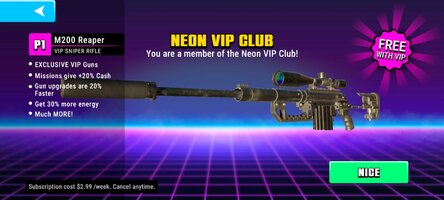
Neon Sniper is an offline first-person shooter set in Neon City, where gangs, corruption, and dangerous contracts rule the streets. Complete story missions, eliminate high-value targets, upgrade your weapons, and uncover the secrets behind the city's criminal underworld.
Explore an 80s Neon Crime World
Take on missions across beaches, luxury hotels, rooftops, construction sites, docks, nightclubs, abandoned factories, and other vibrant locations inspired by the neon atmosphere of the 1980s.
Hundreds of Missions Across Multiple Game Modes
Experience a wide variety of mission types, including:
• Story Missions
• Sniper Missions
• Contract Missions
• Photo Missions
• Protection Missions
• Boss Battles
Take down crime bosses, identify hidden targets, protect innocent civilians, eliminate enemies from long range, and complete high-risk contracts where every shot matters.
Story Campaign
Meet unforgettable characters as you work for both sides of the law.
Accept contracts from the police, crime syndicates, business owners, and mysterious clients. Investigate conspiracies, stop gang wars, and build your reputation as one of Neon City's most skilled snipers.
Special Missions
Discover unique scenarios throughout the campaign, including:
• Helicopter support missions
• Alien invasion events
• Shark attack encounters
• High-speed vehicle chases
• Pool party investigations
• Rooftop assassinations
• Photo, find your target missions
Every mission introduces new objectives, environments, and gameplay situations.
Weapons & Progression
Build an extensive arsenal of upgradeable firearms, including:
• Sniper Rifles
• Assault Rifles
• Shotguns
• SMGs
• Pistols
Upgrade your favorite weapons, unlock powerful equipment, improve weapon performance, and customize your arsenal with unique weapon skins.
Gadgets & Equipment
Complete difficult missions using specialized equipment.
Use thermal vision, Focus Mode, grenades, armor-piercing ammunition, and other tactical gear to eliminate heavily protected targets.
Key Features
• Offline gameplay — no internet connection required
• Hundreds of missions across multiple game modes
• Story campaign with memorable characters
• Helicopter, photo, protection, and contract missions
• Alien invasion events and unique mission scenarios
• Extensive arsenal of upgradeable firearms
• Weapon progression and customization
• Smooth and responsive controls
• Detailed 3D environments
• 80s-inspired neon crime setting
• Regular content updates
Download Neon Sniper: FPS Crime Shooter and build your reputation one contract at a time in an offline first-person sniper shooter inspired by the neon crime world of the 1980s.
Neon Sniper is an offline first-person shooter set in Neon City, where gangs, corruption, and dangerous contracts rule the streets. Complete story missions, eliminate high-value targets, upgrade your weapons, and uncover the secrets behind the city's criminal underworld.
Explore an 80s Neon Crime World
Take on missions across beaches, luxury hotels, rooftops, construction sites, docks, nightclubs, abandoned factories, and other vibrant locations inspired by the neon atmosphere of the 1980s.
Hundreds of Missions Across Multiple Game Modes
Experience a wide variety of mission types, including:
• Story Missions
• Sniper Missions
• Contract Missions
• Photo Missions
• Protection Missions
• Boss Battles
Take down crime bosses, identify hidden targets, protect innocent civilians, eliminate enemies from long range, and complete high-risk contracts where every shot matters.
Story Campaign
Meet unforgettable characters as you work for both sides of the law.
Accept contracts from the police, crime syndicates, business owners, and mysterious clients. Investigate conspiracies, stop gang wars, and build your reputation as one of Neon City's most skilled snipers.
Special Missions
Discover unique scenarios throughout the campaign, including:
• Helicopter support missions
• Alien invasion events
• Shark attack encounters
• High-speed vehicle chases
• Pool party investigations
• Rooftop assassinations
• Photo, find your target missions
Every mission introduces new objectives, environments, and gameplay situations.
Weapons & Progression
Build an extensive arsenal of upgradeable firearms, including:
• Sniper Rifles
• Assault Rifles
• Shotguns
• SMGs
• Pistols
Upgrade your favorite weapons, unlock powerful equipment, improve weapon performance, and customize your arsenal with unique weapon skins.
Gadgets & Equipment
Complete difficult missions using specialized equipment.
Use thermal vision, Focus Mode, grenades, armor-piercing ammunition, and other tactical gear to eliminate heavily protected targets.
Key Features
• Offline gameplay — no internet connection required
• Hundreds of missions across multiple game modes
• Story campaign with memorable characters
• Helicopter, photo, protection, and contract missions
• Alien invasion events and unique mission scenarios
• Extensive arsenal of upgradeable firearms
• Weapon progression and customization
• Smooth and responsive controls
• Detailed 3D environments
• 80s-inspired neon crime setting
• Regular content updates
Download Neon Sniper: FPS Crime Shooter and build your reputation one contract at a time in an offline first-person sniper shooter inspired by the neon crime world of the 1980s.
*MOD Features*
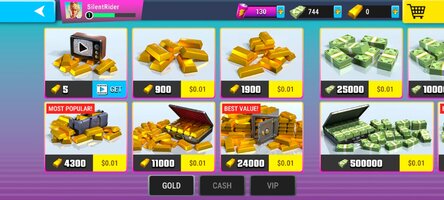
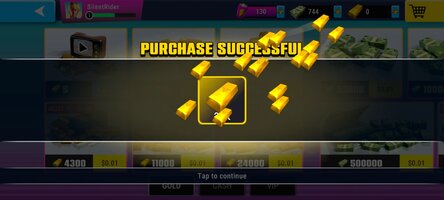
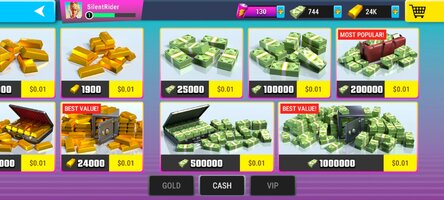
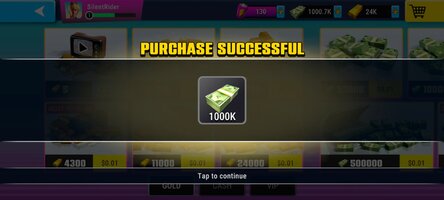
free in-app purchases
Credit to: ?
Free Download:
! Hidden Content !
You must be registered and either click Like under this post or leave a comment before you can see the hidden links.
You may need to refresh the page after clicking Like. If you’re still having trouble revealing the hidden links, please
read this.
Did you know? VIP Members can see all links instantly, no unlocking required.
Interested? Get VIP here.
Interested? Get VIP here.
If credits are unknown or incorrect and you are the modder you are free to message @G-Bo and the credits will be corrected asap!
What you need to know about Shared-MODs
*How to install (click the spoilers to read)*
Signed APKs do work on all Android devices (rooted + non-rooted).
Signed APKs are in the most cases the only provided files by the mod publisher as they work for everyone.
1.) Remove the original game/app.
2.) Download the MOD APK.
3.) Install the downloaded MOD APK.
4.) Enjoy.
Regarding login methods, please note that logging in with Google will not be possible when using signed MODs. Facebook login (if available) is possible, but it requires you to remove the Facebook application from your device. Other game-specific login methods (if available), such as email, transfer code or guest login usually work fine.
Notes:
- If you used our MOD APK before and just want to update, you can install the new MOD APK on top of the old without removing the game/app first.
- In-App purchases are not possible on signed APKs as they require Google services similar to the Google login process.
Signed APKs are in the most cases the only provided files by the mod publisher as they work for everyone.
1.) Remove the original game/app.
2.) Download the MOD APK.
3.) Install the downloaded MOD APK.
4.) Enjoy.
Regarding login methods, please note that logging in with Google will not be possible when using signed MODs. Facebook login (if available) is possible, but it requires you to remove the Facebook application from your device. Other game-specific login methods (if available), such as email, transfer code or guest login usually work fine.
Notes:
- If you used our MOD APK before and just want to update, you can install the new MOD APK on top of the old without removing the game/app first.
- In-App purchases are not possible on signed APKs as they require Google services similar to the Google login process.
Unsigned APKs do only work on rooted and patched devices/environments.
These are not always provided by the mod publisher as they do only work under certain circumstances.
1.) Your device must be rooted.
2.) Your device must be patched to ignore app signatures. This can be done with the help of tools such as Luckypatcher or Xposed.
Once you fill that requirements the process is the same as with signed APKs with the difference that you can overwrite the original game/app with the MOD APK without removing it first.
1.) Download the unsigned MOD APK.
2.) Install the unsigned MOD APK.
3.) Enjoy.
Note:
For the case the unsigned APK does fail to install: Your device patch is not done correctly!
Login methods and In-App purchases on unsigned MODs function the same as in the original game. Logging in with Google works without issues. Keeping the Facebook application installed is also no problem.
You are rooted and want to know how to patch your device? Please check this for more information:
[Videotutorial] How To Login With Google+ Or Facebook App On Modded Games
These are not always provided by the mod publisher as they do only work under certain circumstances.
1.) Your device must be rooted.
2.) Your device must be patched to ignore app signatures. This can be done with the help of tools such as Luckypatcher or Xposed.
Once you fill that requirements the process is the same as with signed APKs with the difference that you can overwrite the original game/app with the MOD APK without removing it first.
1.) Download the unsigned MOD APK.
2.) Install the unsigned MOD APK.
3.) Enjoy.
Note:
For the case the unsigned APK does fail to install: Your device patch is not done correctly!
Login methods and In-App purchases on unsigned MODs function the same as in the original game. Logging in with Google works without issues. Keeping the Facebook application installed is also no problem.
You are rooted and want to know how to patch your device? Please check this for more information:
[Videotutorial] How To Login With Google+ Or Facebook App On Modded Games
OBB files are not required by every game/app. If necessary, the mod publisher will usually provide them and tell you that they are needed.
1.) Download the OBB file/files.
2.) Download the MOD APK.
3.) Move the OBB files with the help of a filemanager to Android/obb/<packagecode> on your device.
4.) Install the downloaded MOD APK.
5.) Enjoy.
The OBB files are either provided as ".obb" files or as ".zip" files. ZIP files do require to be extracted first.
Still facing issues? Please check here for more details:
How to install OBB files [as detailed as possible]
1.) Download the OBB file/files.
2.) Download the MOD APK.
3.) Move the OBB files with the help of a filemanager to Android/obb/<packagecode> on your device.
4.) Install the downloaded MOD APK.
5.) Enjoy.
The OBB files are either provided as ".obb" files or as ".zip" files. ZIP files do require to be extracted first.
Still facing issues? Please check here for more details:
How to install OBB files [as detailed as possible]
Tutorials:
How to sign up and download on Platinmods.com
List of useful tutorials about how to use this website and its content