Playstore Link:

Tower Warriors: Survival RPG - Apps on Google Play
Puzzle-solving meets tower defense. Strategize, build, and battle!
Game Name: Tower Warriors: Survival RPG
Game Version: 0.1.5
Needs OBB: No
Needs Root: No
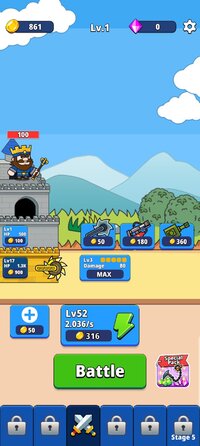
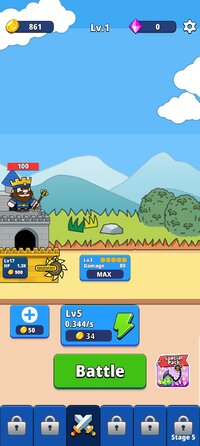
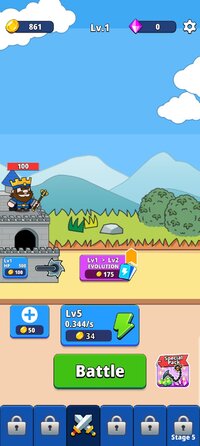
Tower Warriors redefines the tower defense genre by seamlessly blending puzzle-solving mechanics with intense strategic combat. Set in a world where ancient magic and military might collide, players assume the role of a powerful mage tasked with defending a mystical stronghold against relentless waves of invaders.
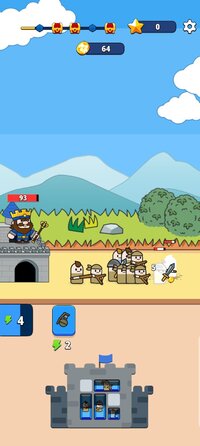
At the heart of this innovative game lies a unique puzzle system. Rather than simply placing defensive structures, players must solve intricate block puzzles to summon warriors, conjure magical defenses, and upgrade their arsenal. Each successfully completed puzzle not only bolsters your defenses but also unlocks new abilities and resources crucial for survival.
As you progress through the game, you'll face increasingly challenging enemies, from nimble scouts to hulking siege engines. The dynamic battlefield demands quick thinking and adaptability. Will you focus on creating a maze-like network of traps and barriers, or opt for an aggressive strategy with powerful offensive units? The choice is yours, but remember – every decision could mean the difference between victory and defeat.
Whether you're a fan of brain-teasing puzzles, action-packed tower defense, or immersive RPGs, Tower Warriors offers a fresh and exhilarating gaming experience. Can you solve the puzzles, build the perfect defense, and emerge victorious against the relentless onslaught? Your tower awaits, brave mage – let the battle begin!
At the heart of this innovative game lies a unique puzzle system. Rather than simply placing defensive structures, players must solve intricate block puzzles to summon warriors, conjure magical defenses, and upgrade their arsenal. Each successfully completed puzzle not only bolsters your defenses but also unlocks new abilities and resources crucial for survival.
As you progress through the game, you'll face increasingly challenging enemies, from nimble scouts to hulking siege engines. The dynamic battlefield demands quick thinking and adaptability. Will you focus on creating a maze-like network of traps and barriers, or opt for an aggressive strategy with powerful offensive units? The choice is yours, but remember – every decision could mean the difference between victory and defeat.
Whether you're a fan of brain-teasing puzzles, action-packed tower defense, or immersive RPGs, Tower Warriors offers a fresh and exhilarating gaming experience. Can you solve the puzzles, build the perfect defense, and emerge victorious against the relentless onslaught? Your tower awaits, brave mage – let the battle begin!
*MOD Features*
Currency usage remains unchanged
Free Download:
! Hidden Content !
You must be registered and either click Like under this post or leave a comment before you can see the hidden links.
You may need to refresh the page after clicking Like. If you’re still having trouble revealing the hidden links, please
read this.
Did you know? VIP Members can see all links instantly, no unlocking required.
Interested? Get VIP here.
Interested? Get VIP here.
______________________________________
If credits are unknown or incorrect and you are the modder you are free to message @G-Bo and the credits will be corrected asap!
What you need to know about Shared-MODs
*How to install (click the spoilers to read)*
Signed APKs do work on all Android devices (rooted + non-rooted).
Signed APKs are in the most cases the only provided files by the mod publisher as they work for everyone.
1.) Remove the original game/app.
2.) Download the MOD APK.
3.) Install the downloaded MOD APK.
4.) Enjoy.
Regarding login methods, please note that logging in with Google will not be possible when using signed MODs. Facebook login (if available) is possible, but it requires you to remove the Facebook application from your device. Other game-specific login methods (if available), such as email, transfer code or guest login usually work fine.
Notes:
- If you used our MOD APK before and just want to update, you can install the new MOD APK on top of the old without removing the game/app first.
- In-App purchases are not possible on signed APKs as they require Google services similar to the Google login process.
Signed APKs are in the most cases the only provided files by the mod publisher as they work for everyone.
1.) Remove the original game/app.
2.) Download the MOD APK.
3.) Install the downloaded MOD APK.
4.) Enjoy.
Regarding login methods, please note that logging in with Google will not be possible when using signed MODs. Facebook login (if available) is possible, but it requires you to remove the Facebook application from your device. Other game-specific login methods (if available), such as email, transfer code or guest login usually work fine.
Notes:
- If you used our MOD APK before and just want to update, you can install the new MOD APK on top of the old without removing the game/app first.
- In-App purchases are not possible on signed APKs as they require Google services similar to the Google login process.
Unsigned APKs do only work on rooted and patched devices/environments.
These are not always provided by the mod publisher as they do only work under certain circumstances.
1.) Your device must be rooted.
2.) Your device must be patched to ignore app signatures. This can be done with the help of tools such as Luckypatcher or Xposed.
Once you fill that requirements the process is the same as with signed APKs with the difference that you can overwrite the original game/app with the MOD APK without removing it first.
1.) Download the unsigned MOD APK.
2.) Install the unsigned MOD APK.
3.) Enjoy.
Note:
For the case the unsigned APK does fail to install: Your device patch is not done correctly!
Login methods and In-App purchases on unsigned MODs function the same as in the original game. Logging in with Google works without issues. Keeping the Facebook application installed is also no problem.
You are rooted and want to know how to patch your device? Please check this for more information:
[Videotutorial] How To Login With Google+ Or Facebook App On Modded Games
These are not always provided by the mod publisher as they do only work under certain circumstances.
1.) Your device must be rooted.
2.) Your device must be patched to ignore app signatures. This can be done with the help of tools such as Luckypatcher or Xposed.
Once you fill that requirements the process is the same as with signed APKs with the difference that you can overwrite the original game/app with the MOD APK without removing it first.
1.) Download the unsigned MOD APK.
2.) Install the unsigned MOD APK.
3.) Enjoy.
Note:
For the case the unsigned APK does fail to install: Your device patch is not done correctly!
Login methods and In-App purchases on unsigned MODs function the same as in the original game. Logging in with Google works without issues. Keeping the Facebook application installed is also no problem.
You are rooted and want to know how to patch your device? Please check this for more information:
[Videotutorial] How To Login With Google+ Or Facebook App On Modded Games
OBB files are not required by every game/app. If necessary, the mod publisher will usually provide them and tell you that they are needed.
1.) Download the OBB file/files.
2.) Download the MOD APK.
3.) Move the OBB files with the help of a filemanager to Android/obb/<packagecode> on your device.
4.) Install the downloaded MOD APK.
5.) Enjoy.
The OBB files are either provided as ".obb" files or as ".zip" files. ZIP files do require to be extracted first.
Still facing issues? Please check here for more details:
How to install OBB files [as detailed as possible]
1.) Download the OBB file/files.
2.) Download the MOD APK.
3.) Move the OBB files with the help of a filemanager to Android/obb/<packagecode> on your device.
4.) Install the downloaded MOD APK.
5.) Enjoy.
The OBB files are either provided as ".obb" files or as ".zip" files. ZIP files do require to be extracted first.
Still facing issues? Please check here for more details:
How to install OBB files [as detailed as possible]
Tutorials:
How to sign up and download on Platinmods.com
List of useful tutorials about how to use this website and its content