Playstore Link:

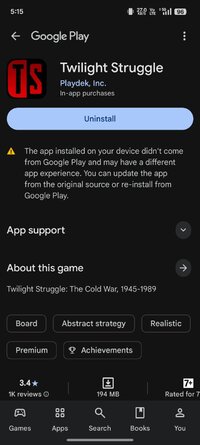
Game Name: Twilight Struggle
Game Version: 1.4.10
Needs OBB: No
Needs Root: No
"Now the trumpet summons us again, not as a call to bear arms, though arms we need; not as a call to battle, though embattled we are – but a call to bear the burden of a long twilight struggle..."
– President John F. Kennedy
HISTORY IN THE MAKING
Twilight Struggle puts the player at the center of the Cold War, the political and economic struggle between the U.S. and the U.S.S.R that spanned 5 decades from the 1950's to the 1990's. Designed by award winning creators Ananda Gupta and Jason Matthews, players control one of the two modern superpowers, as they work to spread their dominance throughout the world via political influence and coup attempts. But if either side triggers nuclear war, it's game over!
CARD BASED EVENTS
The event cards in the game are based on actual historical events from the Cold War era. Through the playing of these events, players exert their superpower's influence as they attempt to gain allies and regional control of the globe. From the early days of De-Stalinization, to the Cuban Missile Crisis, the Vietnam War and beyond, players are immersed in the actual events of the struggle between these two nations to be the dominant superpower in the world!
IMMERSIVE STRATEGY
Hone your skill and strategy as a world leader against an A.I. opponent, and then take your game global with matches against other players via asynchronous online game play.
FEATURES
•A.I. Opponent
•In-game Tutorial
•Pass-and-Play Multiplayer
•Asynchronous or Real-time Online Play
•Invite Playdek Friends
•Online Profile and Stats
•Customized Online Game Clock
•Player Rating System
"As a strategy game, Twilight Struggle is a revelation." - PC Gamer
"...every strategy gamer should play Twilight Struggle without fail: it's just that good." - Pocket Tactics
AWARDS
2012 Ludoteca Ideale Winner
2011 Lucca Games Best Boardgame for Experts
2006 International Gamers Awards - Historical Simulation
2006 International Gamers Awards - General Strategy; Two-players
2006 Golden Geek Best Wargame Winner
2006 Golden Geek Best 2-Player Board Game Winner
2005 James F. Dunnigan Award Winner
2005 Charles S. Roberts Best Modern Era Boardgame Winner
*AN INTERNET CONNECTION AND PLAYDEK ACCOUNT ARE REQUIRED FOR ONLINE PLAY.*
Per our Terms of Service, you must be 13 years old or older to use the Playdek online games service.
For Twilight Struggle game support, please contact: [email protected]
– President John F. Kennedy
HISTORY IN THE MAKING
Twilight Struggle puts the player at the center of the Cold War, the political and economic struggle between the U.S. and the U.S.S.R that spanned 5 decades from the 1950's to the 1990's. Designed by award winning creators Ananda Gupta and Jason Matthews, players control one of the two modern superpowers, as they work to spread their dominance throughout the world via political influence and coup attempts. But if either side triggers nuclear war, it's game over!
CARD BASED EVENTS
The event cards in the game are based on actual historical events from the Cold War era. Through the playing of these events, players exert their superpower's influence as they attempt to gain allies and regional control of the globe. From the early days of De-Stalinization, to the Cuban Missile Crisis, the Vietnam War and beyond, players are immersed in the actual events of the struggle between these two nations to be the dominant superpower in the world!
IMMERSIVE STRATEGY
Hone your skill and strategy as a world leader against an A.I. opponent, and then take your game global with matches against other players via asynchronous online game play.
FEATURES
•A.I. Opponent
•In-game Tutorial
•Pass-and-Play Multiplayer
•Asynchronous or Real-time Online Play
•Invite Playdek Friends
•Online Profile and Stats
•Customized Online Game Clock
•Player Rating System
"As a strategy game, Twilight Struggle is a revelation." - PC Gamer
"...every strategy gamer should play Twilight Struggle without fail: it's just that good." - Pocket Tactics
AWARDS
2012 Ludoteca Ideale Winner
2011 Lucca Games Best Boardgame for Experts
2006 International Gamers Awards - Historical Simulation
2006 International Gamers Awards - General Strategy; Two-players
2006 Golden Geek Best Wargame Winner
2006 Golden Geek Best 2-Player Board Game Winner
2005 James F. Dunnigan Award Winner
2005 Charles S. Roberts Best Modern Era Boardgame Winner
*AN INTERNET CONNECTION AND PLAYDEK ACCOUNT ARE REQUIRED FOR ONLINE PLAY.*
Per our Terms of Service, you must be 13 years old or older to use the Playdek online games service.
For Twilight Struggle game support, please contact: [email protected]
*MOD Features*
Unlock full content
Credit to: ?
Free Download:
! Hidden Content !
You must be registered and either click Like under this post or leave a comment before you can see the hidden links.
You may need to refresh the page after clicking Like. If you’re still having trouble revealing the hidden links, please
read this.
Did you know? VIP Members can see all links instantly, no unlocking required.
Interested? Get VIP here.
Interested? Get VIP here.
______________________________________
If credits are unknown or incorrect and you are the modder you are free to message @G-Bo and the credits will be corrected asap!
What you need to know about Shared-MODs
*How to install (click the spoilers to read)*
Signed APKs do work on all Android devices (rooted + non-rooted).
Signed APKs are in the most cases the only provided files by the mod publisher as they work for everyone.
1.) Remove the original game/app.
2.) Download the MOD APK.
3.) Install the downloaded MOD APK.
4.) Enjoy.
Regarding login methods, please note that logging in with Google will not be possible when using signed MODs. Facebook login (if available) is possible, but it requires you to remove the Facebook application from your device. Other game-specific login methods (if available), such as email, transfer code or guest login usually work fine.
Notes:
- If you used our MOD APK before and just want to update, you can install the new MOD APK on top of the old without removing the game/app first.
- In-App purchases are not possible on signed APKs as they require Google services similar to the Google login process.
Signed APKs are in the most cases the only provided files by the mod publisher as they work for everyone.
1.) Remove the original game/app.
2.) Download the MOD APK.
3.) Install the downloaded MOD APK.
4.) Enjoy.
Regarding login methods, please note that logging in with Google will not be possible when using signed MODs. Facebook login (if available) is possible, but it requires you to remove the Facebook application from your device. Other game-specific login methods (if available), such as email, transfer code or guest login usually work fine.
Notes:
- If you used our MOD APK before and just want to update, you can install the new MOD APK on top of the old without removing the game/app first.
- In-App purchases are not possible on signed APKs as they require Google services similar to the Google login process.
Unsigned APKs do only work on rooted and patched devices/environments.
These are not always provided by the mod publisher as they do only work under certain circumstances.
1.) Your device must be rooted.
2.) Your device must be patched to ignore app signatures. This can be done with the help of tools such as Luckypatcher or Xposed.
Once you fill that requirements the process is the same as with signed APKs with the difference that you can overwrite the original game/app with the MOD APK without removing it first.
1.) Download the unsigned MOD APK.
2.) Install the unsigned MOD APK.
3.) Enjoy.
Note:
For the case the unsigned APK does fail to install: Your device patch is not done correctly!
Login methods and In-App purchases on unsigned MODs function the same as in the original game. Logging in with Google works without issues. Keeping the Facebook application installed is also no problem.
You are rooted and want to know how to patch your device? Please check this for more information:
[Videotutorial] How To Login With Google+ Or Facebook App On Modded Games
These are not always provided by the mod publisher as they do only work under certain circumstances.
1.) Your device must be rooted.
2.) Your device must be patched to ignore app signatures. This can be done with the help of tools such as Luckypatcher or Xposed.
Once you fill that requirements the process is the same as with signed APKs with the difference that you can overwrite the original game/app with the MOD APK without removing it first.
1.) Download the unsigned MOD APK.
2.) Install the unsigned MOD APK.
3.) Enjoy.
Note:
For the case the unsigned APK does fail to install: Your device patch is not done correctly!
Login methods and In-App purchases on unsigned MODs function the same as in the original game. Logging in with Google works without issues. Keeping the Facebook application installed is also no problem.
You are rooted and want to know how to patch your device? Please check this for more information:
[Videotutorial] How To Login With Google+ Or Facebook App On Modded Games
OBB files are not required by every game/app. If necessary, the mod publisher will usually provide them and tell you that they are needed.
1.) Download the OBB file/files.
2.) Download the MOD APK.
3.) Move the OBB files with the help of a filemanager to Android/obb/<packagecode> on your device.
4.) Install the downloaded MOD APK.
5.) Enjoy.
The OBB files are either provided as ".obb" files or as ".zip" files. ZIP files do require to be extracted first.
Still facing issues? Please check here for more details:
How to install OBB files [as detailed as possible]
1.) Download the OBB file/files.
2.) Download the MOD APK.
3.) Move the OBB files with the help of a filemanager to Android/obb/<packagecode> on your device.
4.) Install the downloaded MOD APK.
5.) Enjoy.
The OBB files are either provided as ".obb" files or as ".zip" files. ZIP files do require to be extracted first.
Still facing issues? Please check here for more details:
How to install OBB files [as detailed as possible]
Tutorials:
How to sign up and download on Platinmods.com
List of useful tutorials about how to use this website and its content